
Remember when AI video tools could barely produce 3 seconds without your character’s face morphing into someone completely different? Those days are fading fast. Enter EasyAnimate long-form AI video generator — Alibaba’s answer to one of the most persistent problems in AI video creation: keeping everything coherent when the clip runs longer than a TikTok dance.
If you’re a creator, marketer, or just someone curious about where video AI is heading, this breakdown is for you. We’ll explore what makes EasyAnimate different, why coherence matters so much, and whether this tool actually delivers on its promises. For more cutting-edge AI insights and tool reviews, check out www.aiinovationhub.com — your hub for practical AI innovation.
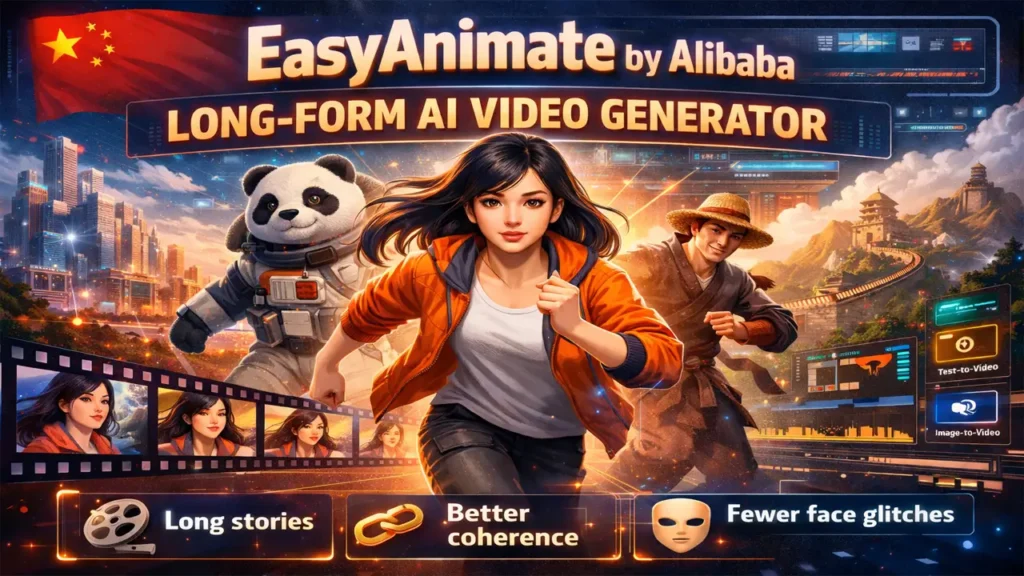
What is EasyAnimate Alibaba Cloud PAI — where the tool comes from and what Alibaba actually built
EasyAnimate isn’t just another video generator thrown into the already crowded AI marketplace. It’s a high-definition long video generation framework developed by Alibaba’s Platform for AI (PAI) team. Unlike many consumer-facing apps that offer simple text-to-video conversion with limited control, EasyAnimate Alibaba Cloud PAI positions itself as a comprehensive solution for developers and advanced creators who need more than just quick clips.
The framework emerged from Alibaba’s broader research into generative AI, specifically targeting the challenge of maintaining visual consistency across extended video sequences. While most AI video tools excel at generating impressive 2-4 second clips, they struggle when asked to produce anything longer — characters change appearance, backgrounds shift inconsistently, and the overall narrative coherence breaks down.
What sets this EasyAnimate long-form AI video generator apart is its architectural approach. Built on advanced diffusion models combined with transformer architectures, it’s designed from the ground up to handle longer sequences without sacrificing quality. Alibaba Cloud PAI released it as part of their broader AI toolkit, making it accessible to developers who want to integrate sophisticated video generation into their own applications or workflows.
The tool supports multiple input modes: text prompts, image-to-video conversion, and even combinations of both. This flexibility makes it valuable for different use cases — from marketing teams creating product videos to educators producing explanatory content, and content creators building consistent character-driven stories.
Video coherence AI model — how EasyAnimate solves the “morphing character” problem
Let’s talk about the elephant in the room: coherence. If you’ve played with AI video generators before, you’ve probably noticed the infamous “melting face” phenomenon. Your character starts as a brunette woman in a red dress, and three seconds later she’s somehow a blonde man in a blue suit. It’s jarring, unprofessional, and frankly unusable for serious content.
This is where video coherence AI model technology becomes critical, and it’s exactly what EasyAnimate prioritizes. Coherence in AI video means maintaining consistent visual elements across frames — the same face, the same clothing, the same background details, and the same lighting conditions throughout the entire sequence.
Traditional video generation models process each frame somewhat independently or with limited temporal awareness. They might reference the previous frame, but they lack a comprehensive understanding of the entire sequence. This is why you get drift — small inconsistencies that compound over time until your video looks like a fever dream.
EasyAnimate tackles this through several mechanisms. First, it uses temporal attention layers that allow the model to “remember” earlier frames and maintain consistency with them. Think of it as the model constantly checking: “Does this frame still match what I generated 2 seconds ago?”
Second, the framework employs motion modeling that understands how objects and characters should move naturally through space. Instead of generating each frame from scratch, it predicts motion trajectories and applies them consistently. This means when a character turns their head, the model knows how that face should look from different angles — maintaining the same facial features, hair style, and expression throughout the movement.
The result? Characters that actually look like the same person from start to finish. Backgrounds that maintain their architectural integrity. Lighting that doesn’t randomly shift from noon to midnight in three seconds. For creators, this transforms AI video from a novelty into a legitimate production tool.
Long video generation AI — how long of a story can it actually handle
Here’s the million-dollar question: when we say “long-form,” how long are we really talking about? The long video generation AI landscape is still evolving, and it’s important to set realistic expectations.
Most consumer AI video tools top out at 4-5 seconds. Some premium options might stretch to 10 seconds. EasyAnimate pushes this boundary significantly further, with research papers and demonstrations showing sequences extending to 30+ seconds and, in some configurations, even longer continuous generation.
But there’s nuance here. Generating a single continuous 30-second shot is different from generating a 30-second video with multiple cuts and scene transitions. The former is technically more challenging because it requires maintaining coherence across hundreds of frames without any breaks. The latter is easier because each new scene can essentially reset the coherence requirements.
AI Video Temporal Analysis
A technical assessment of generation duration, operational use cases, and structural coherence challenges.
| Temporal Scale | Optimal Use Case | Coherence Assessment |
|---|---|---|
| 03 – 05s | Dynamic social media assets, looping GIFs, and high-impact reaction clips. | Low Variance Standard models maintain near-perfect pixel and motion stability. |
| 10 – 15s | Product demonstrations, short-form commercial advertisements, and social storytelling. | Medium Variance Occasional semantic drift in textures or background geometry. |
| 30s + | Complex story sequences, animated explainers, and instructional narratives. | High Variance Requires temporal consistent sampling or long-context diffusion tech. |
| 60s + | Experimental short films and continuous cinematic narratives. | Experimental Extreme difficulty in maintaining identity and environment continuity. |
EasyAnimate’s approach involves breaking longer sequences into manageable chunks while maintaining coherence bridges between them. This means you can theoretically generate several minutes of video, but it might require multiple generation passes that are then stitched together — with the crucial difference being that the model maintains character and scene consistency across those chunks.
Research publications from Alibaba’s team show experiments with extended sequences where characters perform complex actions, move through different areas of a scene, and interact with objects — all while maintaining visual consistency. This is light-years ahead of what was possible just a year ago.
The practical limit depends on your hardware, patience, and specific use case. For most creators, the sweet spot is probably 15-30 second sequences that can be edited together into longer narratives. But the EasyAnimate long-form AI video generator gives you the building blocks to go much further if needed.
EasyAnimate text to video — scenarios: clips from text, storytelling, advertising
Now let’s get into the practical applications. EasyAnimate text to video capability is where many creators will spend most of their time, and it opens up fascinating possibilities across multiple industries.
Brand videos and advertising: Imagine you’re a small business owner who needs a product commercial but can’t afford a full video production crew. With EasyAnimate, you could input a prompt like: “A barista carefully pours steamed milk into a ceramic cup, creating a heart-shaped latte art design. Warm morning sunlight streams through a café window. Close-up shot, cinematic lighting.” The result? A professional-looking clip that could work perfectly in your Instagram ads or website hero section.
Educational content and explainers: Teachers and course creators can transform abstract concepts into visual demonstrations. A physics teacher might prompt: “Red ball rolling down an inclined plane, accelerating gradually, with speed vector arrows appearing above it.” Instead of searching stock footage or hiring an animator, you generate exactly what your lesson needs.
Storytelling and narrative content: This is where longer coherence really shines. Content creators can craft mini-series or episodic content by generating character-consistent scenes. Prompt: “A young astronaut with short black hair and a blue spacesuit walks slowly through a futuristic space station corridor, looking thoughtfully at photographs mounted on the metallic walls.” Generate this scene, and you can continue the story in the next prompt while maintaining the same character appearance.
Social media content at scale: Influencers and social media managers constantly need fresh video content. EasyAnimate can help generate b-roll, transitions, or entire posts based on trending topics or daily themes. The text-to-video workflow becomes a content multiplication tool.
The key advantage of the EasyAnimate long-form AI video generator in text-to-video mode is that your prompts can describe action that unfolds over time, not just static scenes. You can specify movement, emotion, camera motion, and narrative progression — and the model will attempt to visualize all of it while keeping everything coherent.
EasyAnimate image to video — bringing pictures to life without face changes every 3 seconds
While text-to-video is impressive, EasyAnimate image to video functionality unlocks a different set of creative possibilities — and solves some unique problems.
The concept is straightforward: you provide a static image, and the AI animates it into a video clip. But the execution is where things get interesting, especially when it comes to maintaining the visual characteristics of that source image throughout the animation.
Character consistency from a single image: Let’s say you’ve created (or commissioned) a unique character illustration — maybe a mascot for your brand or a protagonist for your animated series. Traditional video generation might create something inspired by that character but won’t truly preserve all the specific details. EasyAnimate’s image-to-video approach uses your source image as a strong anchor point, attempting to maintain those exact facial features, clothing details, and overall appearance as it adds motion.
Product demonstrations: E-commerce businesses can take their product photos and bring them to life. A static shot of a sneaker becomes a rotating 3D-style view. A photo of a gadget transforms into a clip showing it from multiple angles or demonstrating its features. This is incredibly valuable for brands that can’t afford constant professional video shoots but want dynamic content for their platforms.
Artistic projects and creative expression: Digital artists can create a single striking image and then use the EasyAnimate long-form AI video generator to explore how that image could move, breathe, or exist in time. A painting could transform into an animated scene where the painted characters move naturally within their world.
Before/after transformations: The image-to-video pipeline also enables transformation sequences. Start with a daytime scene image and prompt the model to transition it to nighttime, or take a summer landscape and watch it transform into autumn — all while maintaining the core composition and location.
The technical advantage here is that the model doesn’t have to imagine everything from scratch. It has a visual reference point that constrains the generation, making it easier to maintain coherence because there’s a concrete target to stay faithful to throughout the animation.
Diffusion Transformer video generation — why the DiT approach helps maintain quality
Let’s briefly geek out about the technology without drowning in jargon. Understanding Diffusion Transformer video generation gives you insight into why EasyAnimate can do what it does.
Traditional video generation often relied on GANs (Generative Adversarial Networks) or simpler recurrent architectures. These had limitations — GANs could be unstable and mode-collapse-prone, while recurrent models struggled with long-range dependencies.
Enter Diffusion Models: These work by gradually adding noise to data and then learning to reverse that process. Imagine watching a video dissolve into static, then training a model to reconstruct the original video from that static. That’s essentially what diffusion models learn to do, and they’ve proven remarkably effective at generating high-quality images and videos.
Now add Transformers to the mix: Transformers excel at understanding relationships across long sequences. In natural language processing, they revolutionized how AI understands the context in lengthy texts. For video, this means understanding how Frame 1 relates to Frame 50, maintaining consistency across time.
Diffusion Transformer (DiT) architectures combine these strengths. The diffusion process handles the actual generation quality — creating detailed, realistic visuals. The transformer component handles the temporal coherence — ensuring those visuals remain consistent across frames.
Neural Architecture Matrix
A technical breakdown of core model components and their operational utility in generative video synthesis.
| Architecture Component | Primary Function | Temporal & Visual Benefit |
|---|---|---|
| Diffusion Process | Iterative noise reduction to synthesize pixel-level imagery from latent noise. | High Fidelity Delivers realistic textures, accurate volumetric lighting, and fine-grain visual details. |
| Transformer Attention | Weighting semantic relationships across long-range temporal dependencies. | Identity Continuity Maintains character and environment consistency across hundreds of sequential frames. |
| Temporal Layers | Modeling 3D inter-frame motion vectors and physics-based progression. | Fluid Kinematics Ensures smooth transitions and naturalistic movement without “warping” or jitter. |
| Spatial Layers | Processing local geometric patterns and individual frame perceptual quality. | Structural Clarity Provides sharp, detailed imagery and prevents spatial hallucination in complex scenes. |
For EasyAnimate specifically, this DiT approach means the model can attend to both spatial details (what’s in each frame) and temporal relationships (how frames connect over time) simultaneously. It’s not choosing between quality and coherence — it’s optimizing for both.
This is why you can get a 20-second clip where a character’s face remains recognizable, their clothing doesn’t randomly change patterns, and the background maintains its architecture. The transformer’s attention mechanism is constantly cross-referencing frames to ensure consistency, while the diffusion process is ensuring each individual frame looks photorealistic and detailed.
EasyAnimate open source — where to find models/code and who benefits
One of the most exciting aspects of EasyAnimate is its relationship with the open-source community. While Alibaba could have kept this technology locked behind proprietary walls, they’ve made significant portions EasyAnimate open source, which changes the game for developers and researchers.
Where to find it: The EasyAnimate framework, models, and related research papers can be found in public repositories, primarily on platforms like GitHub and model hosting services like Hugging Face. Alibaba’s PAI team has released model weights, training code, and inference pipelines that let developers experiment with and build upon the technology.
Who benefits from open access:
Researchers and academics can study the architecture, understand the techniques, and build upon them for their own work. This accelerates progress across the entire field of video generation AI.
Independent developers can integrate EasyAnimate into their own applications without licensing fees. Want to build a specialized video tool for architects that generates building walkthroughs? You can use EasyAnimate as your foundation.
Content creators with technical skills can fine-tune models on their own datasets. If you’re creating a series with specific characters or a particular visual style, you could theoretically train a custom version of the EasyAnimate long-form AI video generator on your own reference material.
Educational institutions can teach students about cutting-edge AI using real, production-grade code rather than toy examples.
The open-source nature also means community improvements. Developers worldwide can contribute optimizations, fix bugs, create tutorials, and develop specialized versions for niche use cases. This community-driven development often results in faster innovation than closed systems.
However, “open source” doesn’t always mean “free of all restrictions” or “simple to use.” Many open-source AI models require significant computational resources, technical expertise to set up, and understanding of machine learning pipelines. They’re open in that the code is available and modifiable, but not necessarily plug-and-play for non-technical users.
For those interested in exploring, the model cards and documentation provide details about licensing, usage guidelines, and technical requirements. Some versions may have different terms for commercial vs. research use, so it’s worth reading the specifics if you plan to build a business on top of the technology.
EasyAnimate ComfyUI workflow — quick working process for creators
If you’re a creator who wants results without diving deep into code, the EasyAnimate ComfyUI workflow integration is your friend. ComfyUI has become a popular interface for AI image and video generation, offering a node-based workflow system that makes complex pipelines more accessible.
What is ComfyUI?: Think of it as a visual programming environment for AI generation. Instead of writing code, you drag and drop nodes representing different operations (load model, apply prompt, adjust parameters, save output) and connect them together. It’s like working with a modular synthesizer for video generation.
Setting up EasyAnimate in ComfyUI:
The process typically involves installing ComfyUI if you haven’t already, downloading the EasyAnimate custom nodes or extensions, downloading the model weights, and configuring paths so ComfyUI knows where to find everything.
While this requires some initial technical setup, it’s significantly more approachable than working directly with Python scripts and command-line interfaces. There are numerous community tutorials walking through the installation process step-by-step.
The workflow:
Once set up, a typical EasyAnimate workflow might look like this: load the model checkpoint node, input your text prompt or source image node, configure generation parameters (resolution, steps, guidance scale) using slider nodes, connect to the EasyAnimate generator node, and link to a preview and save node for output.
Control and experimentation: The beauty of ComfyUI is iteration speed. You can adjust a single parameter, regenerate, and immediately see results. Want to try different prompt variations? Duplicate a branch of your workflow and compare outputs side by side. Need to apply the same generation settings to multiple different prompts? Set it up once and batch process.
Presets and sharing: The ComfyUI community shares workflows as JSON files. This means you can download someone else’s perfectly tuned EasyAnimate setup, load it into your ComfyUI, and start creating with best-practice settings immediately. Conversely, once you’ve dialed in something that works great for your use case, you can save and share your workflow with others.
For creators, this transforms the EasyAnimate long-form AI video generator from a research tool into a production tool. You’re not fighting with command lines or debugging Python environments — you’re focusing on creative decisions: what to generate, how to prompt it, and which results to use.
EasyAnimate tutorial for creators — conclusion, who should use it, and next steps
So we’ve covered the technology, the capabilities, the workflows — now let’s bring it home with practical guidance.
Who should seriously consider EasyAnimate:
Content creators building episodic or character-driven content — The coherence capabilities make it viable to create recurring characters that actually look like the same person across multiple videos. This is perfect for animated series, educational characters, or branded mascots.
Marketing teams on limited budgets — Small businesses and startups that need professional-looking video content but can’t afford constant production shoots can use EasyAnimate to generate b-roll, product demonstrations, or even full commercials at a fraction of traditional costs.
Developers building video applications — If you’re creating an app or service that needs video generation capabilities, the open-source nature of EasyAnimate open source makes it a strong foundation to build upon.
Educators and course creators — Teachers who want custom visual demonstrations for their lessons can generate exactly what they need rather than searching for stock footage that almost fits.
Experimental artists and creative technologists — If you’re exploring the intersection of AI and creative expression, EasyAnimate’s capabilities offer a rich playground for artistic experimentation.
Who might want to wait or choose alternatives:
Complete beginners with no technical skills — While ComfyUI helps, there’s still a learning curve. If you want absolutely zero setup and just a simple app interface, consumer tools like Runway or Pika might be more appropriate starting points.
Projects requiring absolute precision — AI video generation is still probabilistic and unpredictable. If you need frame-perfect control for professional broadcast, traditional animation or filming remains more reliable.
Very limited computing resources — Running these models locally requires decent hardware. If you’re on an older laptop, cloud-based solutions might be necessary.
Next steps if you want to explore:
Start by watching community demonstrations of EasyAnimate on platforms like YouTube or following tutorials on dedicated AI creation forums. This gives you a realistic sense of capabilities and limitations without investing setup time yet.
If you have technical skills, explore the GitHub repository, read the documentation, and consider setting up a local installation or using cloud compute services to test it out.
For non-technical creators, look for services or platforms that have integrated EasyAnimate into their offerings, providing a simpler interface while leveraging the underlying technology.
Join communities focused on AI video generation. Discord servers, Reddit communities, and specialized forums are invaluable for learning best practices, troubleshooting issues, and discovering creative applications you might not have considered.
The bigger picture: EasyAnimate represents a significant step forward in making long-form, coherent AI video generation accessible. It’s not perfect — no AI video tool is — but it addresses one of the most frustrating limitations that has plagued this technology: the inability to maintain consistency across extended sequences.
As the technology matures, we’ll likely see even longer generations, better coherence, more control over specific aspects, and eventually, AI video tools that can handle feature-length content with consistent characters and storylines. EasyAnimate is pushing us closer to that future.
For creators willing to invest time in learning the tool, the EasyAnimate long-form AI video generator offers capabilities that simply weren’t accessible a year ago. The combination of length, coherence, and flexibility makes it a powerful addition to the modern creator’s toolkit.
Want to stay updated on the latest developments in AI video generation, detailed tool reviews, and practical tutorials? Visit www.aiinovationhub.com for regular insights, comparisons, and guides that help you navigate the rapidly evolving world of AI creation tools. Whether you’re just getting started or looking to push the boundaries of what’s possible, we’re here to help you understand and leverage these technologies effectively.
The AI video revolution is just beginning, and tools like EasyAnimate are showing us where it’s headed — longer, more coherent, and more creative than ever before.
If you’re into long-form AI video, you’ll love what’s happening on the hardware side too. Smooth, coherent clips need serious efficiency, and that’s where next-gen chips matter. Intel’s Panther Lake and the new Core Ultra Series 3 are shaping the future of AI workloads on laptops. Full story: https://bestchinagadget.com/intel-panther-lake-core-ultra-series-3/