
Hey guys, welcome back to the channel! Today, we’re diving deep into the Runway Gen-3 Alpha video generator – this thing is a game-changer for anyone messing with AI video creation. If you’re new here, hit that subscribe button and turn on notifications because we’re all about practical AI tips that actually work, not just the hype. Let’s jump right in and see why Runway Gen-3 Alpha is blowing up right now in 2025.
1. Introduction: Why Runway Gen-3 Alpha Video Generator Solves It All Right Now
Yo, what’s up everyone? So, the Runway Gen-3 Alpha video generator is basically Runway’s powerhouse AI model for turning text or images into stunning videos. According to their official docs, it’s designed for high-fidelity video generation with improved consistency and motion over previous versions. What sets it apart from something like OpenAI’s Sora? Well, while Sora’s now out as an app focusing on hyperreal motion and sound with character casting and remixing, Runway Gen-3 Alpha emphasizes precise control through prompts and settings like keyframes and camera movement. It’s not just about generating clips; it’s about crafting them with director-level tweaks.
Officially, Runway highlights Gen-3 Alpha for text-to-video and image-to-video modes, where you can describe scenes, subjects, and movements in detail. Unlike Sora, which auto-adds music and effects, Runway keeps it raw for post-production flexibility. And let’s be real – while Sora’s been on all the headlines, the internet’s buzzing with creators actually using Runway daily because it’s accessible via their dashboard with clear credit systems.
Here at aiinovationhub.com, we focus on hands-on application, not the buzz. Runway Gen-3 Alpha isn’t a toy; it’s for pros making content for socials, ads, or even film pre-viz. In this guide, we’ll cover everything from basics to advanced tricks. If you’re tired of inconsistent AI outputs, this model’s got your back with its prompting guide that stresses descriptive, positive language for better results. Stick around as we break it down step by step – by the end, you’ll be ready to create your first clip. And hey, if you like this, check out our other vids on AI tools. Let’s get into the features next!
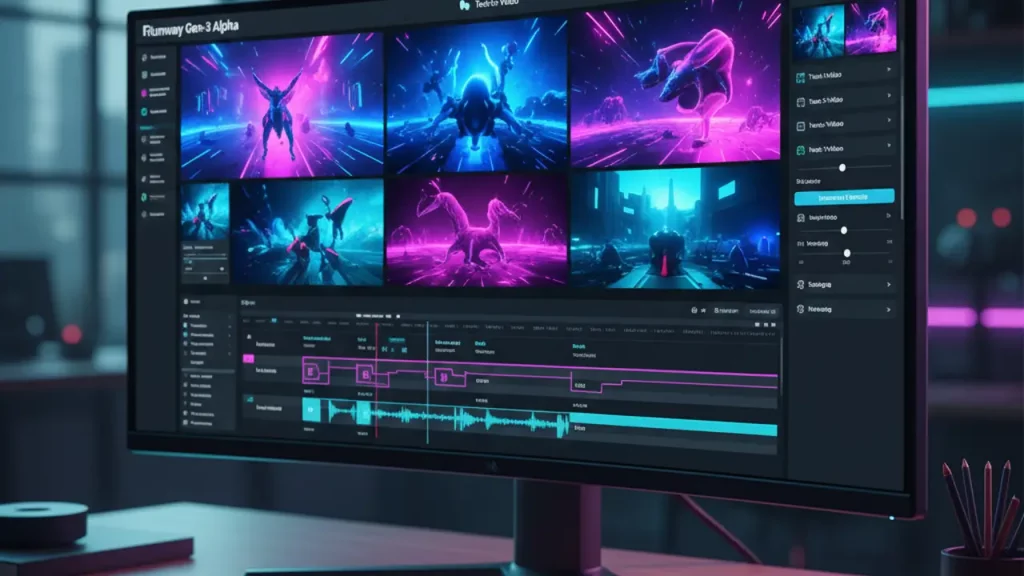
2. What Runway Gen-3 Alpha Video Generator Can Do: Core Features and Interface
Alright, team, let’s unpack what the Runway Gen-3 Alpha video generator really brings to the table. From the official Runway help center, this bad boy supports key modes like text-to-video, where you just type a descriptive prompt, and image-to-video, which uses an uploaded image as the starting point. There’s also the Turbo variant for faster generations at half the credit cost – perfect for quick tests. You can extend clips, add keyframes for first, middle, or last frames, and control aspects like duration (5 or 10 seconds) and resolution (up to 1280×768).
The interface is super intuitive: Log into the Runway dashboard, hit up the Generative Session, and boom – you’ve got a prompt area, model selector, and settings panel. Timeline? It’s there for reviewing outputs, and exports are straightforward to your assets folder. Credits track your usage, with 10 credits per second on standard Gen-3 Alpha. This isn’t some gimmicky app; it’s built for production workflows, integrating with tools for editing post-generation.
As a Runway AI video generator, it shines in controlling motion via prompts – describe camera angles, lighting, and movements like “slow motion ascent” or “dynamic tracking shot.” Official prompting tips emphasize structure: Start with camera movement, then scene details, avoiding negatives for cleaner results. Keywords for styles, like “cinematic” or “moody,” help nail the aesthetic. Whether you’re generating novel clips from scratch or animating static images, it’s versatile for creators. And compared to others, the emphasis on prompt adherence makes it reliable for pro-level output without random artifacts.
If you’re just starting, play around with simple prompts first. Runway AI video generator handles everything from surreal animations to realistic scenes, and the session history lets you iterate quickly. No need for fancy hardware upfront since it’s cloud-based, but we’ll talk gear later. This setup makes it a staple for anyone serious about AI video – stay tuned for a quick tutorial!

3. Runway Gen-3 Alpha Tutorial: Your First Project in 10 Minutes
Hey fam, if you’re a newbie, this Runway Gen-3 Alpha tutorial is for you – we’re keeping it simple and step-by-step, no fluff. Straight from Runway’s official creation guide, start by signing up at runwayml.com and picking a plan (free tier gives 125 credits to test). Once in, head to the Dashboard and create a new Generative Session. Select Gen-3 Alpha from the dropdown – or Turbo if you have an image ready for faster results.
Step 1: Registration and setup. Log in, verify your email, and choose Runway Gen-3 Alpha video generator mode. For your first go, try text-to-video: Type a prompt like “A serene mountain landscape at sunset, camera slowly panning right.” Keep it under 1000 characters, focusing on positive descriptions – no “don’t include clouds,” just “clear blue sky.”
Step 2: Tweak settings. Set duration to 5 seconds for a quick test (saves credits), add keyframes if needed (like an end image for direction), and enable camera control for movement intensity. Hit Generate – it’ll take a minute or so, depending on load.
Step 3: Preview and edit. Your clip pops up in the session; watch it, then use quick actions to extend or regenerate with prompt tweaks. Export to MP4 from Assets. Boom, done in under 10 minutes! If artifacts show, refine the prompt per their guide: Add keywords like “high angle shot” or “diffused lighting.”
This Runway Gen-3 Alpha tutorial is newbie-friendly – no coding, just creativity. Common tip: For image-to-video, upload a photo and prompt motion, like “The subject walks forward energetically.” Practice with free credits first. If you mess up, sessions save everything for easy retries. Alright, that was easy, right? Next up, the real magic: controlling motion like a boss.
4. Motion Brush and Control Movement: The Main Secret of Runway Gen-3 Alpha Video Generator
Okay, let’s talk the star feature – while the query mentions Runway motion brush, official docs clarify it’s a Gen-2 tool for masking and directing specific object movements. For Gen-3 Alpha, the equivalent is advanced camera control and prompt-based motion, which gives you director-like precision without complex animation software. From Runway’s help, you set direction (like forward, up, left) and intensity (low to high) for scene-wide or focused movements.
How it works: In the settings panel, enable camera control after drafting your prompt. For example, highlight an object in your description – “The red ball rolls right across the grass” – then amp intensity for speed. It’s not brush-based like Gen-2, but keyframes let you pin start/end positions, ensuring smooth transitions. Examples: Simulate camera pans for epic landscapes, character walks in narratives, or light shifts in moody scenes.
Why do directors and editors love it? It skips tedious keyframing in traditional software – just describe, control, generate. Official tips: Use movement keywords like “ascends,” “ripples,” or “transforms” in prompts for nuanced effects. For instance, “A butterfly emerges from cocoon, wings unfolding slowly, camera circling gently” with medium intensity yields lifelike animation.
Runway motion brush legacy inspires this, but Gen-3 evolves it into prompt-integrated control, reducing artifacts for pro output. Test with simple scenes: Low intensity for subtle shifts, high for dynamic action. This secret unlocks why Runway Gen-3 Alpha video generator feels like a virtual studio – precise without the hassle. If you’re into film, this changes everything. Up next, real-world examples to inspire you!

5. Real Cases and Runway Gen-3 Alpha Examples: From TikTok to Ad Clips
What’s up, creators? Let’s look at real Runway Gen-3 Alpha examples straight from official sources and customer stories on runwayml.com. For TikTok and UGC, users generate quick, engaging clips like “Vibrant street dance in neon city, camera tracking performers” – perfect for viral shorts with high motion consistency. One case: Marketers create product teasers, animating static images into dynamic demos, saving hours on shoots.
For ad rollers, think cinematic spots: Prompt “Luxury car speeding through desert, dust trailing, wide angle shot” for polished visuals. Runway’s blog highlights brands using it for quick iterations, like beauty campaigns with “Model applying makeup, close-up transformation, soft lighting.” Musical videos shine too – “Abstract visuals syncing to beat, colors pulsing, fast motion” for indie artists.
Pre-viz for cinema: Directors mock up scenes like “Epic battle in forest, characters charging, overhead view” to pitch ideas. Official examples in prompting guide: “Continuous hyperspeed FPV through glacial canyon” yields stunning drone-like footage without equipment.
These Runway Gen-3 Alpha examples show versatility – from social media hooks to professional productions. More ideas? Head to www.aiinovationhub.com for guides on AI video hacks. We’ve got breakdowns on blending with stock footage or upscaling. Whether freelancer or studio, these cases prove it’s practical. Love seeing your creations? Share in comments! Next, the big showdown: Runway vs Sora.
AI Video Generation Comparison: Runway Gen-3 Alpha vs. OpenAI Sora
The competition in AI video generation focuses on achieving maximum photorealism while offering granular control. Runway targets professional film and VFX workflows, while Sora emphasizes high-fidelity, polished, easy-to-generate clips for broad consumer use.
| Feature | Runway Gen-3 Alpha | OpenAI Sora |
|---|---|---|
| Accessibility | Web-based dashboard with free tier (limited credits); scalable via paid plans for professionals. | Available as a downloadable app for mobile and desktop; potentially integrated with OpenAI subscriptions. |
| Quality | High fidelity with improved consistency and motion; focuses on raw, editable video outputs. | **Photorealistic** with hyperreal motion, automatic sound, music, effects, and dialogue for polished results. |
| Control | Precise via prompts, keyframes, camera intensity/direction; ideal for director-level tweaks. | Remixing tools, character casting (e.g., using self/friends), but less emphasis on raw motion parameters. |
| Speed | Turbo mode halves credit cost and generation time for quick iterations. | Efficient app-based processing; optimized for casual use. |
| Video Length | Typically 5-10 seconds; extensions possible but credit-intensive. | Supports **longer sequences with better coherence** for extended content. |
| Pricing | Credit-based: 10 credits/sec standard, 5/sec Turbo; plans from free to $28/user/month. | Not explicitly detailed; likely tied to OpenAI API or app subscriptions, potentially more accessible for consumers. |
Why pick Runway Gen-3 Alpha video generator over Sora for most in 2025? It's all about practicality – Runway's open access and fine-tuned controls make it a daily driver for creators needing production-ready clips, while Sora shines in fun, sound-included outputs but might feel more consumer-oriented. Sora leads in realism for longer vids, but Runway balances speed and customization better for pros. At aiinovationhub.com, we track both without the hype – honest reviews on evolving AI video tech. If you're in marketing or film, Runway's edge in workflows wins for now. Let's move to costs next!

7. How Much for the Magic: Runway Gen-3 Alpha Pricing and Real Production Budgets
Let's break down Runway Gen-3 Alpha pricing without drowning in details – straight from official sources, it's credit-based to keep things flexible. The free plan starts you with limited credits (around 125 initially, enough for about 12.5 seconds of standard Gen-3 Alpha video at 10 credits per second). Standard plan kicks in at $12 per user per month (billed annually as $144), unlocking more credits – think 625 monthly, translating to roughly 3.3 minutes of Gen-3 Alpha generation or double that in Turbo mode at 5 credits per second. Pro at $28/month amps it to 2,250 credits, ideal for heavier use, while Unlimited offers boundless generations for enterprise teams.
For a small business or freelancer, a one-minute video? On Standard, you'd burn about 600 credits – that's feasible within monthly limits, costing pennies per second effectively. Real budgets: A short ad clip might run $5-10 in credits if you optimize prompts to avoid regenerations. Turbo halves costs for drafts, saving big on iterations. Limitations? Videos top out at 10 seconds base, so extensions eat more – plan accordingly.
Optimize by reusing assets: Start with image-to-video for efficiency, craft smart prompts (descriptive, no negatives), and batch simple scenes. For pros, this beats traditional production costs – no crew needed. If you're testing, free tier's perfect; scale up as projects grow. Runway Gen-3 Alpha pricing makes AI video accessible without breaking the bank. Next, my honest take in the review!
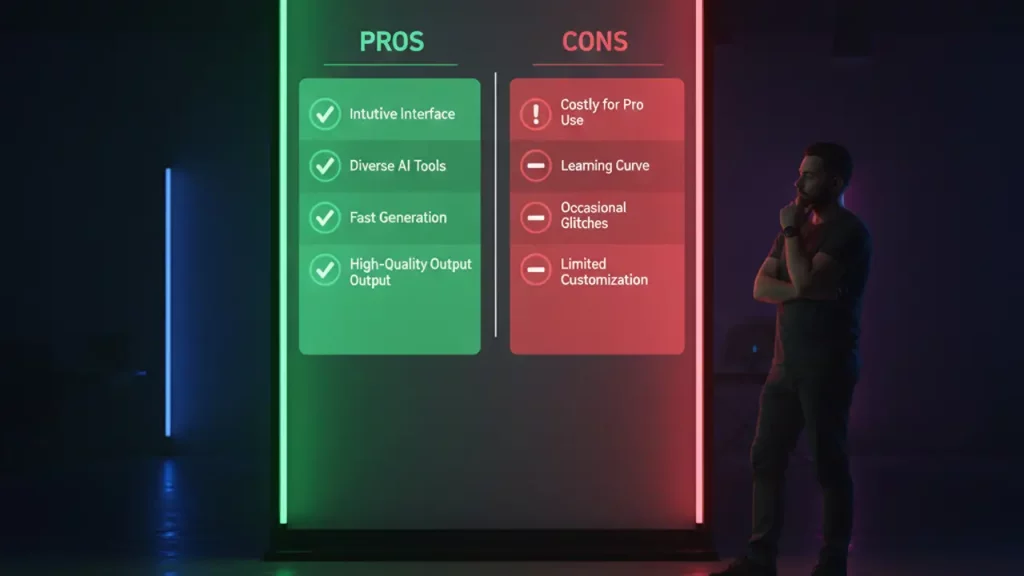
8. Runway Gen-3 Alpha Review: Pros, Cons, and Hidden Gotchas
Time for a straight-up Runway Gen-3 Alpha review – based on official docs and user feedback, this tool's a solid performer for AI video. Pros: Top-notch quality with hyper-consistent motion and fidelity, outshining earlier gens in realism. The interface is clean and speedy, with prompt-based controls letting you nail camera moves and styles effortlessly. Speed via Turbo is a game-changer for quick turns, and simplicity means even beginners crank out pro clips fast. Motion control? Chef's kiss – precise without software headaches.
Cons: Duration caps at 10 seconds force extensions, spiking credit use. Credit dependency can add up for high-volume work, and trendy styles might feel overused if not prompted creatively. Artifacts creep in with complex scenes, though less than competitors. No built-in audio means post-edits elsewhere.
Gotchas: Prompts need finesse – vague ones yield meh results; follow official tips like structuring with camera first. For whom? Ideal for marketers, social creators, and filmmakers needing fast pre-viz or UGC. If you want longer, sound-inclusive vids out-the-box, peek at Sora or others. Overall, Runway Gen-3 Alpha video generator earns high marks for practicality in 2025 workflows. Solid 8/10 – it delivers where it counts.
9. Linking Runway Gen-3 Alpha Video Generator with Hardware and Gadgets: Smooth Transitions to Your Projects
Alright, let's tie Runway Gen-3 Alpha video generator to your setup for seamless workflows. First, editing and rendering on laptops: This cloud tool doesn't demand beastly specs upfront, but for comfy post-production (like upscaling or compositing in software), decent hardware helps. Runway AI video generator outputs MP4s ready for import – pair with a solid machine to avoid lags.
If you need affordable yet powerful laptops or mini-PCs from China tailored for AI video and editing, check out selections on www.laptopchina.tech – they've got models dissected for creative tasks, ensuring smooth Runway integration.
Next, smartphones for mobile creators: Generate in Runway, then shoot references or post directly from your phone. Scenarios like capturing a still for image-to-video, then animating – perfect for on-the-go. Runway Gen-3 Alpha examples include blending phone footage with AI clips for hybrid content, like TikTok hybrids.
For top-camera smartphones with killer battery and budget-friendly prices, we curate picks at www.smartchina.io – all about Chinese phones for bloggers and creators to elevate your Runway flow.
Finally, ready-made templates and presets for Runway: Skip prompt tinkering from scratch with pre-built packs. These boost efficiency, especially for tutorials or styles.
Handy preset bundles, prompt packs, and digital goodies for Runway Gen-3 Alpha tutorial-style workflows are easy to grab on our marketplace at www.aiinnovationhub.shop.
This hardware-software link amps your productivity with Runway Gen-3 Alpha video generator – from gen to publish.

10. Conclusion and CTA: Runway Gen-3 Alpha Video Generator as the Creator Standard
Wrapping up, Runway Gen-3 Alpha video generator has cemented itself as the go-to standard for daily AI video creators in 2025 – its blend of accessibility, control, and output quality outpaces the hype machines. With standout motion via camera tools (echoing Runway motion brush vibes), it's practical over flashy, especially versus Sora's consumer polish. Quick starts through a Runway Gen-3 Alpha tutorial make it newbie-friendly, while pros love the production edge.
Why standard? It solves real workflows: Fast gens, credit efficiency, and iteration without endless costs. Sure, evolve prompts and hardware for best results, but it's already transforming content creation.
CTA: Subscribe for updates and deep dives on new models at aiinovationhub.com. Eyeing gadgets? Hit www.laptopchina.tech for laptops and www.smartchina.io for smartphones. For presets and digital tools, browse www.aiinnovationhub.shop. Thanks for reading – drop your Runway tips below, and let's keep creating!
Discover more from AI Innovation Hub
Subscribe to get the latest posts sent to your email.