
If you’ve been following the AI video generation scene in 2026, you’ve probably heard whispers about the Vidu AI video generator—a Chinese powerhouse that’s been turning heads with its ability to create smooth, cinematic 16-second clips in full 1080p. While Western markets have been obsessing over OpenAI’s Sora, China quietly dropped its own contender, and honestly? It’s worth your attention.
Developed by ShengShu Technology in collaboration with Tsinghua University, Vidu AI video generator arrived on the scene as what many are calling the Chinese Sora alternative. But here’s the thing: calling it just an “alternative” sells it short. Vidu brings its own flavor to the table—particularly when it comes to those long, sweeping camera movements that make your clips feel like they were shot by an actual cinematographer rather than assembled by an algorithm.
In this guide, we’re breaking down everything you need to know about Vidu: what makes it special, how it stacks up against the competition, and most importantly, how to actually use it to create videos that don’t look like AI slop. Whether you’re a content creator hunting for fresh tools or just curious about where AI video generation is heading in 2026, stick around. We’re keeping it real, keeping it practical, and yes—keeping it in plain English.
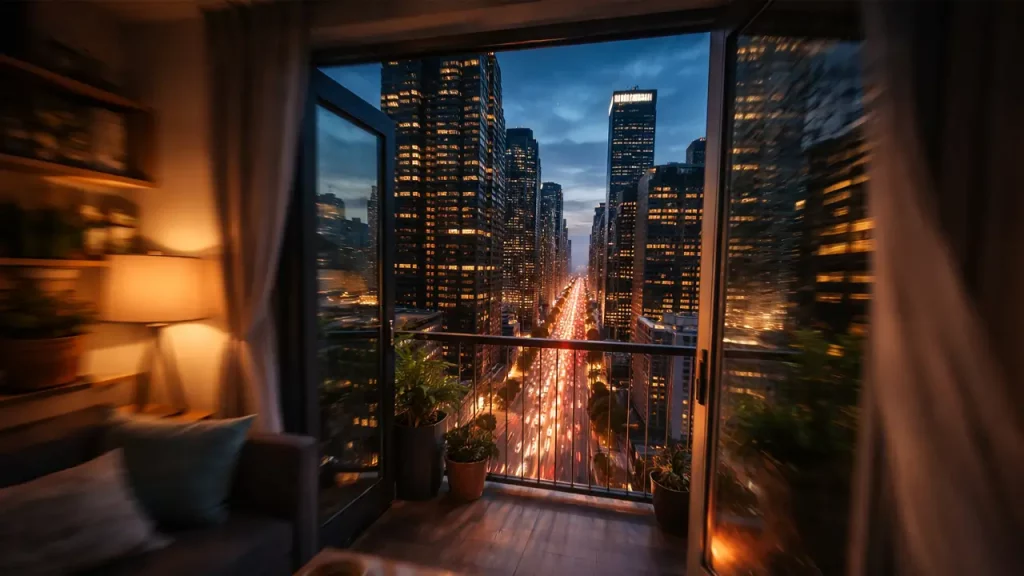
Vidu AI Video Generator — What It Is and Why This Is China’s Moment
Let’s start with the basics. The Vidu AI video generator is a text-to-video and image-to-video platform developed by Beijing-based ShengShu Technology, with significant backing from Tsinghua University—one of China’s top research institutions. It was officially unveiled in mid-2024, and by early 2025, it had already carved out a niche among creators who wanted something beyond the typical 4-second AI video snippets.
Why the buzz? Because Vidu isn’t just another cookie-cutter diffusion model. It uses what the developers call a “Universal Vision Transformer” (U-ViT) architecture—technical jargon that basically means it understands spatial relationships and temporal consistency better than many competitors. Translation: your character doesn’t morph into a different person halfway through the clip, and your camera movements don’t jitter like a caffeinated squirrel.
But here’s the real “China moment” we’re talking about: while the West spent 2024 and early 2025 locked in hype cycles and limited beta access (looking at you, Sora), Chinese companies like ShengShu actually shipped. Vidu became publicly accessible faster, offered longer clip durations, and did it at a resolution that matters—1080p. Not 720p upscaled. Not “coming soon” promises. Actual, usable HD video.
This matters because in 2026, the AI video space isn’t about who can generate the weirdest abstract visuals anymore. It’s about who can help creators produce actual content they can publish—whether that’s YouTube intros, product demos, or social media reels. Vidu positioned itself right in that practical sweet spot, and that’s why it’s earning its reputation as the Chinese Sora alternative that actually competes.
If Vidu helps you create cinematic video fast, the next step is pitching the idea like a pro. Gamma turns one prompt into a clean investor-ready deck in minutes—no design headaches, no slide chaos. See how it works and build your next pitch here: https://aiinnovationhub.shop/gamma-ai-presentation-maker-pitch-deck/
The Main Hook: Vidu AI Video Generator’s Long One-Shot and Camera Movement
Here’s where Vidu really flexes. Most AI video generators in 2024 and early 2025 gave you these choppy little clips—maybe 4 to 8 seconds tops—that felt like a slideshow with motion blur. You’d stitch them together in editing software and hope nobody noticed the seams. Vidu said “nah” to that approach.
What makes Vidu one-shot 1080p video special is the continuity. When we say “one-shot,” we’re talking about video that feels like it was captured in a single continuous take—no cuts, no jarring transitions, just smooth motion from start to finish. The camera glides. Objects move naturally. Characters (or whatever you’re generating) stay consistent frame by frame.
This isn’t just aesthetic preference. It’s about usability. A 16-second continuous shot can be the difference between a video that feels like a polished cinematic trailer and one that screams “AI-generated mess.” Vidu’s architecture handles temporal coherence well enough that you can ask for something like “slow forward dolly shot of a robot walking through neon-lit streets” and actually get footage where the camera movement feels intentional, not accidental.
The camera motion options are where Vidu shines brightest. You can prompt for:
- Dolly moves (forward, backward, lateral)
- Pan and tilt sequences
- Crane shots (those sweeping vertical movements)
- Orbiting around a subject
- Zoom transitions (though these can be hit-or-miss)
What’s wild is that Vidu doesn’t just understand these terms—it executes them with a sense of timing. A slow dolly-in creates tension. A quick pan adds energy. The model seems to have internalized basic cinematography principles, which is frankly kind of spooky but also super useful.
Compare this to competitors where “camera movement” often means “the whole frame kind of wobbles vaguely forward.” Vidu’s implementation of continuous motion in Vidu one-shot 1080p video format gives you footage you can actually drop into a timeline without feeling embarrassed.
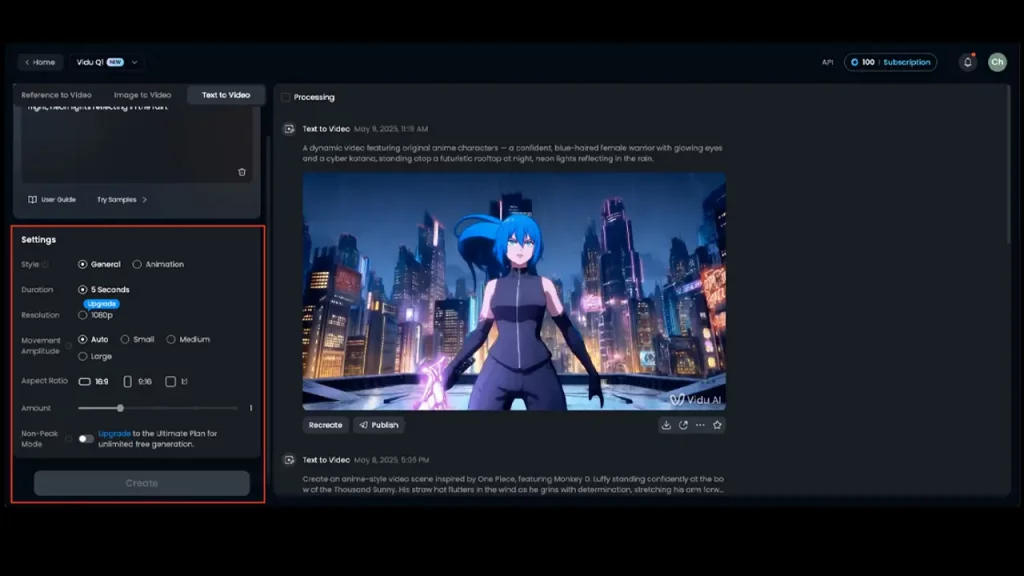
16 Seconds in 1080p: Where Vidu Actually Wins
Let’s talk numbers. Vidu 16-second 1080p video might not sound revolutionary until you realize most accessible AI video tools in late 2024 were still capped at 4-8 seconds, often at 720p or lower. Sora promised longer, but good luck getting consistent access. Runway Gen-2 extended to 18 seconds by late 2024, but often at lower resolutions for the free tier. Pika was fast and fun but choppy beyond 3-4 seconds.
Vidu’s 16-second clips hit a sweet spot for several reasons:
1. Actual storytelling time. Eight seconds is barely enough for an establishing shot. Sixteen seconds lets you set a scene, introduce motion, and develop a moment. For trailer editors, this is gold—you can build an entire beat within one generated clip.
2. Social media fit. Instagram Reels and TikTok videos thrive in the 7-15 second range. A 16-second Vidu clip can be trimmed to fit perfectly while giving you room to choose the best frames.
3. Music sync capability. Sixteen seconds is long enough to match a full musical phrase or hook. Creators scoring their AI videos find Vidu’s length makes synchronization way less painful.
4. Reduced editing overhead. Fewer clips to generate means fewer seams to hide, fewer transitions to finesse, and less time wrestling with consistency issues across cuts.
The 1080p resolution (1920×1080) isn’t just a spec-sheet flex either. It’s the minimum acceptable quality for YouTube, most commercial platforms, and professional presentations. While some competitors force you to upscale from 720p (introducing artifacts and softness), Vidu generates natively at HD, which means cleaner edges, better text legibility if you overlay titles, and less visible compression when you export.
Does 16 seconds at 1080p make Vidu the definitive king of AI video? Not necessarily—Sora’s longer clips (when accessible) are impressive, and tools like Runway keep innovating. But for consistently available, reasonably priced, high-quality output? Vidu 16-second 1080p video is legitimately competitive in early 2026, especially if you’re creating content that needs to look polished without a Hollywood budget.
Quick Comparison Table: Vidu vs Sora vs Others
Let’s cut through the marketing fluff and see how Vidu stacks up against the field. Here’s a snapshot comparison of major AI video generators as of early 2026:
AI Video Generation Matrix
A technical comparison of top-tier video generation models, their creative capabilities, and access levels.
| Platform | Max Duration | Resolution | Generation Modes | Camera Motion | Public Access |
|---|---|---|---|---|---|
| Vidu | 16 Seconds | 1080p (1920×1080) | Text-to-Video Image-to-Video | Advanced (Dolly, Pan, Crane, Orbit) | Available (Credit-based) |
| Sora (OpenAI) | Up to 60 Seconds | 1080p (Variable) | Text-to-Video Image-to-Video | Advanced (Natural, Physics-aware) | Limited (Waitlist/Enterprise) |
| Runway Gen-3 | 10–18 Seconds | Up to 1080p | Text-to-Video Image-to-Video Video-to-Video | Moderate (Directional control) | Available (Subscription) |
| Pika 1.0 | 3–8 Seconds | 720p–1080p | Text-to-Video Image-to-Video | Basic (Motion parameters) | Available (Freemium) |
| Stability AI (SVD) | 4–8 Seconds | 576p–1024p | Image-to-Video | Limited (Automatic/Seed-based) | Available (API/Open Source) |
Key takeaways from the Vidu vs Sora comparison:
Vidu’s advantages: Accessible right now, consistent 16-second output, reliable 1080p, strong camera control, practical pricing for volume work.
Sora’s advantages: Longer maximum duration (when it works), slightly more sophisticated physics understanding, deeper integration with OpenAI ecosystem (for those already invested).
The reality check: In early 2026, Sora’s access remains frustratingly limited for most users. Vidu’s “ship it and iterate” approach means you can actually test and produce with it today, which matters more than theoretical capabilities you can’t touch.
For creators choosing between Vidu vs Sora comparison, the question isn’t just “which is technically better?” but “which one can I actually use to hit my deadline?” And right now, Vidu’s answer is clearer.
Generation Modes: Vidu Text to Video — When One Phrase Is Enough
Let’s get practical. Vidu text to video mode is where most users start, and honestly, it’s the most straightforward way to test the platform’s capabilities. You type a description of what you want, hit generate, and about 90-120 seconds later, you’ve got a video clip. Sounds simple, but the devil—and the quality—is in the details of your prompt.
Here’s the beginner-friendly breakdown of what makes a good Vidu text-to-video prompt:
1. Scene description (the “what”): Be specific about your subject and environment. “A woman” is vague. “A young woman in a red coat standing on a foggy train platform” gives Vidu something concrete to latch onto.
2. Lighting and mood (the “feel”): This is huge for cinematic quality. Words like “golden hour,” “harsh neon lighting,” “soft morning light through windows,” or “dramatic shadows” tell Vidu’s model what emotional tone to aim for.
3. Camera movement (the “how”): This is where Vidu shines. Include phrases like “slow dolly forward,” “tracking shot following the subject,” “crane shot rising above the city,” or “static wide shot.” The more specific, the better.
4. Style references (optional but powerful): Throwing in terms like “cinematic,” “documentary style,” “sci-fi aesthetic,” or even “shot on 35mm film” can nudge the output toward a particular visual language.
Example prompt structure: “Cinematic slow dolly shot forward through a neon-lit Tokyo street at night, rain-slicked pavement reflecting colorful signs, atmospheric fog, shot on anamorphic lens”
What you’re doing here is giving Vidu multiple layers of context: movement (slow dolly forward), setting (Tokyo street, night), visual details (neon, rain, fog), and style cues (cinematic, anamorphic). The model uses all of this to construct a coherent 16-second sequence.
Common beginner mistakes with Vidu text to video:
- Too vague: “A cool video of space” → What kind of space? Nebula? Planet? Spaceship? Give specifics.
- Conflicting instructions: “Fast-paced action scene, slow motion, calm mood” → Pick a lane.
- Overloading with details: Vidu handles complexity well, but a 200-word prompt often produces muddled results. Aim for 15-40 words of focused description.
When text-to-video is your best bet: If you’re concepting, storyboarding, or exploring ideas quickly, Vidu text to video is unbeatable. You can iterate on prompts, test different camera angles, and generate variations in minutes. It’s perfect for creators who need visual options fast—like YouTubers hunting for intro sequences or marketing teams prototyping ad concepts.
The beauty of Vidu’s text-to-video mode is that it rewards clarity without punishing experimentation. Your first prompt might be rough, but tweaking one or two elements usually gets you 80% closer to what you envisioned. And in 2026, that kind of rapid iteration is what separates productive AI users from frustrated ones.
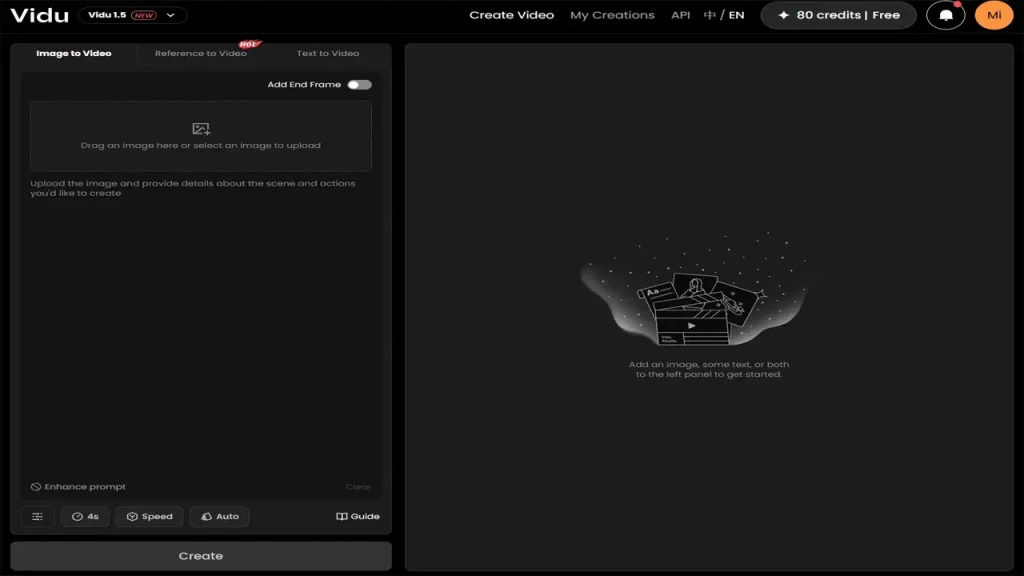
Vidu Image to Video — Bringing Still Pictures to Life
Now let’s talk about Vidu image to video—a mode that’s quietly becoming one of the platform’s most practical features for professional creators. The concept is straightforward: upload a static image, describe how you want it to move or animate, and Vidu generates a video clip that brings that still frame to life.
Why is this useful? Because it solves a specific pain point that traditional video editing can’t easily handle: making still images feel dynamic without expensive motion graphics work.
Real-world use cases for Vidu image to video:
1. Product showcases: You’ve got a clean product photo—say, a bottle of perfume on a marble surface. Upload it to Vidu, prompt “slow rotating 360-degree view, soft spotlight tracking the rotation,” and boom—you’ve got a video asset for Instagram or your website that looks way more premium than a static image.
2. Cover art and thumbnails: Album covers, YouTube thumbnails, podcast art—these are all designed as stills, but animating them (even subtly) grabs attention in crowded feeds. A book cover where the fog drifts across the image or a podcast thumbnail where the host’s eyes shift slightly can increase click-through rates measurably.
3. Storyboarding and animatics: Upload a concept sketch or storyboard frame, prompt for the camera move you envision, and see how it plays in motion. This is huge for directors and creative teams visualizing scenes before committing to full production.
4. “Cinematic poster” moments: Got a killer still from a photoshoot? Turn it into a mini-trailer. “Slow dolly-in on subject’s face, wind gently moving hair, dramatic lighting intensifying” transforms a single frame into something that feels like a movie teaser.
How to get better results with Vidu image to video:
- Start with high-quality source images: Garbage in, garbage out. Vidu can’t invent detail that isn’t in your original image. Use well-lit, sharp photos at decent resolution.
- Describe motion, not just the scene: Since Vidu already “sees” what’s in your image, focus your prompt on what should move and how. “Camera slowly pushes in while background blurs slightly” is more useful than re-describing what’s already visible.
- Manage expectations around physics: Vidu is smart, but it’s not a physics simulator. If your image shows a person mid-jump, asking for “continue the jump and landing” might produce wonky results. Subtle movements (shifts, drifts, rotations) work better than complex actions.
- Use it for tone and atmosphere: Some of the best Vidu image to video outputs aren’t about dramatic action—they’re about adding life to static scenes. A photo of a café where steam gently rises from a coffee cup, or a landscape where clouds drift across the sky, creates immersive atmosphere without overwhelming the original composition.
The economic argument: Hiring a motion graphics designer to animate a still image traditionally costs anywhere from $150 to $500+ depending on complexity. With Vidu, you’re talking about a few credits (we’ll get to pricing shortly) and two minutes of generation time. For small businesses, solo creators, or agencies churning through client work, this mode is a legitimate cost-saver.
The Vidu image to video feature isn’t going to replace full video production, but it fills a gap that’s existed forever: the space between “I have a great photo” and “I need video content.” In 2026, that gap matters more than ever, and Vidu bridges it better than most alternatives.

Why Vidu Cinematic Trailer Became the Favorite of Trailer Makers
Here’s something interesting: if you hang out in AI video creator communities—Discord servers, Reddit threads, Twitter circles—you’ll notice Vidu cinematic trailer style clips getting shared constantly. There’s a reason for that, and it’s not just hype.
Vidu seems to have internalized what makes a trailer feel like a trailer. It’s not just about slapping dramatic music over random clips (though plenty of people try that). Real trailer editing has a rhythm: the pacing, the way shots build tension, the interplay between light and shadow, the timing of reveals. Somehow, Vidu’s model captures a lot of this intuitively when you prompt it correctly.
What makes Vidu cinematic trailer outputs special:
1. Timing and pacing: Vidu’s 16-second clips naturally fall into the beat structure trailers use—roughly 4-second establishing shot, 6-8 seconds of building action or movement, 2-4 seconds of peak moment or reveal. This isn’t random; it’s how human attention works in storytelling. Vidu’s training data likely included tons of actual trailers, and it learned the rhythm.
2. Dramatic lighting: When you prompt for “cinematic” or “trailer-style,” Vidu biases toward high-contrast lighting, volumetric fog/light rays, and shadow play. These aren’t just pretty—they’re trailer staples that create mood instantly.
3. Camera energy: Trailers rarely use static shots. Vidu defaults to dynamic camera work (dolly moves, crane shots, orbits) that keeps the eye engaged, which is exactly what you need when you’ve got seconds to hook a viewer.
4. Visual coherence: This is less obvious but crucial. Vidu’s temporal consistency means characters and objects don’t morph randomly mid-clip, which is trailer-killing in other generators. A face that stays a face, a car that stays a car—basic stuff, but essential for maintaining the “illusion” that this is footage from a real project.
Prompting strategies for Vidu cinematic trailer style:
If you want that polished trailer vibe, here are prompt frameworks that consistently deliver:
- “Epic cinematic trailer shot, [subject], [action], dramatic lighting, slow motion, anamorphic lens flares”
Example: “Epic cinematic trailer shot, lone warrior walking toward camera through smoke, dramatic backlighting, slow motion, anamorphic lens flares” - “Intense close-up, [subject], [emotional beat], shallow depth of field, cinematic color grading”
Example: “Intense close-up, woman’s eyes reflecting distant fire, determination, shallow depth of field, cinematic color grading” - “Wide establishing shot, [environment], sweeping crane movement rising up and pulling back, golden hour lighting”
Example: “Wide establishing shot, futuristic city skyline at dusk, sweeping crane movement rising up and pulling back, golden hour lighting” - “Dynamic tracking shot following [subject], fast-paced, motion blur, urban environment, neon colors”
Example: “Dynamic tracking shot following motorcycle speeding through rain-slicked streets, motion blur, urban environment, neon colors”
Why trailer creators gravitate to Vidu:
Traditional trailer editing requires hours of footage to cherry-pick the best moments. With Vidu, you can generate purpose-built “hero shots” in minutes—the kind of visuals that would normally require full production crews, locations, lighting setups, and talent. For indie filmmakers, game developers, or content creators announcing projects, Vidu cinematic trailer generation is borderline revolutionary.
Is every output perfect? Nah. You’ll still need to generate multiple variations, maybe do some minor editing, and definitely add sound design and music. But the raw material Vidu produces is leagues ahead of “AI video” from even a year ago. It’s crossed the threshold from “interesting experiment” to “actually usable in final deliverables,” and that’s why it’s become a favorite tool in the trailer-making toolkit.

Vidu Prompt Guide — 7 Template Prompts for Consistent Results
Alright, let’s get into the practical stuff. If you’re tired of playing prompt roulette—where one phrase gives you gold and another gives you nightmare fuel—these Vidu prompt guide templates will save you time and frustration. Think of them as starting points you can customize for your specific needs.
Template 1: The Forward Dolly (building tension)
“Slow dolly shot moving forward toward [subject], [environment], [lighting], [mood], cinematic, shallow depth of field”
Example: “Slow dolly shot moving forward toward abandoned house, overgrown yard, overcast grey sky, eerie atmosphere, cinematic, shallow depth of field”
Use case: Creating anticipation, horror/thriller vibes, establishing mystery.
Template 2: The Hero Reveal (character introduction)
“[Subject] walking toward camera in slow motion, [environment], dramatic backlighting, [emotional tone], epic cinematic shot”
Example: “Astronaut walking toward camera in slow motion, desert landscape, dramatic backlighting, determined expression, epic cinematic shot”
Use case: Character intros, trailer moments, profile videos.
Template 3: The Environment Pan (establishing location)
“Wide panning shot from left to right, [landscape/cityscape], [time of day], [weather], cinematic color grading, 4K quality”
Example: “Wide panning shot from left to right, mountain valley with river, golden hour sunset, light fog in valleys, cinematic color grading, 4K quality”
Use case: Travel content, real estate, establishing shots for narratives.
Template 4: The Focus Shift (dramatic reveal)
“Shallow depth of field shot, focus shifting from [foreground object] to [background subject], [setting], dramatic lighting, cinematic”
Example: “Shallow depth of field shot, focus shifting from coffee cup in foreground to person staring out window, cozy café interior, dramatic lighting, cinematic”
Use case: Emotional beats, product reveals, contemplative moments.
Template 5: The Orbit (360-degree showcase)
“Smooth orbital camera movement around [subject], [environment], [lighting], maintaining focus on center, cinematic”
Example: “Smooth orbital camera movement around vintage car, industrial warehouse, dramatic spotlights with shadow play, maintaining focus on center, cinematic”
Use case: Product showcases, character examinations, hero object moments.
Template 6: The Slow-Motion Drama (action emphasis)
“Extreme slow motion, [action/movement], [subject], [environment], dramatic lighting with lens flares, epic cinematic trailer style”
Example: “Extreme slow motion, explosion with debris flying outward, silhouetted figure walking away, urban ruins at dusk, dramatic lighting with lens flares, epic cinematic trailer style”
Use case: Action sequences, dramatic moments, music video aesthetics.
Template 7: The Crane Rise (scope and scale)
“Crane shot starting low and rising up, revealing [environment], [time of day], [atmospheric elements], wide-angle cinematic shot”
Example: “Crane shot starting low and rising up, revealing massive medieval castle on cliff, sunrise, morning mist rolling through valleys, wide-angle cinematic shot”
Use case: Grand reveals, establishing scope, fantasy/adventure content.
Pro tips for using these Vidu prompt guide templates:
- Swap bracketed elements with specifics relevant to your project. The structure works; just personalize the content.
- Layer in style references if you want specific aesthetics: “shot on 35mm film,” “Blade Runner style,” “Wes Anderson symmetrical framing,” etc.
- Adjust pacing descriptors: “slow” vs. “fast,” “gentle” vs. “aggressive,” “smooth” vs. “shaky” all affect motion feel.
- Test variations: Change one element at a time (lighting, camera move, subject) to see what impacts quality most for your use case.
The beauty of these templates is they’re based on cinematography fundamentals that Vidu’s model recognizes and executes well. You’re not fighting against the AI’s tendencies—you’re working with them. That’s the difference between spending two hours generating garbage and twenty minutes getting usable footage.
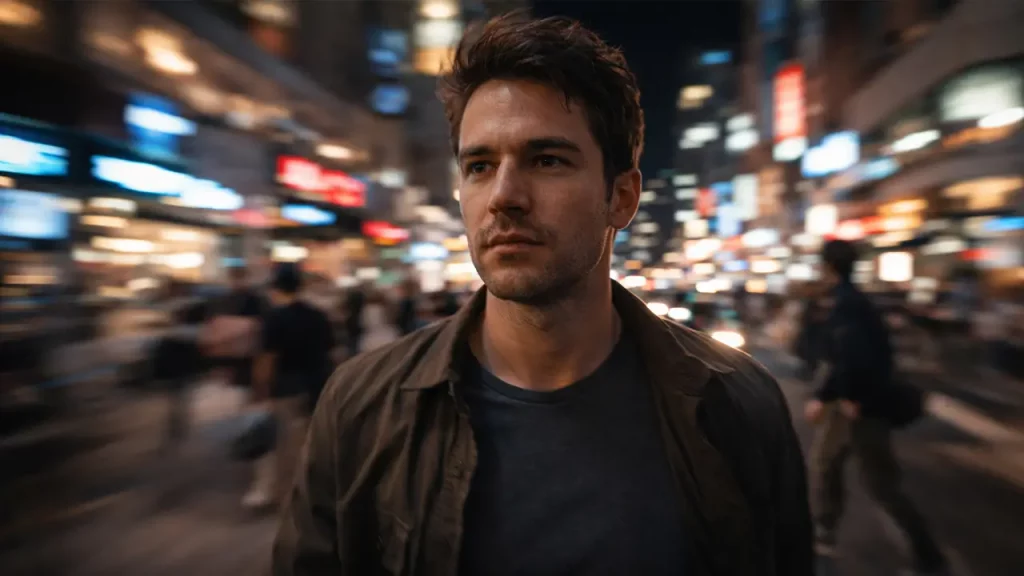
Access and Economics: Vidu Pricing Credits — Not Burning Your Budget in One Night
Let’s talk money, because even the coolest AI tool becomes a problem if it empties your wallet before you’ve made anything useful. Vidu pricing credits operate on a consumption-based model—you buy credits, each generation costs a certain number of credits, and you manage your budget accordingly.
As of early 2026, here’s the general pricing structure (note: check Vidu’s official site for current rates, as these can change):
Credit packages (approximate):
- Free tier: Usually 10-30 credits monthly for new users (enough for 5-15 videos depending on settings)
- Basic tier: ~$20/month for roughly 100-150 credits
- Pro tier: ~$50-80/month for 300-500 credits, sometimes with priority generation queues
- Enterprise: Custom pricing for high-volume commercial use
Credit costs per generation (typical):
- Standard 8-second 1080p: ~5-8 credits
- 16-second 1080p (full length): ~10-15 credits
- Image-to-video: ~8-12 credits depending on complexity
- Upscaling or extended generation: Variable, often 5-10 additional credits
The math for budget-conscious creators:
If you’re on the $20/month tier with ~120 credits, and you’re generating mostly 16-second clips at 12 credits each, you get about 10 finished videos per month. That sounds limiting until you remember these are polished, usable clips—not raw footage you need to sort through.
Compare this to stock footage costs: a single premium cinematic clip from Shutterstock or similar can run $50-200. One month of Vidu essentially gives you 10+ custom-generated hero shots for the price of half a stock video. The economics shift dramatically in Vidu’s favor if you’re producing content regularly.
How to not burn credits stupidly:
1. Start with shorter tests: Generate 8-second clips first to nail your prompt, then extend to 16 seconds once you know it works. Saves you from wasting 15 credits on a dud.
2. Use image-to-video strategically: If you’ve got a killer still image, animating it costs fewer credits than generating entirely from text, and often produces more controlled results.
3. Batch your generations: Don’t generate one clip, review, generate another. Queue up 3-4 variations at once so you’re not context-switching and can compare outputs efficiently.
4. Learn what works: Keep a swipe file of your successful prompts. Once you know certain structures deliver, you stop experimenting randomly and start producing intentionally.
5. Leverage the free tier wisely: If you’re just testing Vidu or producing occasional content, the monthly free credits might be enough. Don’t subscribe until you’ve proven the workflow fits your needs.
Where Vidu pricing makes sense vs. where it doesn’t:
Good fit: Regular content creators (YouTube, social media), marketing agencies producing client videos, indie filmmakers prototyping shots, educators creating visual materials.
Questionable fit: Hobbyists generating “just for fun” clips daily, or creators expecting unlimited experimentation. The credit model rewards efficiency and intentionality.
The real value proposition: Vidu pricing credits aren’t just buying you computer time—they’re buying you creative capacity. The hours you’d spend setting up shots, dealing with equipment, or sourcing footage all translate into value. For professional use, Vidu’s pricing in early 2026 sits in a sweet spot where it’s accessible enough to experiment but substantial enough to feel like a real tool investment.
One final note: Vidu occasionally runs promotions (bonus credits, discounted tiers) around major tech events or holidays. If you’re budget-sensitive, timing your subscription purchase can stretch your dollars a bit further. Follow their official channels or join creator communities where people share these opportunities.
Final Verdict — Who Vidu Works For and Why You Should Follow AIInnovationHub.com
So, who should actually care about the Vidu AI video generator in 2026? Let’s cut to the chase.
Vidu is a solid choice if you:
- Need cinematic-quality video clips regularly (not just once in a blue moon)
- Value consistency and temporal coherence in your AI-generated footage
- Work in content creation, marketing, social media, or indie filmmaking
- Want practical tools that are accessible now, not stuck in beta limbo
- Appreciate camera control and movement in your video outputs
- Need 16-second clips in 1080p as a baseline, not an upgrade
Vidu might not be your tool if you:
- Expect 60-second clips as standard (Sora wins there, when accessible)
- Need photorealistic human faces doing complex actions (still a tough ask for any AI generator)
- Only generate videos occasionally and can’t justify even modest subscription costs
- Require frame-perfect control over every aspect (Vidu’s still generative, not keyframe animation)
Here’s the honest take: Vidu isn’t perfect. No AI video generator is, in early 2026. You’ll still get weird outputs sometimes. Hands will occasionally look like alien appendages. Physics will betray you on complex movements. But—and this is the crucial but—Vidu delivers usable, professional-looking footage more consistently than most accessible alternatives right now.
The Chinese Sora alternative label makes for good headlines, but Vidu’s real value isn’t about beating Sora on specs. It’s about being available, reliable, and practical when you need to actually produce content. While Western AI labs play the access-restriction game, Vidu shipped a product that creators can use today.
That pragmatic approach—shipping over perfection, iteration over gatekeeping—is why Vidu matters in the 2026 landscape. It’s not the flashiest story in AI video, but it might be one of the most useful.
**And hey, if you want more breakdowns like this—actual human-language explanations of AI tools without the marketing garbage—that’s exactly what we’re doing over at www.aiinovationhub.com.
Look, the AI space moves stupidly fast. By the time you read a corporate press release or wade through some breathless tech blog full of buzzwords, the landscape has already shifted. New models drop. Pricing changes. Features get added or quietly removed. Keeping up with it all while also, you know, actually creating content or running a business? Exhausting.
That’s why AIInnovationHub.com exists. We’re not here to hype every shiny new toy or regurgitate press releases. We’re here to test these tools in real workflows, figure out what actually works, and explain it in language that doesn’t require a PhD in computer science or a tolerance for corporate BS.
What you’ll find at AIInnovationHub.com:
Practical tool breakdowns like this one—we take AI platforms apart, test them with real use cases, and tell you straight up what’s worth your time and money.
Honest comparisons between competing tools. Not just specs, but actual usability. “Which one helps you hit your deadline?” matters more than “Which one has the biggest parameter count?”
Prompt libraries and workflow guides that save you hours of trial-and-error. The templates that work, the settings that matter, the tricks that make the difference between amateur output and professional results.
Industry updates that matter to creators, not investors. We don’t care about funding rounds or corporate strategy—we care about “what does this mean for someone trying to make content?”
Community insights from actual users. The Discord channels, Reddit threads, and Twitter conversations where the real learning happens? We distill that down so you don’t have to spend your evenings scrolling.
Think of AIInnovationHub.com as your translator for the AI revolution. We’re living through a moment where creative tools are evolving faster than at any point in human history, but most of the information out there is either too technical, too shallow, or too biased toward whoever’s paying for the article.
We’re trying to fix that. No paywalls hiding the good stuff. No affiliate-link spam. Just clear, useful information about tools that are changing how content gets made.
Why trust us specifically on AI video tools?
Because we’re testing them. Constantly. Vidu, Sora (when we can get access), Runway, Pika, Stability—all of it. We’re generating hundreds of clips, documenting what works, sharing the failures along with the successes, and building a knowledge base that actually helps people make decisions.
When Vidu updates its model or changes its pricing, we’re on it. When a new competitor enters the space, we’re testing it within days. When the community discovers a clever prompting trick, we document it and share it. This is ongoing, active research, not static content that goes stale in three months.
The bigger picture here:
AI video generation in 2026 isn’t a novelty anymore—it’s becoming infrastructure. The same way stock footage libraries, royalty-free music, and template marketplaces became standard tools for creators over the past decade, AI generation is settling into that same practical role.
Vidu is part of that shift. It’s not magical; it’s useful. It doesn’t replace creativity; it accelerates execution. And understanding how to wield these tools effectively—knowing when to use Vidu’s image-to-video mode vs. text-to-video, how to structure prompts for cinematic motion, where the pricing sweet spots are—that’s the difference between drowning in new technology and riding the wave.
So here’s the call to action:
If this breakdown helped you understand Vidu better, or if you appreciate the no-nonsense approach to explaining AI tools, bookmark www.aiinovationhub.com. Check back when you’re evaluating new platforms, when you need workflow ideas, or when you just want to know “what’s actually worth paying attention to this month?”
We’re building a resource for creators, by people who actually create. Not investors. Not theorists. Not hype merchants. Just folks trying to make cool stuff and willing to share what we learn along the way.
The AI video revolution is happening whether we like it or not. Might as well understand it, use it intelligently, and not get left behind because the learning curve felt too steep or the information too scattered.
Vidu AI video generator is one tool in an expanding toolkit. It won’t be the last. But right now, in early 2026, it’s a damn good option for creators who need cinematic footage without the cinematic budget.
And if you want to keep up with what comes next—because trust us, there’s always a “next” in this space—AIInnovationHub.com is where you’ll find it broken down, tested, and explained in actual English.
Now go make something cool. And when Vidu gives you a weird output where the protagonist’s hands turn into tentacles halfway through, just remember: that’s not a bug, that’s character development.
Or, you know, regenerate and adjust your prompt. Either way works.
I¦ve been exploring for a little for any high-quality articles or weblog posts on this sort of space . Exploring in Yahoo I ultimately stumbled upon this website. Reading this information So i¦m satisfied to convey that I have a very good uncanny feeling I came upon just what I needed. I so much no doubt will make sure to do not forget this site and give it a glance on a relentless basis.