
If you’ve been waiting for an AI video tool that doesn’t just generate pretty visuals but actually sounds like a real production, February 2026 just delivered. The Wan 2.6 AI video generator with sound from Alibaba is making waves across creative communities, and for good reason: it’s one of the first models to natively sync dialogue, music, and ambient noise with crisp 1080p footage—all in a single generation pass. No more silent clips that need separate audio layering. No more awkward lip-sync fixes. Wan 2.6 promises “sound + cinematography” in one package, and early demos suggest it’s not just hype.
Whether you’re a content creator racing against deadlines, a marketer testing rapid prototypes, or an indie filmmaker exploring AI-assisted storytelling, this model has features that deserve your attention. Let’s break down what makes the Wan 2.6 AI video generator with sound stand out, how it stacks up against competitors, and whether it’s the right fit for your workflow.
1. What Exactly Can Wan 2.6 Do? (Resolution, Duration, and Output Formats)
When we talk about the Wan 2.6 1080p video generation capabilities, we’re looking at a model optimized for high-definition output without requiring a render farm. Here’s what Alibaba officially confirms:
- Resolution: Native 1080p (1920×1080) at 24 or 30 fps
- Maximum duration: Up to 15 seconds per clip
- Aspect ratios: 16:9 (standard), 9:16 (vertical/mobile), 1:1 (square for social feeds)
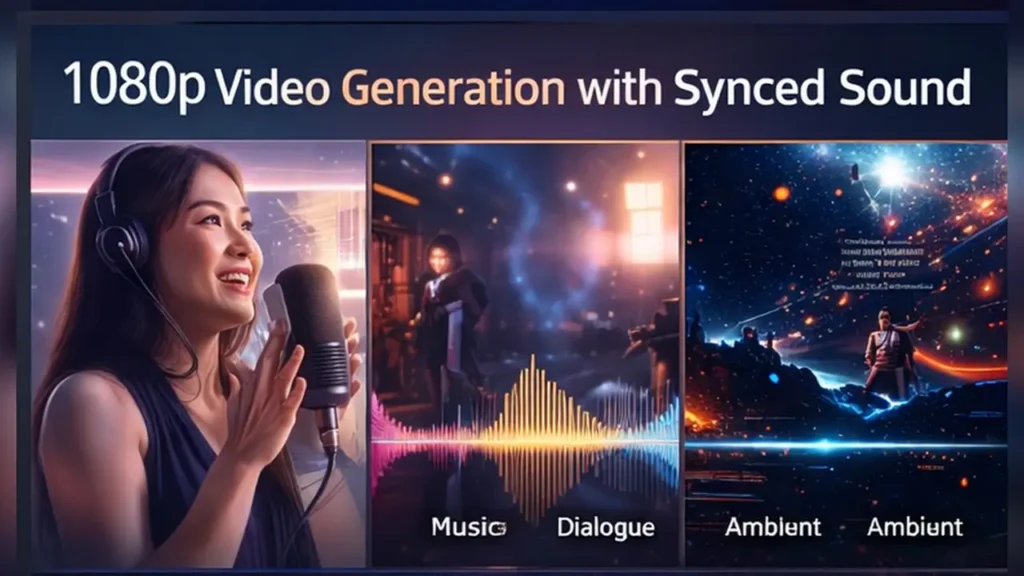
- Audio inclusion: Synchronized dialogue, background music, and environmental sound effects—generated alongside the video
The 1080p sweet spot is intentional. It’s high enough for YouTube, Instagram Reels, TikTok, and even broadcast previs work, yet it’s computationally lean enough that Alibaba can offer faster generation times than 4K-heavy models. For most use cases—explainer videos, social ads, short-form storytelling—1080p is exactly where you want to be.
Output formats are standard MP4 (H.264 codec) with AAC audio, making files compatible with virtually every editing suite and platform. No proprietary wrappers, no conversion headaches. You download, you use.
One thing to note: while the model can do 15-second bursts, it’s designed for iterative work. Think of it as a “scene generator” rather than a full video editor. You’ll likely chain multiple clips together in post, but each clip comes out polished and ready to assemble.
2. Duration and Use Cases: “Short, But Cinematic”
Fifteen seconds might sound limiting at first—until you realize how much storytelling you can pack into Wan 2.6 15-second AI videos when they’re well-crafted. Alibaba’s design philosophy centers on “micro-narratives”: complete story beats that fit the attention economy.
Here’s where 15 seconds shines:
- Social media ads: Instagram Stories, TikTok hooks, YouTube Shorts openers
- Product demos: Show a gadget in action with narration or music cues
- Explainer snippets: Visualize a single concept (e.g., “How does blockchain validate transactions?”)
- B-roll for larger projects: Generate establishing shots, cutaways, or visual metaphors
- Character vignettes: Introduce a character, mood, or setting in a self-contained moment
The 15-second cap isn’t a bug; it’s a feature that forces clarity. You can’t meander. You have to decide: what’s the one thing this clip must communicate? Wan 2.6 rewards tight prompts and clear intent.
For creators who need longer content, the workflow becomes modular. Script your video in 15-second segments, generate each with Wan 2.6, then stitch them in your editor. The native audio sync means each segment arrives complete, reducing assembly time significantly.
3. Sound Integration: Speech, Music, Ambience, and Synchronization
This is where the Wan 2.6 native audio sync truly differentiates itself. Most AI video generators—including early versions of Runway, Pika, and even Sora—output silent clips. You’d then need to either:
- Layer stock music manually
- Use separate AI voice tools (ElevenLabs, Descript, etc.)
- Record foley and SFX yourself
Wan 2.6 flips the script. When you write your prompt, you can specify audio elements directly:
Example prompt:
“A woman in her 30s sits at a café, sipping coffee. She smiles as jazz piano plays softly in the background. Sounds of light chatter and espresso machines blend in.”
The model will generate:
- The visual scene (café interior, woman, coffee, ambient lighting)
- Lip-synced movement if dialogue is specified
- Background music (jazz piano)
- Environmental audio (chatter, espresso hiss)
All layers are mixed and synced during generation. The result is a cohesive 15-second clip that feels like it was shot and edited by a human team.
Alibaba’s technical paper mentions a “multi-modal transformer” that jointly trains on video frames and audio waveforms, allowing the model to learn correlations between visual events and sound cues. When a door slams on-screen, you hear the slam. When rain falls, you hear the patter. It’s not perfect—early users report occasional “uncanny valley” moments with complex orchestral music—but it’s miles ahead of silent-only competitors.
For dialogue-heavy scenes, the lip-sync accuracy is reportedly around 85–90% on clear, frontal shots. Side angles and fast motion can still produce drift, but Alibaba is iterating quickly.
4. Multi-Shot Storytelling: Building Mini-Narratives
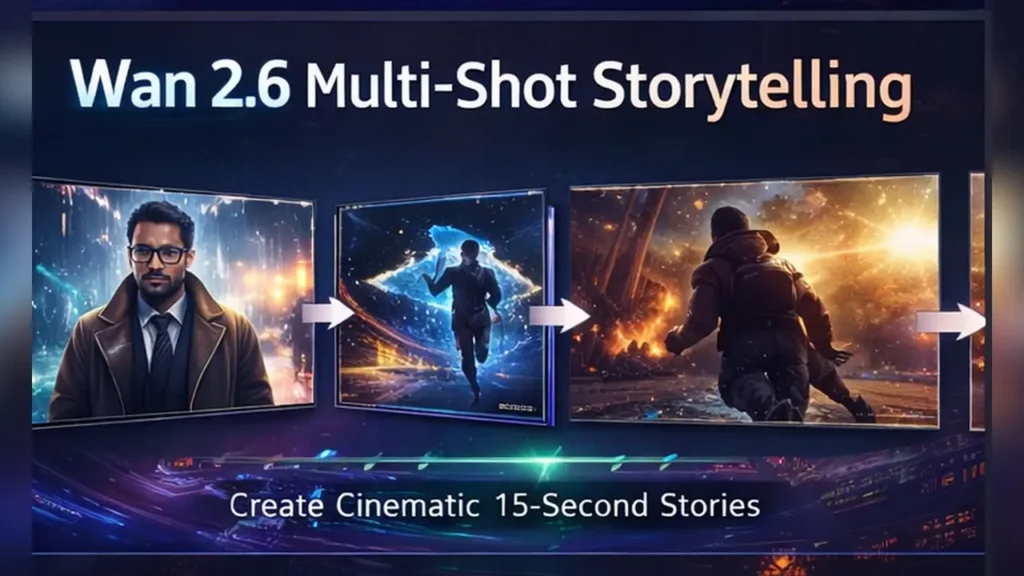
One of Wan 2.6’s standout features is Wan 2.6 multi-shot storytelling—the ability to generate clips with internal scene transitions. Instead of a static 15-second take, you can prompt for two or three distinct “shots” within the same generation.
Example prompt:
“Shot 1: Close-up of a detective’s weathered hands opening a dusty file. Shot 2: Medium shot of the detective’s face, eyes narrowing as they read. Shot 3: Wide shot of the dim office, rain streaking the window behind them.”
Wan 2.6 will produce a 15-second sequence that cuts between these three compositions, maintaining visual continuity (same character, same lighting tone) while shifting perspective. The audio—whether it’s ambient rain, a ticking clock, or subtle tension music—carries across all three shots seamlessly.
This multi-shot capability transforms what you can do in a single generation. You’re not locked into one static angle. You can:
- Establish location → Focus on character → Reveal emotional detail
- Show cause → Cut to effect → Widen for context
- Build tension through camera movement and editing rhythm
Traditional AI video tools require you to generate each shot separately, then pray they match in post. Wan 2.6’s unified approach means the model handles continuity for you—same lighting, same color grade, same acoustic space.
For filmmakers used to storyboarding, this is a revelation. You can prototype entire scenes in minutes, testing different shot progressions before committing to a final edit.
5. Camera Movement and Transitions: Avoiding the “Plastic” Look
Early AI video models struggled with camera motion. Pan left, and objects would warp. Zoom in, and textures would blur into abstract noise. The Wan 2.6 camera transitions aim to solve this with what Alibaba calls “spatial flow modeling.”
Supported camera moves include:
- Static hold: Locked frame, no movement
- Pan (left/right) and tilt (up/down)
- Dolly in/out: Forward/backward tracking
- Orbit: Circular movement around a subject
- Crane up/down: Vertical sweeps
You specify these in your prompt:
“Dolly in slowly on a birthday cake as candles flicker. Ambient party chatter in the background.”
The model calculates depth maps and motion vectors to ensure objects move convincingly through 3D space. Walls stay parallel. Faces don’t distort. The “plastic” jello-wobble effect that plagued earlier models is significantly reduced (though not entirely eliminated—very fast moves can still introduce artifacts).
Transition between shots within a multi-shot sequence can be:
- Hard cut: Instant switch (most reliable)
- Cross-dissolve: Gradual blend (works for mood shifts)
- Match cut: Visual echo across shots (experimental, hit-or-miss)
Cross-dissolves are particularly impressive when they work. Imagine a sunset dissolving into a candle flame, with the warm color palette and audio ambience bridging both shots. When it clicks, it feels cinematic.
6. How Does It Compare? Wan 2.6 vs. Sora and Others
The Wan 2.6 vs Sora comparison is inevitable. OpenAI’s Sora grabbed headlines in early 2024 for its long-duration, high-fidelity clips. So where does Wan 2.6 fit?
Temporal AI Synthesis Matrix
A technical assessment of Wan 2.6 against current industry benchmarks Sora and Runway Gen-3.
| Feature Cluster | Wan 2.6 (New) | Sora (OpenAI) | Runway Gen-3 |
|---|---|---|---|
| Max Duration | 15 SECONDS Optimized for social & ads. |
UP TO 60S Long-form consistency. |
10 SECONDS Standard loop duration. |
| Native Audio | YES (SYNC’D) Direct audiovisual synthesis. |
Silent Output | Silent Output |
| Multi-Shot | UP TO 3 SHOTS Narrative cut capabilities. |
Single Continuous | Single Continuous |
| Resolution | 1080P NATIVE | 1080P – 4K | 1080P |
| Public Access | FEB 2026 Limited Beta phase. |
Waitlist / Red Team | Paid Tiers (Live) |
| Developer API | Q2 2026 | TBA | Available |
Key takeaways:
- Sora excels at duration and resolution, making it ideal for longer narrative pieces or high-res commercial work. But it’s silent and harder to access.
- Runway Gen-3 is production-ready with API access but lacks audio and multi-shot features.
- Wan 2.6 trades max length for integrated audio and multi-shot storytelling, targeting rapid iteration and social-first content.
If your priority is speed + audio + scene variety, Wan 2.6 is the current leader. If you need long takes + 4K + editorial control, Sora (when available) might suit you better. For immediate production use, Runway still holds ground.
The real question: will Sora add audio natively? Will Wan 2.6 extend past 15 seconds? The race is on.
7. Who Built This and Why It Matters: Alibaba’s Ecosystem Play
The Alibaba Wan 2.6 video model isn’t just another research demo. It’s part of Alibaba Cloud’s broader AI infrastructure push, and that context matters for adoption.
Why Alibaba?
- Cloud integration: Wan 2.6 is designed to run on Alibaba Cloud’s GPU clusters, making enterprise deployment smoother for companies already using Aliyun services.
- E-commerce tie-ins: Alibaba owns Taobao and Tmall. Expect Wan 2.6 to power automated product video ads, influencer content, and live-stream enhancements.
- Global vs. China rollout: Alibaba has historically launched features in China first, then expanded internationally. Early access may favor APAC markets before hitting the West.
From a strategic standpoint, Alibaba is positioning Wan 2.6 as a workflow accelerator for businesses, not just a hobbyist toy. The model is optimized for:
- High throughput: Generate hundreds of clips per day for A/B testing
- Localization: Support for Mandarin, English, and other languages in prompts and audio
- Brand safety: Content filters tuned for commercial use (stricter than open-source models)
For creators outside China, this means potential integration with global tools. Alibaba has partnerships with Adobe, Canva, and other platforms. Don’t be surprised if Wan 2.6 appears as a plugin in familiar software by mid-2026.
8. Integrating Wan 2.6 Into Your Projects: Workflow and Internal Links
So you’re sold on the Wan 2.6 API integration potential. How do you actually use it?
Current access paths (as of February 2026):
- Web interface: Limited beta via Alibaba Cloud (apply through their AI Studio portal)
- API (planned Q2 2026): RESTful endpoints with JSON prompt formatting
- SDK support: Python and Node.js libraries announced
Typical workflow:
- Script your scene (text prompt + audio cues)
- Submit via API (include resolution, aspect ratio, shot count)
- Receive job ID (generation takes 2–5 minutes for 15-second clips)
- Download MP4 (with embedded audio)
- Import to editor (Premiere, DaVinci, CapCut, etc.)
For teams managing multiple projects, the API allows batch processing. You could, for example:
- Generate 50 product demo variations for A/B testing
- Localize content by swapping audio prompts (English → Spanish → Mandarin)
- Auto-generate B-roll for podcast clips
Internal resource links to explore further:
- For automotive and tech content inspiration, check AutoChina Blog for how Chinese brands are using AI video in product launches.
- Need creative video marketing ideas? Mavidi Online showcases cutting-edge campaigns.
- Curious about gadget reviews that could benefit from AI-generated demos? Visit Best China Gadget for examples.
These resources offer real-world context for how Wan 2.6 AI video generator with sound might slot into content strategies across industries.
9. Pricing, Access, and What to Expect
Now for the practical stuff: Wan 2.6 pricing and access. As of February 2026, Alibaba hasn’t published final pricing, but based on beta leaks and competitor benchmarks, here’s what we anticipate:
Investment & Scale Matrix
Operational costs and monthly generation quotas for Wan 2.6 production deployments.
| Service Tier | Est. Unit Cost | Monthly Volume | Capabilities Included |
|---|---|---|---|
| Free Beta | $0.00 | 10 Clips / Mo | 1080p Resolution 15s Max Duration Visible Watermark |
| Starter | ~$1.50 / Clip | 100 Clips / Mo | No Watermark Standard Priority Queue Cloud Storage (30 Days) |
| Pro | ~$1.00 / Clip | 500 Clips / Mo | Full API Access Commercial Usage License Ultra-High Priority |
| Enterprise | CUSTOM | Unlimited | White-Label Player Support Dedicated SLA / Support Optional On-Prem Deployment |
What you’re paying for:
- Compute time: Video + audio generation is GPU-intensive. Pricing reflects cloud costs.
- Storage: Generated clips are hosted for 30 days; download and delete to save quota.
- Commercial rights: Free tier is for testing only. Paid tiers include full usage rights.
Access timeline:
- Now (Feb 2026): Invite-only beta. Apply via Alibaba Cloud AI Studio.
- Q2 2026: Open API launch. Pay-as-you-go pricing goes live.
- Q3 2026: Integration with third-party platforms (rumored: Canva, Adobe Express).
For early adopters, the free beta is your chance to test workflows before committing budget. Expect waitlists to clear faster in Asia-Pacific regions initially.
10. Final Verdict: Is Wan 2.6 the Right Tool for You?
Let’s wrap this up with clarity. The Wan 2.6 AI video generator with sound is not a universal replacement for traditional video production, nor is it trying to be. It’s a specialized tool for specific jobs:
Use Wan 2.6 when you need:
- Fast turnaround on short-form video (hours, not days)
- Integrated audio without manual layering
- Multi-shot storytelling in a single generation
- High volume of content variations (ads, tests, localization)
- Budget constraints that rule out full production teams
Skip Wan 2.6 if you require:
- Clips longer than 15 seconds (at least for now)
- 4K resolution or cinematic color grading
- Precise control over every frame and audio sample
- Legal/documentary footage with zero tolerance for AI artifacts
The model shines brightest in social media marketing, explainer content, rapid prototyping, and indie creative projects. If you’re a solo creator juggling multiple platforms, or a brand testing dozens of ad variants weekly, Wan 2.6 could cut your production time by 70–80%.
What to watch next:
- Will Alibaba extend max duration to 30 or 60 seconds?
- How quickly will API access roll out globally?
- Will competitors (Runway, Pika, Kling) add native audio to catch up?
The AI video space is moving fast. Wan 2.6 is a meaningful step forward—native audio sync, multi-shot capability, and 1080p quality in one package. But it’s also just one chapter in an evolving story.
Stay ahead of the curve: For the latest tutorials, feature comparisons, and creative use cases, keep following updates and guides right here at www.aiinovationhub.com. We’ll be tracking Wan 2.6’s rollout, testing new workflows, and sharing what works (and what doesn’t) so you can make smarter decisions about AI tools in your content stack.
The future of video creation is here—and it comes with its own soundtrack.
This paragraph will assist the internet viewers for creating new blog or even a blog
from start to end.