
Ever watched an AI-generated video where the character’s face morphs into someone completely different every three seconds? Yeah, that’s the nightmare every content creator faces when trying to build a consistent character. Enter RenderNet FaceLock—the feature that finally solves the “jumping face” problem that’s been haunting AI video creation since day one.
RenderNet FaceLock is a revolutionary character consistency technology that locks your character’s facial features across multiple AI-generated videos and images. Upload one reference photo, and FaceLock ensures your virtual character maintains the same recognizable appearance throughout an entire series of clips—no more random face-swapping between frames.
This isn’t just another gimmick. For creators building virtual influencers, story-driven content, or serialized video formats, RenderNet FaceLock represents the difference between professional-looking content and amateur-hour chaos. And the best part? It’s accessible right now at aiinovationhub.com, where you’ll find detailed breakdowns of how to leverage this game-changing technology.
If consistent characters are the “front stage” of modern AI video, local AI memory is the backstage superpower. Tools like Screenpipe and Rewind-style assistants keep context on your device, so your workflow remembers what you did yesterday—without leaking it to the cloud. Here’s the full guide: https://aiinovationhub.com/screenpipe-rewind-ai-alternative-local-memory/
Why “Consistent Character Video” Is the Biggest Pain Point in AI Clips
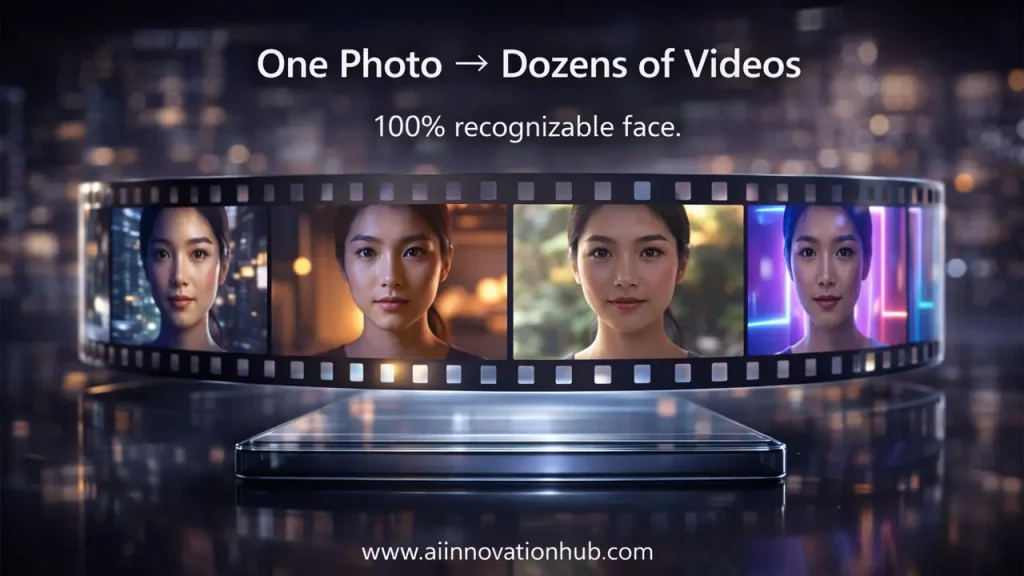
Let’s talk about the elephant in the room. Traditional AI video generation tools produce stunning visuals, but there’s one massive problem: character consistency is terrible. You might start with a blonde woman in her twenties, and by frame 47, she’s transformed into a completely different person with different facial structure, eye color, and proportions.
This phenomenon, often called “face drift,” happens because most AI models regenerate each frame independently. The model doesn’t “remember” what the character looked like three seconds ago. For anyone trying to create consistent character video content—whether it’s a brand mascot, a virtual spokesperson, or a serialized story—this inconsistency is a dealbreaker.
The technical reason behind this involves how diffusion models process prompts. Even with identical text descriptions, slight variations in the generation process create different interpretations of facial features. Over multiple frames or separate generation sessions, these variations compound, resulting in characters that look like distant cousins rather than the same person.
Industry data shows that creators often abandon AI video projects specifically because of this consistency problem. You can’t build a loyal audience for a character who looks different in every video. That’s where FaceLock becomes essential—it’s not just a convenience feature; it’s the foundation for professional AI video content creation.
What Is RenderNet FaceLock and Why “Face Lock AI Video” Actually Works
RenderNet FaceLock operates on a fundamentally different principle than standard AI generation. Instead of relying solely on text prompts to describe a character, FaceLock uses a reference image as the anchor point for all subsequent generations. Think of it as creating a digital DNA profile for your character.
The technology works by analyzing the uploaded reference photo and extracting key facial markers—eye placement, nose structure, jawline, facial proportions, and distinctive features. These markers are then enforced across every new generation, ensuring that while the character can be placed in different scenes, poses, and lighting conditions, the core facial identity remains intact.
What makes face lock AI video truly effective is its integration with RenderNet’s broader generation pipeline. The system maintains facial consistency while still allowing for natural variations in expression, angle, and emotion. Your character can smile, frown, look surprised, or turn their head—all while remaining unmistakably the same person.
According to information from RenderNet’s platform, FaceLock achieves this without requiring extensive training or complex setup. Users simply upload one high-quality reference photo, enable the FaceLock feature, and the system handles the rest. The result is video content where viewers can recognize the character within the first 0.3 seconds of any clip—critical for building brand recognition and audience connection.
Basic Workflow: “Character Consistency in AI Video” Step by Step
Creating consistent characters with RenderNet FaceLock follows a straightforward process that even beginners can master. Here’s the foundational workflow that ensures character consistency in AI video projects:
Step 1: Prepare Your Reference Photo Start with a clear, high-resolution image of the face you want to use. The photo should have good lighting, show the face straight-on or at a slight angle, and capture the key features you want to preserve. Avoid images with heavy shadows, extreme angles, or obstructions.
Step 2: Upload and Configure FaceLock In the RenderNet platform (now branded as Affogato AI), navigate to the character creation section and upload your reference image. Enable the FaceLock feature in the generation settings. The system will analyze the facial features and create your character profile.
Step 3: Craft Your Generation Prompts Write descriptive prompts for each scene you want to generate. Unlike traditional AI generation where you need to describe every facial detail, FaceLock handles the face consistency automatically. Focus your prompts on the scene, action, clothing, and environment.
Step 4: Generate Your Scene Series Run multiple generations with different prompts to create a series of scenes. FaceLock ensures that whether your character is standing in a forest, sitting at a cafe, or running on a beach, their face remains consistent.
Step 5: Verify Consistency Review your generated images or videos to confirm the character maintains recognizable features across all outputs. The facial structure, proportions, and distinctive characteristics should be identical, even though expressions and angles may vary.
This workflow makes it possible to create serialized content, multi-scene stories, or entire video campaigns with a single character that audiences can recognize and connect with across every piece of content.

Money-Making Use Cases: “AI Influencer Creator”
The commercial applications for RenderNet FaceLock are massive, especially in the rapidly growing virtual influencer market. Here’s where this technology is genuinely printing money for savvy creators:
Virtual Influencer Campaigns Brands are spending millions on virtual influencers who can promote products 24/7 without the unpredictability of human talent. With FaceLock, creators can build an AI influencer creator workflow that generates hundreds of consistent posts, stories, and videos featuring the same recognizable virtual personality. These digital influencers can model different outfits, demonstrate products, and engage with audiences across Instagram, TikTok, and YouTube—all while maintaining perfect facial consistency.
Brand Mascots and Spokespersons Companies need consistent brand representatives for video content. RenderNet FaceLock enables the creation of a virtual spokesperson who can deliver product announcements, tutorials, and marketing messages with the same face across all materials. This builds stronger brand recognition than using different stock actors for each campaign.
Shorts and Reels Content Factories Content creators are generating revenue through TikTok, Instagram Reels, and YouTube Shorts. FaceLock allows them to create a recognizable character who appears in series of short-form videos. Audiences subscribe because they know and like the character, not just the content format.
Serialized Story Formats Educational content, mini-series, and episodic narratives all benefit from character consistency. Creators can build stories over weeks or months, with viewers following the same character through different adventures. This creates the kind of audience investment that drives views, shares, and monetization.
The key to monetization is consistency. Audiences don’t follow random faces—they follow personalities. FaceLock makes it possible to build that personality at scale.
Story Videos and Series: “Virtual Influencer Video” Without the “Different Person” Effect
Creating multi-episode content has always been the holy grail of content creation. The problem with AI-generated content was that maintaining character continuity across episodes was nearly impossible—until now.
With virtual influencer video capabilities powered by FaceLock, creators can produce entire narrative series where the main character looks identical from episode one through episode fifty. This opens up entirely new content formats that were previously only possible with expensive human actors or complex 3D animation.
Consider a beauty tutorial series featuring a virtual makeup artist. Each episode covers a different technique, but the host remains the same recognizable face. Viewers subscribe because they trust and recognize the presenter, just as they would with a traditional human influencer.
Or imagine a virtual travel vlogger who “visits” different AI-generated locations each week. The locations change, the outfits vary, the scenarios differ—but the host’s face remains constant. This creates the parasocial relationship that drives engagement and follower growth.
The technical achievement here is that RenderNet FaceLock preserves facial identity while allowing natural variations in expression, lighting, and angle. Your character can laugh, look serious, appear surprised, or show concentration—all while remaining unmistakably the same person.
For content creators, this means you can plan long-form narrative arcs, build character development over time, and create the kind of serialized content that keeps audiences coming back. The “different person” effect that plagued earlier AI video attempts is completely eliminated.
Advertising and Storytelling: “AI Story Video Generator” for Rapid Creatives
Marketing teams need to produce content fast. Traditional video production involves casting, scheduling shoots, editing, and revision cycles that can take weeks. RenderNet’s AI story video generator capabilities collapse that timeline to hours while maintaining the character consistency that makes campaigns effective.
Here are the formats where FaceLock-powered content creation is revolutionizing advertising:
Before/After Demonstrations Product transformations require the same person showing results. FaceLock ensures the “before” and “after” faces are identical, making testimonials more credible and compelling.
Mini-Sketch Commercials Short comedic or dramatic scenarios featuring a consistent character can be generated in bulk. Create a dozen different micro-stories featuring your brand spokesperson, all with perfect facial consistency.
Product Showcase Scenes Generate multiple scenarios showing a product in use—kitchen scenes, office environments, outdoor settings—with the same recognizable character interacting with the product across all contexts.
UGC-Style Content User-generated content aesthetics are highly engaging, but hiring multiple creators is expensive. Generate authentic-looking UGC-style videos featuring consistent virtual creators who can demonstrate products across multiple scenarios.
The speed advantage is enormous. Marketing teams can test different messaging, visuals, and scenarios within a single day, generating variations that would take weeks to produce traditionally. All while maintaining the face consistency that makes the content cohesive and professional.
Amplifying Control: “ControlNet Pose Control” Plus FaceLock
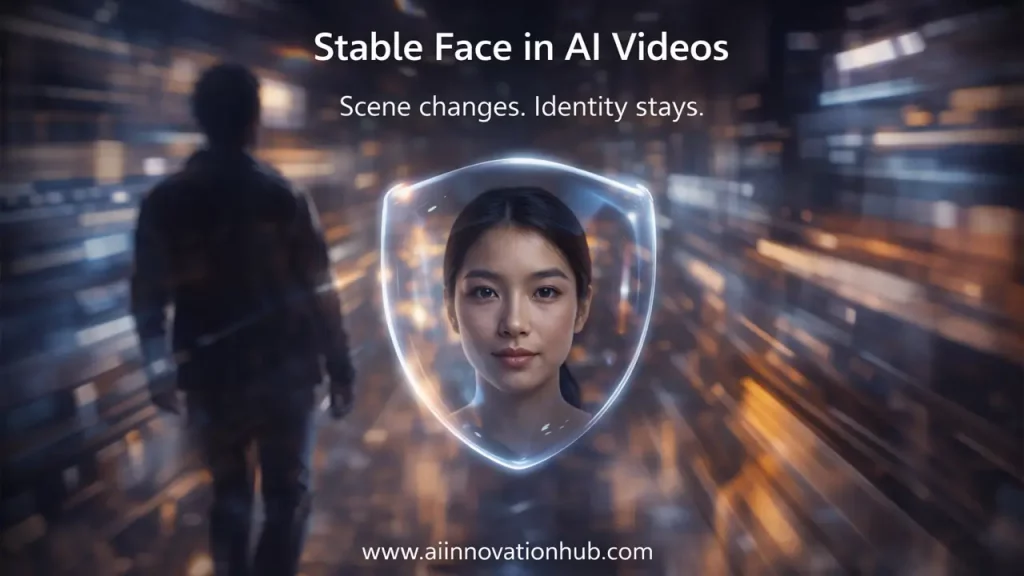
Here’s where things get really powerful. RenderNet doesn’t just offer FaceLock—it integrates with ControlNet pose control to give creators unprecedented command over both facial identity and body positioning.
The logic is simple but powerful: FaceLock handles facial consistency while ControlNet handles pose and composition. This combination means you can:
Lock Both Face and Pose Upload a reference face for FaceLock and a pose reference for ControlNet. Generate a character in specific positions—sitting, standing, running, gesturing—while maintaining perfect facial consistency.
Create Complex Character Interactions Generate multiple frames of a character in precisely controlled poses. Think product demonstrations where the character’s hands are positioned exactly right, or instructional content where body positioning matters.
Maintain Cinematographic Consistency Control camera angles, character positioning within the frame, and compositional elements while ensuring the face never changes. This is critical for professional-looking content that follows visual storytelling conventions.
According to technical documentation, ControlNet works by extracting structural information from reference images—skeletal pose maps, edge detection, depth information—and using these as conditioning inputs for generation. When combined with FaceLock’s facial anchoring, you get complete control over both who appears and how they’re positioned.
The practical application is immense. Imagine creating a fitness video series where your virtual instructor demonstrates exercises. FaceLock keeps their face consistent across all videos, while ControlNet ensures each exercise is demonstrated with anatomically correct poses extracted from real workout photos.
AI Production Frameworks
A strategic comparison of facial consistency and kinematic control methodologies in modern AI video generation.
| Feature | FaceLock Only | ControlNet Only | Combined (FaceLock + ControlNet) |
|---|---|---|---|
| Facial Consistency | Perfect | Variable | Perfect |
| Pose Control | Prompt-based | Precise | Precise |
| Best For | Character Series | Single-Scene Comp | Professional Video Prod |
| Learning Curve | Beginner-friendly | Moderate | Advanced |
Additional RenderNet Features: “Video Anyone Feature” and When to Use It
Beyond FaceLock, RenderNet offers the video anyone feature—a complementary tool that brings static images to life through animation. This feature deserves attention because it solves a different but related problem in AI content creation.
The video anyone feature takes a single image and generates a short video clip (typically 5 seconds at 24 frames per second) with realistic motion and animation. The character in the image appears to move, blink, shift their gaze, or show subtle facial expressions.
When to Use Video Anyone: This feature excels when you need to “activate” a static character image for social media, thumbnail animations, or profile videos. It’s particularly useful for creating eye-catching content from existing photos.
Combining with Serial Content: The strategic approach is using FaceLock to generate a series of consistent still images across different scenarios, then applying Video Anyone to selected images to create motion highlights. This workflow combines character consistency with engaging animation.
Use Case Example: Create a virtual influencer using FaceLock to generate 20 different outfit and location combinations. Select the five best images and use Video Anyone to animate them for Instagram Stories or TikTok posts. The result is a consistent character with dynamic video content.
According to platform documentation, Video Anyone maintains the character’s appearance throughout the animation, though it’s designed for shorter clips rather than extended narratives. The feature uses motion prediction to create natural movements that enhance static images without requiring complex video generation from scratch.
The key insight is understanding which tool to use when. FaceLock is your character consistency foundation across multiple generations. Video Anyone is your animation tool for bringing specific static images to life. Together, they form a comprehensive content creation pipeline.
The Verdict: “Stable Face in AI Videos” as the New Standard
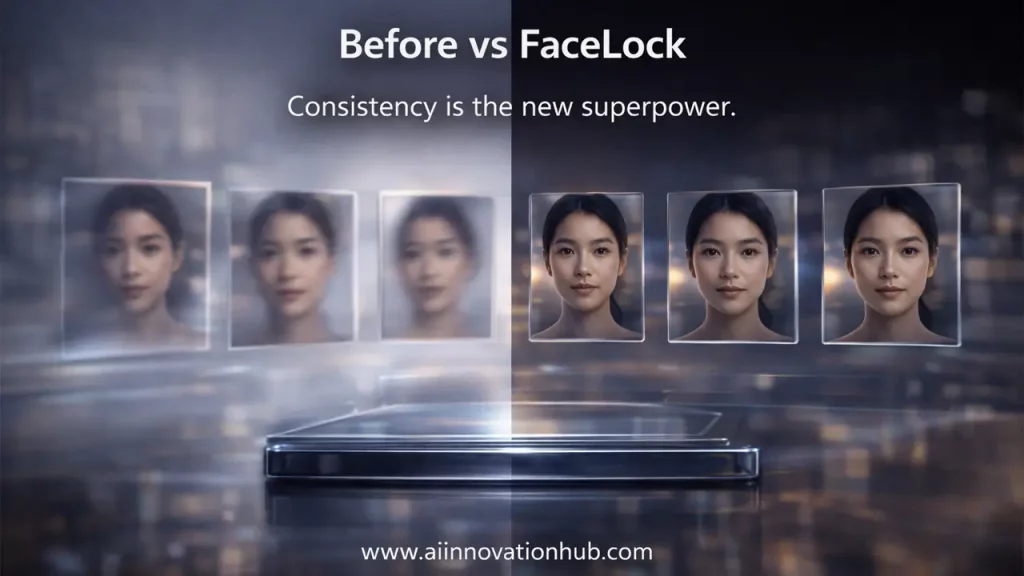
We’ve reached a turning point in AI video generation. What was once a frustrating limitation—unstable facial features that changed unpredictably—has become a solved problem with stable face in AI videos technology like RenderNet FaceLock.
The implications are massive. Content creators can now build long-term character brands. Marketers can produce consistent campaign assets at scale. Educators can create recognizable virtual instructors. Businesses can deploy virtual spokespersons who never age, change appearance, or become unavailable.
This isn’t theoretical—it’s happening now. Virtual influencers built with consistent face technology are generating real revenue. Brands are replacing expensive human talent with AI-generated spokespeople who deliver perfect consistency. Content creators are building audiences around AI characters that appear in hundreds of videos without ever looking different.
What This Means for You: If you’re creating video content with AI, character consistency is no longer optional—it’s expected. Audiences won’t engage with characters who look different in every video. Brands won’t invest in campaigns where the spokesperson’s face changes between ads.
RenderNet FaceLock has established the standard. The technology works, it’s accessible, and it’s producing professional results right now. The question isn’t whether to adopt face-stable AI video creation—it’s how quickly you can integrate it into your workflow.
Next Steps: The technology exists. The tools are available. What you need now is knowledge about how to use them effectively. That’s exactly what you’ll find at aiinovationhub.com—comprehensive guides, tool comparisons, workflow tutorials, and real-world case studies from creators who are already using these technologies to build successful content businesses.
The era of consistent AI characters in video content has arrived. The creators who master these tools first will be the ones who define the next generation of digital content. Don’t get left behind watching your competitors build engaged audiences around recognizable AI characters while you’re still dealing with the “different person in every frame” problem.
Facial Consistency Analysis
A strategic breakdown of brand cohesion, audience trust, and production scalability with FaceLock technology.
| Content Type | Without FaceLock | With FaceLock |
|---|---|---|
| Video Series | 10 inconsistent character iterations; breaks narrative immersion. | 1 consistent character across 10 episodes; maintains story continuity. |
| Social Identity | Fragmented brand identity; users struggle to recognize the protagonist. | Instant character recognition; builds a strong, cohesive digital persona. |
| Ad Campaign | Disconnected messaging; low trust in generated human subjects. | Cohesive brand spokesperson; significantly higher professional polish. |
| Educational | Loss of instructor continuity; reduces student retention and trust. | Trusted, familiar teacher archetype; enhances the learning experience. |
| Engagement | Low retention; audience fails to form emotional character attachment. | High engagement; fosters parasocial relationships and long-term loyalty. |
Head over to aiinovationhub.com for detailed tutorials on implementing RenderNet FaceLock in your content workflow, comparisons with alternative tools, and strategies for building profitable AI character brands. The future of consistent AI video content is here—are you ready to create it?
If RenderNet FaceLock solves character consistency, the next step is turning that character into ads that actually sell. Kling is making waves with hyper-real motion, crisp 1080p output, and product-focused scenes built for TikTok-style creatives. Here’s the full breakdown: https://aiinnovationhub.shop/kling-ai-video-generator-product-ads-2026/
After all, what a great site and informative posts, I will upload inbound link – bookmark this web site? Regards, Reader.