
Voice dictation has existed for years, yet most of us still default to keyboards. Why? Because traditional dictation tools promised speed but delivered frustration—clunky interfaces, embarrassing transcription fails, and endless manual corrections that negated any time saved. Enter Wispr Flow dictation tool, the voice productivity platform that’s finally making good on the promise of truly effortless voice typing. Available on Mac, Windows, and iOS, Flow enables users to speak naturally and receive polished text instantly, working across every application without manual switching or formatting. This isn’t just another speech-to-text app; it’s a fundamental rethinking of how we capture thoughts and communicate digitally.
1. Wispr Flow Dictation Tool: What This Is and Why Everyone’s Talking About It
The Wispr Flow app represents a major shift in how professionals, students, and creators interact with their devices. Unlike standard voice typing that simply transcribes words, Flow processes speech through multiple AI layers that handle transcription while simultaneously cleaning up speech patterns, removing filler words, and formatting text appropriately for context. The result? Text that reads as if you’d carefully typed it, not hastily dictated it.
What makes Flow stand out is its universal compatibility. Press a keyboard shortcut on desktop or tap a floating bubble on iOS, speak naturally, and watch your words appear perfectly formatted in Gmail, Slack, Google Docs, VS Code, or literally any text field on your system. One developer reported achieving 179 words per minute using Flow, a speed that’s simply impossible with traditional typing.
The technology behind this isn’t just faster transcription—it’s intelligent processing. Flow recently raised $81 million to build what they call “Voice OS,” positioning voice input as a primary interaction method rather than an accessibility feature or niche tool. This funding signals investor confidence that voice-first computing is finally ready for mainstream adoption.
Users aren’t just impressed by speed; they’re staying because Flow fundamentally changes their workflow. A bestselling author noted that Flow allows reaching a flow state without autocorrect or voice dictation interruptions while articulating ideas. For professionals juggling multiple projects, this uninterrupted thought-to-text pipeline eliminates the friction that made previous dictation tools feel like more work than they saved.
The platform works across devices seamlessly. Start dictating an email on your Mac, continue on your iPhone while walking, and finish on Windows at a different workstation—your personal dictionary, snippets, and preferences follow you everywhere. This cross-platform consistency is rare among dictation tools and makes Flow genuinely practical for modern multi-device workflows.
Whether you’re a developer documenting code, a lawyer drafting contracts, a student taking notes, or a content creator battling blank pages, the Wispr Flow app adapts to your specific context and delivers appropriately formatted text every single time. This contextual intelligence is what transforms dictation from a novelty into an indispensable productivity tool.
If Wispr Flow makes your writing faster, the next upgrade is making your sales faster too. Voice automation is moving from “nice-to-have” to “revenue-critical” — especially for abandoned carts, order confirmation, and 24/7 support. Here’s a practical guide to voice AI agents for ecommerce: https://aiinnovationhub.shop/voice-ai-agents-for-ecommerce-bland-ai-vapi/
2. Wispr Flow Dictation Tool: How It Differs from Regular Dictation
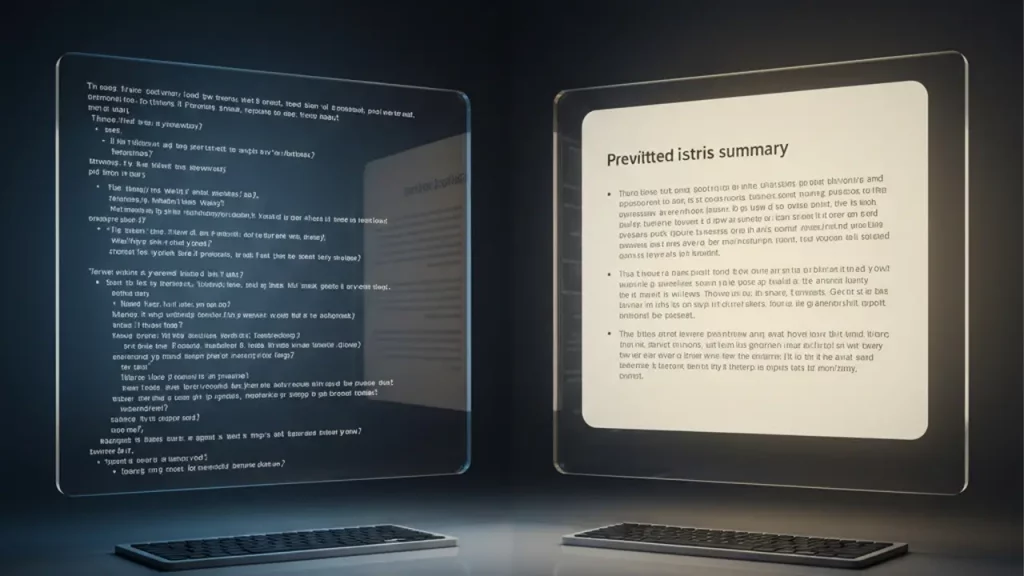
Standard dictation tools treat voice typing as a straightforward transcription task: you speak, they write down exactly what you said. This AI voice dictation approach fundamentally reimagines the process. Rather than dumbly converting audio to text, Flow acts as an intelligent intermediary that understands context, intent, and output requirements.
Traditional dictation forces you to speak in an unnatural, robotic manner: “Period. New paragraph. Capital A. All caps PROJECT NAME. End caps.” Flow eliminates this awkwardness entirely. The tool processes speech through cloud-based AI models with multiple layers—the first handles transcription while others clean up speech patterns, remove filler words, and format text appropriately. You simply speak naturally, and Flow handles the translation from casual speech to polished writing.
The contextual awareness goes beyond basic formatting. Flow recognizes whether you’re composing an email or messaging in Slack, automatically adjusting punctuation, capitalization, and line breaks to match the application’s conventions. Professional emails get full punctuation and formal structure; Slack messages become conversational and concise. This adaptive formatting means you never have to think about output style—Flow intuits it from context.
Flow’s AI engine processes over 500 language patterns per second, accurately handling technical terms, proper names, and mixed-language speech. When you mention “Kubernetes cluster” or “PostgreSQL database,” Flow recognizes these as technical terms rather than attempting phonetic spellings. Similarly, if you code-switch between English and Spanish mid-sentence, the system handles both languages seamlessly.
The personal dictionary feature represents another critical difference. When you correct a spelling, Flow automatically adds that word to your personal dictionary so it renders correctly in future dictations. Company names, industry jargon, colleague names, and project terminology get learned once and remembered forever. This adaptive learning means Flow becomes more accurate the more you use it, while standard dictation tools make the same mistakes repeatedly.
Perhaps most importantly, Flow understands structure. When you dictate a bulleted list, numbered steps, or code blocks, the system recognizes these patterns and formats them appropriately without explicit markup commands. This structural intelligence means you can think in natural outlines and organizational patterns rather than wrestling with dictation syntax.
If Wispr Flow upgrades how you write, the next question is: what upgrades how you build? Autonomous coding agents are exploding right now, and the Cline VS Code workflow is one of the most talked-about setups for real dev productivity. Here’s the breakdown and why it matters: https://aiinovationhub.com/cline-vs-code-autonomous-coding-agent/

3. Wispr Flow Dictation Tool: The Speed and Convenience of “I Speak, It Types”
The fundamental promise of any voice typing app is simple: speak faster than you type. But speed without accuracy is worthless, and speed that requires constant corrections is actually slower than typing. Flow delivers genuine speed advantages because its output requires minimal editing.
Flow enables users to create content four times faster than traditional typing, but this metric understates the real productivity gains. The true advantage isn’t just transcription speed—it’s the elimination of the typing bottleneck that lets ideas flow uninterrupted from mind to page. Writers describe entering flow states where thoughts transfer directly to text without the cognitive load of manual typing.
Activation is instantaneous. On desktop, pressing your chosen hotkey immediately starts recording; on iOS, tapping the floating bubble begins dictation. The background processing is so smooth it feels like magic—spoken words become polished text exactly where needed without manual copy-pasting or app switching. This seamlessness means dictation integrates naturally into existing workflows rather than requiring process changes.
The convenience extends to mobility. Traditional work required sitting at a desk with a keyboard; Flow liberates you from this constraint. Walk around your office while thinking through complex problems and dictate solutions as they crystallize. Respond to urgent emails while commuting. Capture meeting notes while still in the conference room. One user dictated approximately 70% of their quarterly board document using Wispr, calling it a massive time saver.
For users with physical limitations, the convenience becomes life-changing. A user with Parkinson’s disease reported that Flow made using their Mac significantly easier, providing changes they couldn’t adequately explain. Individuals with repetitive strain injuries, arthritis, or mobility challenges gain full digital productivity without keyboard dependency.
The speed advantage compounds across your day. Rapid-fire responses to Slack messages. Instant email replies while information is fresh. Quick documentation of ideas before they evaporate. Each individual interaction might save only seconds, but those seconds accumulate into hours of reclaimed productivity weekly.

4. Wispr Flow Dictation Tool: The Magic of Text Structure
Where Flow truly distinguishes itself is structural intelligence. This goes far beyond simple speech to text formatting—the system understands how different types of content should be organized and presents them accordingly without explicit formatting commands.
When you dictate, “Here are three reasons this matters: first, it saves time; second, it improves accuracy; third, it reduces cognitive load,” Flow recognizes this as a structured list and formats it appropriately with proper numbering or bullets depending on context. You don’t need to say “colon, new line, number one” or manually format afterward—the structural intent is understood and rendered correctly.
Code dictation exemplifies this structural intelligence powerfully. Flow understands syntax, file names, and code formatting so voice input fits seamlessly into development workflow. Developers can speak function definitions, conditional statements, and loop structures in natural language, and Flow translates these into properly formatted, syntactically correct code. One developer reported writing entire functions by speaking them aloud, with Flow understanding programming context and formatting code appropriately.
The system recognizes document structures like sections, subsections, and paragraphs without explicit markup. When transitioning between topics, Flow infers appropriate spacing and formatting from speech patterns and content transitions. This means you can think in natural document outlines rather than dictating formatting commands.
For legal and medical professionals, precise formatting isn’t optional—it’s mandatory. Flow delivers smart dictation for contracts, case notes, and client records with formatting that captures every clause accurately. Numbered clauses, nested subclauses, and defined terms all render correctly without requiring lawyers to become dictation formatting experts.
Tables and structured data present particularly challenging formatting scenarios. While speaking, you can describe tabular information naturally—”create a table with three columns: name, department, and start date”—and Flow structures this appropriately. This capability transforms previously keyboard-dependent tasks into voice-accessible workflows.
The formatting intelligence extends to punctuation, capitalization, and stylistic conventions. Proper nouns get capitalized automatically. Sentences end with appropriate punctuation. Acronyms appear in all caps. These micro-level formatting decisions happen automatically and correctly, eliminating the tedious post-dictation cleanup that plagued previous generation tools.

5. Wispr Flow Dictation Tool: Cleaning Speech of Verbal Clutter
Natural speech contains countless verbal tics—”um,” “uh,” “like,” “you know,” “basically”—that make sense conversationally but look unprofessional in writing. Traditional dictation transcribes these faithfully, requiring manual deletion. Flow’s approach to remove filler words dictation represents a fundamental improvement.
Flow’s processing layers automatically remove filler words like “um” and “uh” while formatting text appropriately. You speak naturally, verbal tics included, and receive clean, professional text. This transformation happens in real-time without requiring you to speak in an artificially polished manner.
The filler word removal is contextually aware. Not every “like” or “well” is filler—sometimes these words carry meaning. Flow’s AI distinguishes between meaningful uses (“I’d like coffee”) and filler uses (“It’s, like, really important”), preserving the former while eliminating the latter. This nuanced understanding prevents the robotic, over-scrubbed text that results from indiscriminate filler removal.
The benefit extends beyond simple word removal. Flow acts as an extra part of your brain that helps formulate complete sentences when you’re stuck in thought and have a jittery response. When you struggle to articulate an idea and stumble through multiple false starts, Flow interprets your intent and produces a clear, coherent statement. This cognitive assistance means you can think out loud messily and receive organized output.
For individuals with speech patterns affected by stuttering or other fluency challenges, this feature is transformative. Users with stuttering report Flow works really well despite speech differences. The AI focuses on content and intent rather than surface-level delivery, making voice productivity accessible regardless of speech characteristics.
The cleaning isn’t limited to filler words—Flow also handles false starts, self-corrections, and tangential comments. When you begin a sentence, realize mid-way you want to phrase it differently, and restart, Flow recognizes this pattern and outputs only the final, intended version. This editorial intelligence means your rough drafts emerge remarkably polished.
This feature becomes particularly valuable for brainstorming and first drafts. You can speak stream-of-consciousness, capturing ideas as they surface without worrying about verbal polish. Flow handles the translation from messy thinking to clean writing, letting you focus entirely on content rather than delivery.

6. Wispr Flow Dictation Tool: Punctuation Without the Pain
Punctuation has historically been dictation’s Achilles heel. Saying “period,” “comma,” and “question mark” constantly interrupts thought flow and makes dictation feel clunky. Forgetting to dictate punctuation produces run-on text requiring extensive manual editing. Flow’s approach to punctuation auto insert solves this longstanding problem.
Flow automatically formats text with real-time auto-edits, eliminating manual editing requirements. The system infers appropriate punctuation from speech patterns, prosody, and context. Natural pauses become periods. Rising inflection at sentence end signals questions. Lists receive proper commas. This happens automatically and accurately without conscious attention from the speaker.
The punctuation intelligence extends to more complex scenarios. When you dictate quoted speech, Flow recognizes the quote and applies appropriate quotation marks without explicit commands. Parenthetical asides get wrapped in parentheses. Dashes, semicolons, and other punctuation marks appear where grammatically appropriate based on sentence structure and meaning.
For technical writing with specialized punctuation needs, Flow adapts accordingly. Email addresses, URLs, and code snippets get formatted correctly without spelling out every symbol. When dictating “send email to john at company dot com,” Flow renders this as “john@company.com.” Similarly, file paths like “slash user slash local slash bin” become “/usr/local/bin.”
The system learns your punctuation preferences over time. If you consistently prefer Oxford commas, Flow adopts this convention. If you favor em dashes over parentheses for asides, the system recognizes and implements this stylistic choice. This personalization means output matches your writing voice, not generic formatting rules.
Punctuation accuracy varies by context. In email applications, Flow uses full punctuation, capitalization, and line breaks for polished appearance. In messaging apps, punctuation becomes more relaxed and conversational. This context-awareness means you never receive inappropriately formal text messages or unprofessionally casual emails.
The real advantage isn’t just correct punctuation—it’s cognitive liberation. When you no longer need to consciously manage punctuation, all mental energy focuses on content and ideas. This seemingly small change produces substantial improvements in both speed and quality of dictated text.

7. Wispr Flow Dictation Tool: Perfect for Emails, Slack, and Work Messages
Professional communication consumes hours daily. Emails, Slack messages, team updates, client communications—each requires careful composition to maintain professionalism while conveying information efficiently. Flow’s dictation for email writing transforms these time-consuming tasks into rapid voice interactions.
One user reported using Wispr almost every day, particularly enjoying going through their inbox with Flow at day’s end. What previously required sitting down and composing responses becomes a walk-and-talk activity. Review an email on your phone, think through your response while standing, and dictate a polished reply in seconds.
The tone-matching capability proves essential for professional communication. Flow adjusts appropriately whether you’re composing an email or messaging in Slack, automatically modifying punctuation, capitalization, and line breaks to match application conventions. You speak the same way regardless of medium, and Flow handles the translation to appropriate formality levels.
For sales and customer success teams, response speed directly impacts outcomes. Flow enables instant follow-up after meetings and personalized outreach without typing a single word. When response time determines whether you close a deal or lose it to competitors, the ability to dictate thoughtful, personalized messages while walking between meetings provides genuine competitive advantage.
Customer support teams particularly benefit from volume handling. Flow helps representatives speak naturally while sending perfect replies across tickets, chats, and direct messages. Support reps can resolve tickets faster by speaking responses rather than typing, improving both productivity metrics and customer satisfaction through reduced wait times.
The snippet feature amplifies efficiency for repetitive communications. Create voice shortcuts for frequently sent messages—meeting scheduling links, standard replies, company information, or common explanations. Speak the trigger phrase, and Flow inserts the full formatted text. This transforms five-minute composition tasks into five-second voice commands.
For teams, shared dictionaries and snippets ensure consistency. When everyone’s Flow recognizes company terminology, product names, and internal jargon identically, communication quality improves across the organization. Team dictionaries keep communication clean and consistent by ensuring shared understanding of names, jargon, and acronyms.

8. Wispr Flow Dictation Tool: Capturing Ideas On-the-Go and Brain Dumps
Creativity and insight don’t respect keyboard availability. The best ideas emerge while showering, walking, or lying in bed—nowhere near a computer. This mismatch between when ideas strike and when we can capture them costs countless insights lost to fading memory. Flow’s voice notes productivity capabilities solve this fundamental problem.
The mobile implementation makes idea capture frictionless. Your iPhone becomes a dictation studio—whether on a bus, walking the dog, or relaxing on the couch, you can dictate notes, ideas, or entire paragraphs without losing fleeting moments of inspiration. The floating bubble interface means you’re always one tap away from capturing thoughts before they evaporate.
For brain dumps—unstructured thought downloads that help organize thinking—voice input proves far superior to typing. When conducting brain dumps to AI assistants, users sometimes encounter the six-minute recording time limit, indicating just how much content can be rapidly captured through voice. These extended voice sessions let you think out loud comprehensively without the physical fatigue of extended typing sessions.
The quality of voice-captured brain dumps surpasses typed equivalents. When typing, you self-edit constantly—stopping mid-sentence to rephrase, deleting and rewriting, getting stuck on word choice. Voice eliminates this friction. You speak continuously, maintaining thought momentum, and Flow handles the transcription and light editing. The result is more comprehensive, less filtered thinking.
Writers particularly benefit from this capability. One user dictated most of their review using Wispr Flow, noting that the ability to speak naturally while walking or pacing transformed their writing process. The physicality of moving while thinking often produces better ideas than static keyboard work, and Flow makes this movement-thinking-writing connection practical.
For professionals managing multiple projects, voice notes become a second brain. Dictate project updates after meetings while details are fresh. Capture task lists during commutes. Document decisions and rationale in the moment rather than reconstructing them later. This contemporaneous capture improves both completeness and accuracy of records.
Students benefit enormously from lecture notes and study materials captured by voice. Rather than frantically typing during presentations, speak notes immediately after class while information is fresh. Dictate study guide summaries while reviewing materials. This vocal processing often enhances retention compared to passive keyboard transcription.
9. Wispr Flow Dictation Tool: Building It Into Your Day Without Reverting to Keyboards
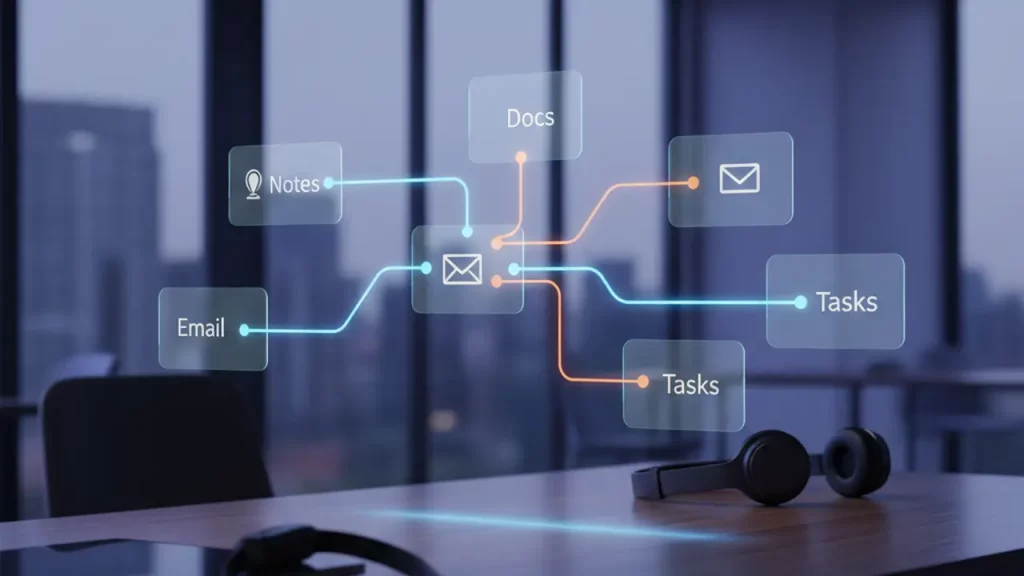
Adopting new productivity tools often fails not because the tools lack value but because integration requires behavior change. The voice productivity workflow question isn’t “Can Flow improve my work?” but rather “Will I actually use it consistently?” This integration challenge determines whether Flow becomes indispensable or another abandoned productivity experiment.
Start with low-stakes implementation. Rather than attempting to voice-dictate everything immediately, identify specific high-value use cases. Perhaps email responses while walking between meetings. Maybe Slack message replies during administrative time blocks. Or documentation tasks that feel particularly tedious when typed. Success with specific scenarios builds confidence for broader adoption.
The activation method—hitting the function key twice to start long dictation mode, then function again to finish, with Flow immediately converting audio and inserting text where the cursor has focus—makes triggering dictation natural. This simple, consistent activation across all applications means you never need to think about “how do I start dictating here?” The process becomes muscle memory.
Create environmental triggers that prompt voice usage. Place a sticky note on your monitor: “Try dictating this.” Set phone reminders during typically high-communication periods. These environmental cues help overcome default keyboard habits until voice-first thinking becomes automatic.
The Command Mode feature, available in Pro plans, bridges the gap between pure dictation and necessary editing. Voice editing enables commands like “delete last sentence,” “select paragraph,” or “bold this word” without reaching for keyboard or mouse. This means you can accomplish complete workflows—creation and editing—entirely by voice, removing the last friction points that force keyboard reversion.
For teams adopting Flow organization-wide, success requires cultural normalization. When colleagues see leaders dictating messages rather than typing, voice input becomes acceptable standard practice rather than unusual behavior. Organizations achieving successful adoption treat voice productivity as a skill to develop rather than a tool to merely deploy.
Expect a learning curve. While basic dictation works immediately, mastering voice commands for formatting like “new paragraph” or “bold text” requires practice, and documentation, while good, isn’t as intuitive as natural speech. Invest time learning Flow’s capabilities—the payoff in long-term productivity dramatically exceeds the initial learning investment.
Track metrics to maintain motivation. Monitor words dictated weekly. Calculate time saved on email responses. Document productivity improvements in specific workflows. Quantifiable progress provides concrete evidence of value and motivation to persist through the habit formation period.

10. Final Verdict: Who Should Use Wispr Flow Dictation Tool (and Who Can Skip It)
After examining Flow’s capabilities, limitations, and real-world performance, the question remains: should you adopt this tool? The answer depends on your specific use case, workflow requirements, and comfort with voice input.
Who absolutely should use Flow:
High-volume communicators: If you spend hours daily writing emails, Slack messages, or documentation, Flow will dramatically reduce this time investment. Flow helps users breeze through unread direct messages, comment replies, and draft content with voice, enabling more creation with less typing.
Developers and technical professionals: Flow’s developer jargon recognition understands programming terminology automatically, making it the best dictation software for technical work. The ability to dictate code, documentation, and commit messages in natural language transforms development workflows.
Professionals with physical limitations: Users with conditions like Parkinson’s disease report Flow making Mac usage significantly easier. For anyone experiencing typing-related pain, fatigue, or physical limitations, Flow provides essential accessibility.
Content creators and writers: The ability to capture thoughts while moving, brain dump extensively without physical fatigue, and produce polished first drafts through natural speech makes Flow invaluable for writing-intensive work.
Students and researchers: Note-taking, summarizing readings, drafting papers, and capturing ideas all accelerate dramatically with voice input. The cross-platform availability means consistent productivity across laptop, tablet, and phone.
Who might not need Flow:
Minimal communicators: If you send fewer than a dozen emails and messages daily, the productivity gains may not justify learning a new input method or subscription costs.
Privacy-sensitive roles: Flow processes data through cloud servers, which creates compliance concerns for highly regulated industries despite HIPAA readiness on all plans and SOC 2 Type II compliance on Enterprise plans. Organizations requiring complete data sovereignty may need on-premise alternatives.
Users uncomfortable with voice input: Some people simply prefer typing and find voice dictation unnatural regardless of tool quality. If you’ve tried voice input repeatedly and consistently revert to keyboards, Flow likely won’t change this fundamental preference.
Budget-conscious users with minimal needs: The free Basic plan offers 2,000 words weekly, which may suffice for light users. However, Flow Pro costs $15 monthly and offers unlimited words with Command Mode for editing. Heavy users will quickly exceed free tier limits.
| Plan | Price | Key Features | Best For |
|---|---|---|---|
| Basic | Free | 2,000 words/week, 100+ languages, basic dictation | Testing and light usage |
| Pro | $15/month | Unlimited words, Command Mode, style learning, early access | Individual professionals |
| Teams | $10/user/month | All Pro features, shared dictionaries, team snippets, centralized billing | Small to medium teams |
| Enterprise | Custom pricing | SSO/SAML, enforced SOC 2 Type II, HIPAA compliance, zero data retention, VIP support | Large organizations with compliance needs |
The bottom line: Wispr Flow represents the first generation of voice dictation that genuinely competes with—and often surpasses—keyboard input for speed, convenience, and output quality. Flow became the first consumer voice dictation platform that makes people want to use voice more than keyboards.
If your work involves substantial written communication, you type faster than you think, or physical limitations make sustained keyboard use challenging, Flow will likely transform your productivity. The 14-day Pro trial provides risk-free evaluation—enough time to experience real workflow integration and determine if voice-first productivity matches your work style.
The keyboard won’t be offended if you give Flow a serious trial. And honestly? After experiencing truly intelligent voice dictation, you might find yourself reaching for your keyboard significantly less often. That’s not a failure of traditional input methods—it’s simply the natural evolution of how we interact with computers. Voice has finally caught up to its potential, and Flow is leading that transformation.
Ready to experience voice productivity that actually works? Visit wisprflow.ai to start your 14-day Pro trial and discover how much faster your work can flow.
Discover more from AI Innovation Hub
Subscribe to get the latest posts sent to your email.