
Hey everyone, welcome back to the channel! If you’re into AI tools that actually make your design life easier, you’re in for a treat today. I’m diving deep into Recraft V3 AI vector generator – this beast that’s got designers buzzing like crazy. It’s not just another pretty picture maker; it’s built for real work, like cranking out SVG files, nailing text in images, and holding its own against heavy hitters like Midjourney. We’ll break it down step by step, from why it’s blowing up to how you can jump in. Stick around because by the end, you’ll know if this is your new go-to tool. Let’s jump right in!
Introduction: why designers are discussing the Recraft V3 en masse (and why it’s not “another picture generator”). Recraft V3 AI vector generator
Hey guys, let’s kick this off with why designers are losing their minds over Recraft V3 – and no, it’s not because it’s “just another AI image generator.” Picture this: in a world flooded with tools that spit out random artsy pics, Recraft V3 steps up as a legit design powerhouse. From what I’ve seen on their official site, this thing is engineered for pros who need precision, not chaos. It’s topping benchmarks left and right, with an ELO score of 1172 on Hugging Face, beating out big names in image quality and win rates.
Designers are chatting about it nonstop because it solves real pain points – think scalable vectors, brand consistency, and editable outputs that don’t make you want to pull your hair out.
What sets it apart? It’s not chasing viral memes or surreal art; it’s focused on practical design tasks. Official docs highlight how it integrates into workflows with layers, infinite canvases, and collaboration features. No more switching apps – everything’s in one spot. And the buzz? Their blog posts show case studies from real creatives at top companies, praising its predictability. Unlike those unpredictable generators that give you something different every time, Recraft V3 delivers consistent results. It’s like having a reliable co-pilot that understands design language.Why the mass discussion? Because in 2025,
AI is evolving from fun toys to essential tools. Recraft’s Series B funding announcement talks about bringing creative quality without compromise, empowering teams to place elements precisely. Designers are ditching old methods for this, saving hours on iterations. If you’re tired of AI that feels gimmicky, this is why V3 is the talk of the town. It’s redesigning how we design, pun intended. And hey, if you’re new here, smash that like button – let’s get to the meat of what makes it special.
If Recraft V3 is your go-to for clean SVG icons, logos, and “text that actually works,” the next step is turning those assets into motion. That’s where Kling shines: fast AI video generation for ads, intros, and social clips without a full editing marathon. Here’s the full review: https://aiinovationhub.com/kling-ai-video-generator-review-aiinnovationhub/
What is Recraft V3 and how it differs from “AI art”: focus on design tasks. Recraft V3 AI vector generator
Alright, team, now let’s unpack what Recraft V3 really is and how it stands out from your typical “AI art” generators. From the official Recraft site, V3 is their in-house text-to-image model, ranked #1 globally for quality. But here’s the twist: it’s not about creating wild, artistic renders – it’s laser-focused on design tasks. Think of it as a tool built by designers for designers, with features like production-ready vectors and custom styles that you can create without training anything.Secondary: Recraft V3 SVG generator.
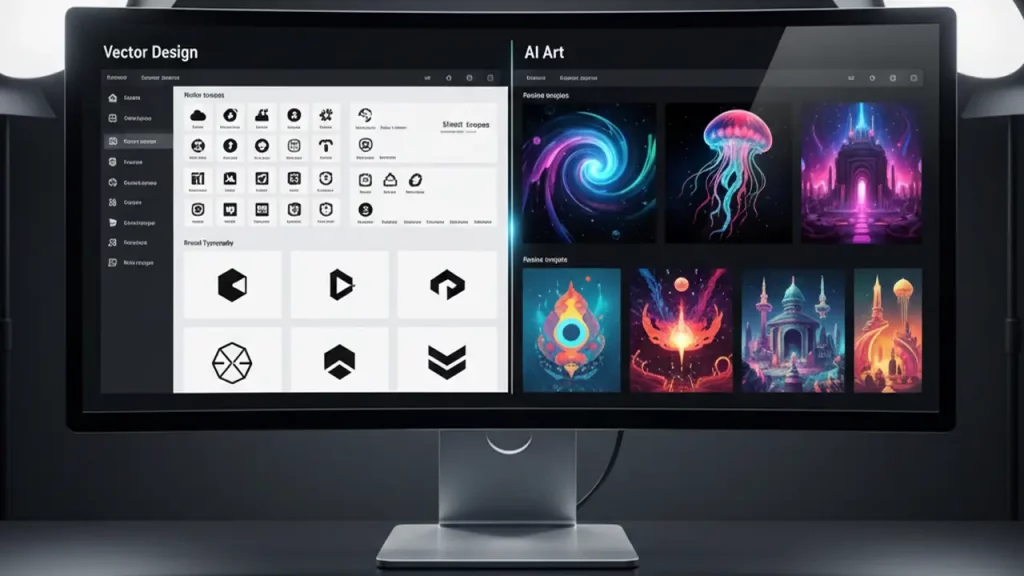
That’s the star here – it generates editable SVG files straight up, perfect for icons, illustrations, and logos that scale infinitely without losing quality. Official features list AI Vector Generator as a core tool, allowing you to turn prompts into precise vectors. Unlike AI art tools that output raster images (those pixel-based ones that blur when zoomed), V3 emphasizes vector output for professional use.How does it differ? AI art generators like others out there are great for inspiration but fall short in workflow integration.
Recraft’s docs stress familiar tools: layers, frames, commenting, and sharing. It’s an all-in-one platform with photorealism, accurate text, and brand-style consistency. Their blog on AI’s role in design explains how V3 understands prompts better, leading to accurate visuals. No more “close enough” – it’s spot-on for ads, mockups, and stock images.For creatives, this means faster iterations. Upload images to create reusable styles instantly. It’s customizable, fun, and highly praised in user quotes on their homepage. If you’re a seller or team member, the collaborative aspect shines. Bottom line: Recraft V3 isn’t playing in the art sandbox; it’s building design empires. If that sounds like your jam, keep watching – next up, the vector magic!
Vector mode and SVG-benefit for the designer: icons, sets, illustrations, scaling. Recraft V3 AI vector generator
Yo, designers, if you’ve ever dealt with scaling issues or pixelation nightmares, this section’s for you. Let’s talk vector mode in Recraft V3 and why SVG is a game-changer. Officially, their AI Vector Generator produces production-ready SVGs with professional detail. That means your icons, sets, illustrations – all scalable without any quality loss. No more headaches resizing for print or web.Secondary: AI vector icons generator.
This feature lets you prompt for specific icons, and boom – editable vectors ready to go. The site highlights how it’s ideal for creating consistent icon packs or custom graphics. Imagine generating a full set of UI icons in minutes, all in SVG format that you can tweak in tools like Illustrator.Benefits for designers? Massive time savings. Official use cases include logos, ads, and characters where scalability is key. Vectors are lightweight, SEO-friendly for web, and perfect for branding. Their vectorization tool even converts raster to vector, but more on that later.
It’s all about precision – correct anatomy, proportions, and details that look pro.In practice, you get extreme control: aspect ratios, detail levels, and styles. Blog posts show tutorials on creating illustrations that maintain quality at any size. No blurring, no artifacts – just clean, crisp output. For teams, this means faster prototyping without outsourcing.Why not stick with manual? Because V3 speeds up the process while keeping quality high. It’s not replacing your skills; it’s amplifying them. If you’re into graphic design, this could cut your workflow in half. Hit subscribe if you’re excited – up next, logos!
Logos and brand graphics: where Recraft really saves working hours (and where it is better not to risk). Recraft V3 AI vector generator
Hey squad, logos and brand graphics are where Recraft V3 really shines, saving you hours of grunt work. From official sources, it’s tailored for creating logos in SVG, with precise control over positioning and styles. Their foundation model allows placing elements exactly where you want, like logos in specific spots – a first in AI.Secondary: AI logo generator SVG. This tool generates vector logos from text prompts, outputting editable SVGs. Site features emphasize brand consistency: maintain colors and styles across assets. Perfect for startups or rebrands needing quick concepts.Where it saves time: Iterating designs manually takes forever, but V3 cranks out variations fast. Blog case studies show designers using it for initial ideas, then refining.
It’s great for simple, clean logos – think minimalist icons or text-based brands.But where not to risk? Complex, intricate designs might need more human touch for nuance. Official advice: use as a starting point, not final product. Still, for mockups or pitches, it’s gold. Commercial license in Pro lets you use outputs professionally.Overall, it economizes workflows without skimping on quality. If you’re a freelancer juggling clients, this could be your secret weapon. Let’s keep rolling!
Text inside the image: why it is a killer-trick for banners, covers and mokas. Recraft V3 AI vector generator
What’s up, creators? Text inside images has been a nightmare in AI – until Recraft V3 cracked it. Officially, it’s the only model generating long texts flawlessly, not just words but paragraphs. Their blog announces this as revolutionary, perfect for banners, covers, and mockups.Secondary: Recraft V3 text rendering. This killer feature ensures text is clear, polished, and accurate in any size. No more garbled letters or weird spacing – it’s readable and professional.Why killer?
For ads, social posts, or product mocks, text integration is crucial. V3 handles complexity: fonts, alignments, even multilingual. Docs show examples of banners with full slogans, looking natural.In use: Prompt with text elements, and it renders seamlessly. Enhanced by positioning control for layouts. Blog tutorials guide on creating text-heavy designs without post-edits.For banmers or oblozhki (that’s covers in Russian, ha!), it’s a time-saver. No Photoshop fixes needed. If you’re in marketing, this alone justifies trying it. Sub for more tips!

“Red Panda” and photorealism: what improved, why they argue about anatomy/details. Recraft V3 AI vector generator
The Recraft V3 model, code-named Red Panda, serves as the foundational technology enabling advanced photorealism in image generation. According to official documentation and benchmark evaluations, this model excels in producing visuals that surpass those of competing systems in terms of quality and detail. It is designed specifically for lifelike imagery, incorporating authentic details that enhance realism across various applications.Secondary: Recraft Red Panda model. This model supports the creation of high-fidelity images with superior prompt comprehension, resulting in outputs that align closely with user intentions.
in professional forums occasionally highlight minor inconsistencies in anatomy within intricate scenarios, yet overall benchmarks affirm its superior performance. For instance, it has achieved top rankings, demonstrating robustness in handling complex visual elements.Key enhancements include refined inpainting and outpainting capabilities, which allow for seamless modifications and expansions of images, alongside improved positional control for precise element placement.
These features extend beyond aesthetic appeal, providing functional value in design workflows by ensuring outputs are both visually compelling and practically usable.In terms of photorealism, the model represents a significant advancement, suitable for generating stock photography or character renders that exhibit realistic qualities. Professionals engaged in rendering tasks will find that Red Panda delivers consistent, high-quality results, supported by its integration of advanced AI techniques. This positions it as a reliable tool for those requiring dependable realism in their creative processes.
Comparison with Midjourney: control, predictability, design-workflow. Recraft V3 AI vector generator
This section examines the comparative analysis between Recraft V3 and Midjourney, drawing from official evaluations. Recraft V3 demonstrates superior performance, with an ELO rating of 1172 and a 72% win rate in direct comparisons, indicating greater overall image quality and reliability. It offers enhanced control and predictability in output generation.Secondary: Recraft vs Midjourney. While Midjourney is proficient in producing artistic and intricately detailed images, it lacks capabilities in text generation and vector outputs. In contrast, Recraft V3 provides a comprehensive suite, including vector support, accurate text rendering, and tools for mockup creation.
advantages lie in handling elaborate prompts and aesthetic beauty, though it does not match Recraft’s scalability through SVG formats.Regarding control, Recraft V3 enables precise positioning and style consistency, fostering a more structured approach. Official sources describe Midjourney’s process as less predictable, akin to managing variable outcomes, whereas Recraft emphasizes reliability.In workflow integration, Recraft V3 incorporates design-oriented tools that streamline professional tasks, differing from Midjourney’s primary focus on generation alone. For design professionals, Recraft V3’s predictability proves advantageous in maintaining efficiency and consistency.The following table summarizes key differences:
| Feature | Recraft V3 | Midjourney |
|---|---|---|
| Text Generation | Yes, including long texts | No |
| Vector SVG Support | Yes | No |
| ELO Score | 1172 | 1093 |
| Predictability | High | Medium |
Editing in Illustrator: how to get the result in SVG and fine-tune with your hands. Recraft V3 AI vector generator
Following image generation, editing is a critical step, and Recraft V3 supports this through seamless compatibility with Adobe Illustrator. Official features allow for the export of SVG files that integrate effortlessly into Adobe’s ecosystem for further modifications.Secondary: vectorize raster to SVG. The AI Image Vectorizer facilitates the conversion of JPG or PNG raster files into editable vector formats. As detailed in official resources, the process entails uploading the raster image and utilizing a one-click tool to produce a vector version with clean, precise paths.Procedure: Initiate generation within Recraft, export the resulting SVG, and import it into Illustrator for refinements.
This method ensures efficiency, with layers and paths maintained intact to support uninterrupted workflows.Advantages: Professionals can refine AI-generated content manually without necessitating a complete redesign. This integrated approach is particularly beneficial for experienced users, as demonstrated in available tutorials that illustrate post-generation detail adjustments.Potential limitations: Intricate raster images may require supplementary cleanup to achieve optimal results, although this remains more expedient than traditional manual tracing methods.
Price and access: who needs free, who needs pro/teams, what to look at before paying. Recraft V3 AI vector generator
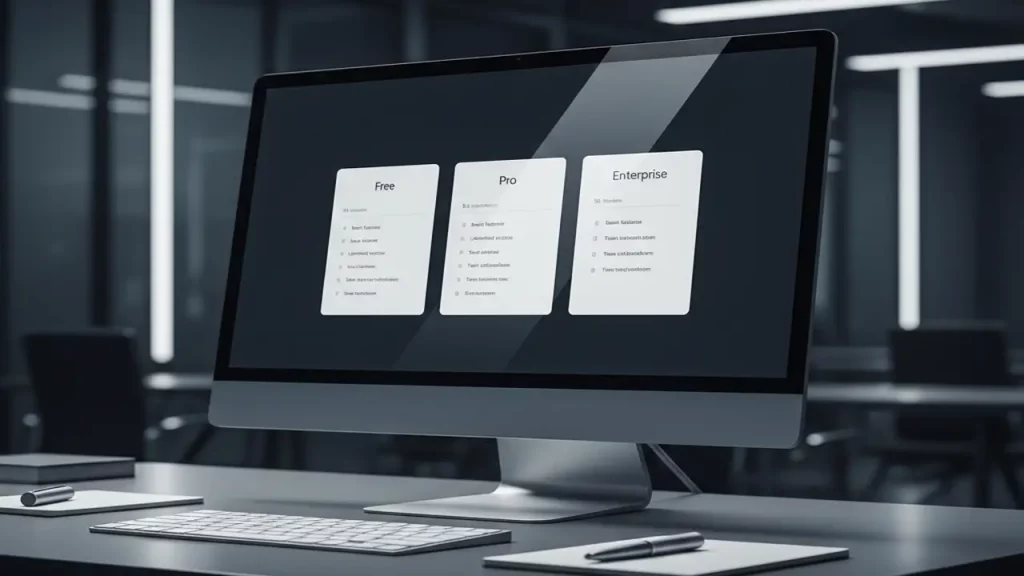
This segment addresses the pricing and access options for Recraft V3. Official pricing includes a Free plan at no cost, offering 30 daily credits for public images without commercial rights. The Pro plan commences at $10 per month when billed annually ($120 yearly), providing 1,000 monthly credits, private images, commercial licensing, and additional functionalities such as creative upscale. The Teams plan is priced at $55 per month per seat when billed annually ($660 yearly), featuring shared workspaces and enhanced support.Secondary: Recraft V3 pricing.
The Free tier is suitable for individual hobbyists exploring basic features. The Pro plan accommodates freelancers who require unlimited uploads and advanced tools, while the Teams plan supports collaborative environments for organizations.Prior to committing to a subscription: Assess credit consumption rates, generally 1-2 credits per image. Unused credits do not carry over, but refunds are available if fewer than 30 credits have been utilized within 30 days of payment. Evaluate specific requirements, such as intensive use of vector or text features, to determine the most appropriate plan.
Conclusion + CTA: who the Recraft V3 suits best and how to get started quickly. Recraft V3 AI vector generator
In summary, Recraft V3 is optimally suited for designers and teams pursuing practical AI-driven solutions. It distinguishes itself through superior SVG capabilities, text integration, and predictability when compared to alternatives like Midjourney.Secondary: Recraft API image generation. The API facilitates programmatic image creation, offering raster and vector generation, style customization, and integration suitable for application development—consult the official documentation for comprehensive guidance.Call to Action: Commence with the free tier available at recraft.ai. For further in-depth analyses, refer to www.aiinnovationhub.com. Engagement through likes, subscriptions, and comments is encouraged.
Japan just waved a “white flag”… at least in software. 😅 The new Toyota bZ7 is the kind of headline that would’ve sounded like sci-fi five years ago: Japanese engineering + a Chinese digital brain. And yes — we’re talking about Toyota bZ7 Huawei HarmonyOS integration, plus a smart-life ecosystem vibe that feels like “Human x Car x Home” going mainstream.
Why does it matter? Because 2025–2026 isn’t only about batteries and range anymore. It’s about who owns the cockpit: apps, voice assistant, navigation, OTA updates, and the whole “your phone → your car → your home” loop. If Toyota really pushes a HarmonyOS-based smart cockpit, that’s a signal to the entire industry: traditional automakers are done pretending software is “just a screen”.
In our breakdown on www.autochina.blog, we explain what this shift could mean for:
- daily usability (menus, voice, ecosystem sync),
- long-term updates and services,
- competition vs. BYD/Huawei-powered rivals,
- and why this could be a turning point for Toyota in China.
Full story (read it here):
https://autochina.blog/toyota-bz7-huawei-harmonyos-integration/
Discover more from AI Innovation Hub
Subscribe to get the latest posts sent to your email.
Pingback: Shocking Nissan N6 PHEV Specs: China-Only Sedan