
1. Introduction: Meshy-4 AI 3D Generator and Why 3D is “In the Top” Now
Meshy-4 AI 3D generator. If you’ve ever felt overwhelmed by the complexities of 3D modeling, the Meshy-4 AI 3D generator might just be the game-changer you’ve been waiting for. In today’s digital landscape, 3D content is surging in popularity—think immersive VR experiences, stunning game environments, and rapid prototyping in product design. Why now? Well, with advancements in AI, creating high-quality 3D assets no longer requires years of expertise or expensive software. It’s becoming accessible to everyone, from indie developers to large studios, making 2D feel a bit like yesterday’s news—charming but somewhat vintage in comparison.
The Meshy-4 AI 3D generator stands out by turning simple ideas into fully realized 3D models in seconds, democratizing a field that once demanded hours of manual work. Imagine describing a futuristic spaceship or a cozy fantasy cottage, and watching it materialize with detailed textures ready for use. This tool isn’t just about speed; it’s about empowering creativity without barriers. In this article, we’ll explore its features, workflows, and real-world applications, helping you decide if it’s right for your projects.
Whether you’re dipping your toes into 3D for the first time or looking to streamline your pipeline, Meshy-4 promises to save time, reduce costs, and spark innovation. Stick around as we break it down step by step, drawing from official insights to give you a clear, introductory overview. By the end, you’ll see why 3D is the future—and how Meshy-4 fits into it seamlessly.
Beyond the hype, the rise of 3D is driven by practical needs. Industries like gaming, film, and education are demanding more interactive content, and AI tools like this one cut production times dramatically—up to 100 times cheaper than traditional methods, according to official claims. For beginners, it’s an inviting entry point; for pros, it’s a productivity booster. We’ll cover everything from basic operations to advanced integrations, ensuring you walk away informed and inspired. If you’re curious about AI-driven creativity, this is your starting guide.
Meshy-4 AI 3D generator
2. What is Meshy-4 and What Hooks in Meshy AI Text to 3D
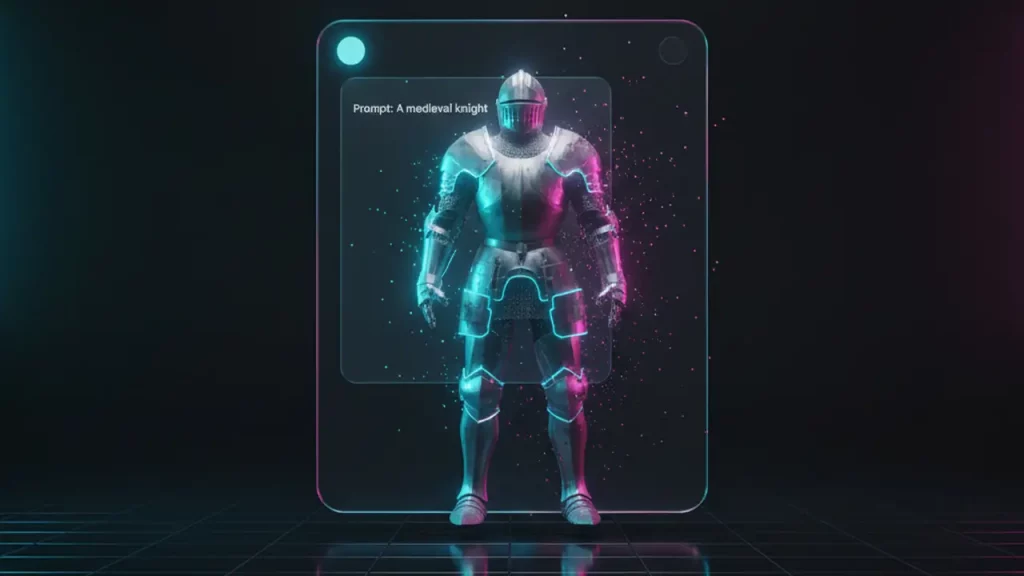
Let’s dive into the core of Meshy-4, the latest iteration from Meshy AI—the #1 AI 3D model generator, as proudly stated on their official site. At its heart, Meshy-4 is an intuitive platform that leverages advanced AI to convert text descriptions into detailed 3D models, making it a standout in the Meshy AI text to 3D category. No prior 3D skills are needed; it’s designed for anyone with an idea to bring it to life quickly and effortlessly.
What really hooks users is its simplicity and power. You start with a text prompt—like “a medieval knight’s armor with intricate engravings”—and Meshy-4 generates multiple variations in seconds. These aren’t basic shapes; they’re production-ready assets complete with PBR textures, clean meshes, and compatibility for major tools. The text-to-3D feature shines in its ability to handle diverse styles, from photorealistic to cartoonish, supporting multilingual inputs for global creators. Officially, it’s the world’s most popular free AI 3D tool, trusted by over 3 million users, and it excels in democratizing content creation across fields like gaming, film, and education.
Key capabilities include generating high-fidelity models from vague ideas, with an AI prompt helper that refines your descriptions for better results. It supports bulk tasks—up to 50 concurrently—scaling your workflow efficiently. For those new to this, think of it as a creative partner that interprets your words into tangible 3D forms, reducing traditional modeling time from days to minutes. Meshy AI emphasizes ease, with features like free retries to tweak outputs without extra cost.
In essence, the allure lies in accessibility: no steep learning curve, just pure creation. Whether you’re prototyping for VR or crafting assets for 3D printing, Meshy-4’s text-to-3D turns concepts into reality. Official documentation highlights its role in cost reduction and speed, making it ideal for both hobbyists and professionals. As we explore further, you’ll see how this foundation integrates into broader workflows.
Meshy-4 AI 3D generator

3. Speed and Scenario: Idea → Text to 3D Model → Draft Asset
One of the most exciting aspects of Meshy-4, from Meshy AI—the #1 AI 3D model generator—is its blistering speed, transforming an idea into a draft asset in under a minute. Let’s walk through a typical scenario to illustrate this efficiency.
It starts with your idea: say, a “steampunk robot companion for a game.” You input this as a text prompt in Meshy’s interface. The AI processes it instantly, generating up to eight model variations in about 60 seconds, complete with initial meshes and textures. This text to 3D model flow is seamless— no waiting for renders or manual adjustments at this stage. Officially, Meshy-4 is engineered for lightning-fast outputs, slashing traditional timelines from hours to moments, thanks to its optimized algorithms.
Next, review the drafts: preview them in 3D, rotate, and zoom to check details. If needed, use free retries to regenerate from the same prompt, refining without additional credits. This predictability ensures you fit within minutes, perfect for iterative brainstorming. For bulk needs, queue up to 50 tasks simultaneously, ideal for populating game worlds or prototyping collections.
Why does this matter? In creative pipelines, speed means more experimentation and less frustration. Meshy AI claims it’s 10x faster than manual methods, allowing creators to focus on refinement rather than basics. For beginners, it’s forgiving; for pros, it’s a time-saver. Integrate with tools like Blender via plugins for instant imports, turning drafts into polished assets.
In practice, this workflow empowers rapid iteration: idea to prompt, generation, quick edits, and export. Official use cases include film previs, where minutes count, or education, for on-the-fly models. Overall, Meshy-4’s speed makes 3D accessible, proving AI can keep pace with your imagination.
Meshy-4 AI 3D generator
4. Quality of Materials: PBR Texture Generator and Why It’s Important for Games
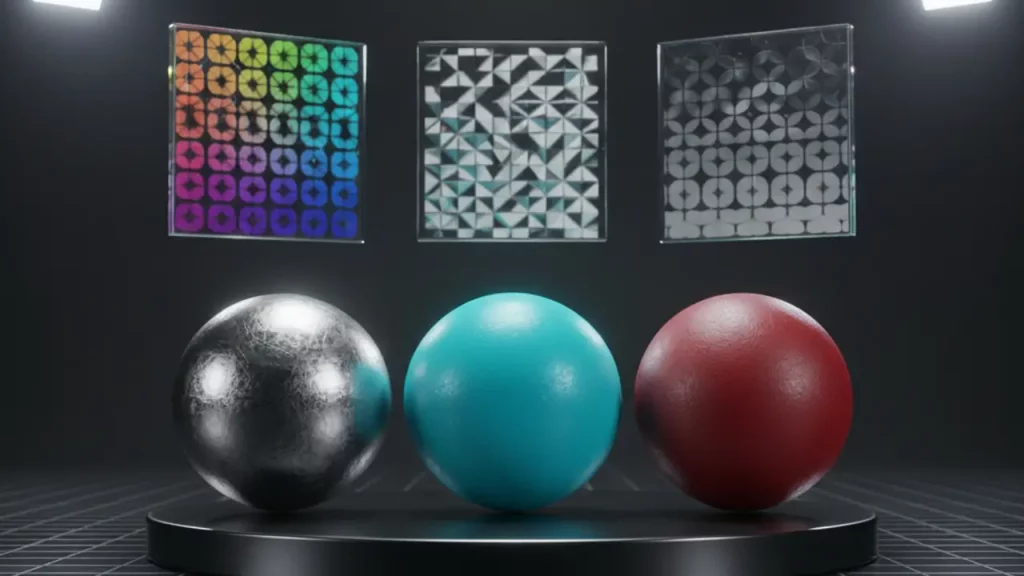
When it comes to material quality, Meshy-4’s PBR texture generator is a standout feature, delivering physically based rendering (PBR) maps that elevate 3D models to professional standards. PBR textures simulate real-world light interactions through maps like Diffuse, Roughness, Metallic, and Normal, ensuring assets look realistic under various lighting conditions—crucial for immersive games.
Why is this vital for gaming? In engines like Unity or Unreal, PBR compatibility means seamless integration without rework, saving developers hours. Meshy-4 generates these textures automatically from prompts, creating detailed, high-resolution surfaces that adhere to industry norms. Officially, it’s praised for clean, detailed meshes with no UV mapping hassles, making assets game-ready out of the box.
From Reddit discussions, users highlight the quality leap. For instance, one review notes Meshy’s PBR textures as “next level,” with clean models and decent UVs, outperforming competitors in fidelity. Another compares it favorably to tools like Hunyuan, emphasizing super-friendly quad meshes for editing. However, some mention hit-or-miss PBR in complex cases, suggesting refinements for optimal results.
The generator’s importance lies in pipeline efficiency: export-ready for WebGL, Maya, or Blender, it supports VR/AR optimization with low-poly options. For games, this means balanced detail and performance, reducing lag while maintaining visuals. Meshy AI stresses its role in cost-effective asset creation, with textures editable via text or images for customization.
In summary, the PBR texture generator bridges creativity and technical needs, making Meshy-4 essential for game devs seeking quality without complexity.
Meshy-4 AI 3D generator

5. GameDev Pipeline: AI 3D Game Assets for Unity/Unreal/Blender
Integrating AI 3D game assets into your GameDev pipeline is straightforward with Meshy-4 from Meshy AI—the #1 AI 3D model generator. It creates optimized assets for engines like Unity, Unreal, and Blender, minimizing pain points like compatibility issues or manual tweaks.
Start by generating assets via text or image prompts: characters, props, or environments emerge with PBR textures and clean topology. Export in formats like FBX, GLB, or OBJ, directly importable into Unity for scripting or Unreal for lighting setups. Official plugins simplify this—install the Meshy add-on in Blender for one-click imports, or use API for automated workflows in larger projects.
For Unity users, assets come rigged with over 500 animations (in higher plans), ready for character controllers. In Unreal, PBR maps ensure realistic rendering without adjustments. Blender benefits from editable meshes, allowing sculpting refinements. Meshy-4’s remesh feature adjusts poly counts (1k to 300k) for performance, crucial in mobile games or VR.
The painless aspect? No CAD skills needed; AI handles intricacies, with free retries for iterations. Official use cases include indie devs building horror worlds or platformers, reducing modeling from 300 hours to minutes per asset. For studios, enterprise features like shared libraries streamline team collaboration.
Overall, this pipeline accelerates development: generate, import, iterate, deploy. Meshy AI emphasizes cost savings—up to 100x cheaper—making it ideal for prototyping or full production. Whether solo or in a team, it integrates smoothly, letting you focus on gameplay over assets.
6. Control Over Result: 3D Model from Prompt
Achieving the desired outcome with a 3D model from prompt is all about control, and Meshy-4 excels here by offering tools to guide styles, from realism to stylization, with reliable predictability.
Begin with your prompt: detailed descriptions yield better results, aided by the AI prompt helper that suggests refinements. For style, specify “photorealistic dragon” for lifelike details or “cartoon fox” for stylized charm. Meshy-4 supports genres like fantasy, sci-fi, or hand-painted, ensuring outputs match your vision.
Predictability comes from iterations: generate variations, then use free retries (up to unlimited in pro plans) to tweak without cost. Multi-view generation adds fidelity by creating consistent angles. Official docs note high adherence to prompts, with clean meshes and balanced details for industry use.
Realism vs. stylization? Realism shines in photoreal textures for VFX; stylization in cartoon for games, adjustable via prompts or post-edits. Users control via input settings, like poly count or texture edits, for precise outcomes.
This flexibility makes Meshy-4 user-friendly: beginners get quick wins, pros fine-tune for production. Officially, it’s designed for consistency, supporting multilingual prompts and bulk tasks. In practice, predictability reduces trial-and-error, empowering confident creation.

7. Additional Modes: Image to 3D Model AI + Retexture/Remesh
Meshy-4 incorporates advanced supplementary functionalities, such as image to 3D model AI, retexturing, and remeshing, which serve as effective alternatives when text-based prompts prove insufficient. These capabilities enhance the platform’s adaptability, as provided by Meshy AI—the #1 AI 3D model generator.
The image to 3D model AI feature enables the conversion of two-dimensional images, sketches, or illustrations into comprehensive three-dimensional models within seconds. Users upload a reference image, and the AI system produces high-fidelity outputs equipped with physically based rendering (PBR) textures. This mode is particularly advantageous in scenarios where textual descriptions fail to convey intricate details, such as transforming a hand-drawn character design into a usable 3D asset. Official documentation emphasizes its utility for achieving greater precision and consistency, especially when integrated with multi-view options that utilize front, side, and back perspectives to refine model accuracy.
Retexturing, referred to as AI texturing, allows for the refinement of existing models by applying new textures through text prompts or reference images. This process facilitates modifications to colors, patterns, or materials without necessitating UV remapping, and it supports unlimited iterations on the same mesh. For instance, altering a metallic sword to a wooden variant can be accomplished efficiently, maintaining compatibility with PBR standards including diffuse, roughness, metallic, and normal maps.
Remeshing, implemented as Smart Remesh, optimizes model topology by adjusting triangle or quad counts ranging from 1,000 to 300,000. This adjustment balances visual detail with computational performance, addressing common mesh imperfections and ensuring suitability for applications in gaming or 3D printing.
These modes excel in complex situations: image inputs for enhanced accuracy, retexturing for customization, and remeshing for operational efficiency. Official features also encompass multi-view generation for improved consistency and dedicated plugins for integration with software such as Blender, Unity, and Unreal Engine. Collectively, these extensions broaden Meshy-4’s applicability, positioning it as a versatile solution for a wide array of professional requirements in 3D content creation.

8. Money and License: Meshy Pricing
A thorough comprehension of Meshy pricing is essential for optimizing resource allocation, with structures centered on credits, operational limits, and specialized features from Meshy AI—the #1 AI 3D model generator.
The platform commences with a free tier offering basic access, followed by upgrades to Fundamental plans at 100, 1,000, or 4,000 credits per month, alongside customizable, Studio, and Enterprise options. Credits are utilized for model generations, supporting up to 10 to 400 assets monthly in standard plans, with advanced tiers providing unlimited downloads and access to community-shared models. Promotional offers include extended periods for annual or quarterly subscriptions, and an Education Plan is available for eligible students and educators upon application.
Operational constraints differ by tier: the free and basic Fundamental levels feature low priority and one concurrent task, escalating to 50 or more in higher plans, accompanied by unlimited free retries. Premium functionalities, such as automatic rigging with over 500 animations, API integration, and collaborative team workspaces, are reserved for elevated subscriptions.
Licensing terms stipulate Creative Commons BY 4.0 attribution for free and entry-level Fundamental assets, transitioning to private ownership in paid plans to ensure commercial protection.
Appropriate selections include the free or basic tiers for novices, mid-level Fundamental or Studio for independent developers requiring enhanced concurrency, and Enterprise for professional studios necessitating single sign-on (SSO), dedicated support, and indefinite asset retention.
This tiered framework promotes scalability, enabling users to align expenditures with project demands without excess.
| Plan Level | Credits/Month | Key Features |
|---|---|---|
| Free | N/A | Up to 10 assets/month; low priority; 1 concurrent task; CC BY 4.0; no retries; Discord support |
| Fundamental (100) | 100 | Up to 10 assets/month; high priority; 1 concurrent task; CC BY 4.0; 4 retries; no API |
| Fundamental (1,000) | 1,000 | Up to 100 assets/month; higher priority; 10 concurrent tasks; private license; 8 retries; API access |
| Fundamental (4,000) | 4,000 | Up to 400 assets/month; higher priority; 20 concurrent tasks; private license; 8 retries; API access |
| Enterprise | Custom | Custom assets; highest priority; 50+ tasks; private license; unlimited retries; SSO; dedicated support |
9. Market Comparison: Meshy Alternatives and When to Look Elsewhere
Although Meshy-4 demonstrates superior performance in various aspects, evaluating Meshy alternatives such as Sloyd and Tripo can align better with specific requirements. Selection criteria encompass speed versus customization, pricing models, and domain specialization.
Sloyd AI emphasizes parametric templates alongside text and image-to-3D generation, facilitating instantaneous model creation with adjustable sliders for props and environments. It excels in producing game-optimized assets with precise topology control and forthcoming retexturing capabilities. This tool is recommended for users preferring hybrid procedural approaches or unlimited monthly downloads through subscriptions, particularly when Meshy’s credit-based system imposes restrictions.
Tripo AI prioritizes authentic AI-driven generation from text or images, mirroring Meshy’s core functions but with notable strengths in generating clean, detailed models suitable for 3D printing. It is user-friendly for beginners focusing on miniatures or intricate objects, as evidenced by comparative analyses highlighting its geometric quality and consistency.
Decisions to transition should consider needs for template-driven control, in which case Sloyd is preferable, or emphasis on printing optimization, favoring Tripo. Meshy retains advantages in expansive game asset production and rapid processing. Official and community sources affirm Meshy’s prominence, yet alternatives address specialized workflows effectively.

10. Verdict: AI 3D Model Generator for Indie/Studios + CTA
In summary, Meshy-4 functions as a robust AI 3D model generator, delivering expedited and high-quality results that optimize workflows for independent developers and professional studios. Independent creators gain from substantial cost efficiencies and operational simplicity, enabling effective management of individual projects; studios leverage enterprise-grade tools to foster team collaboration and scalability.
Adoption is advisable for those prepared to enhance productivity, given the platform’s established maturity. Novices may commence with the free tier, while experienced users should consider upgrades to access comprehensive features.
For additional resources and in-depth guides, please visit www.aiinnovationhub.com to further your exploration of AI technologies.
If you like tools that move fast and actually ship results, don’t stop at 3D. DeepSeek is another rising AI name that’s getting attention for real productivity and business tasks. I broke it down with practical use cases, pros, and what to watch next. Read it here: https://aiinnovationhub.shop/deepseek-best-assistant-for-business/
Discover more from AI Innovation Hub
Subscribe to get the latest posts sent to your email.
Downloaded cashtornadoapp on my phone and gave it a whirl. It’s definitely one of the slicker apps I have seen. Give it a try!