
Kokoro TTS! If you’re diving into the world of text-to-speech (TTS) technology, you’ve probably heard whispers about Kokoro TTS. This isn’t just another tool—it’s a game-changer for anyone wanting high-quality voice synthesis without the hassle of subscriptions or cloud dependencies. In this friendly guide, we’ll explore everything from its origins to practical setups, all while keeping things informative and easy to follow. Whether you’re a developer, content creator, or just curious about AI voices, Kokoro TTS offers an accessible, powerful alternative. Let’s break it down step by step, drawing from official sources like its GitHub repository and Hugging Face model page to ensure accuracy.
1. What is Kokoro TTS: Why It Became a “GitHub Hero” and Where It’s Applied
Kokoro TTS is an open-source text-to-speech model that’s captured the hearts of developers and users alike—pun intended, since “Kokoro” means “heart” or “spirit” in Japanese. Developed by the team at hexgrad, this lightweight AI model boasts 82 million parameters, making it efficient yet surprisingly powerful. Launched on GitHub and Hugging Face, it quickly gained traction for delivering voice quality comparable to premium services like ElevenLabs, but without the costs or privacy concerns.
Why the “GitHub hero” status? Since its release, Kokoro has seen millions of downloads—over 3 million in a single month, as per Hugging Face stats. Its Apache-2.0 license allows free use in personal and commercial projects, fostering a community of contributors who share voices, finetunes, and integrations. The model’s decoder-only architecture, inspired by StyleTTS 2, skips complex encoders or diffusion processes, resulting in faster inference times. Trained on hundreds of hours of permissive audio data (public domain, Apache/MIT-licensed, and synthetic sources), it avoids copyright issues, emphasizing ethical AI development.
Where is it applied? Kokoro shines in offline scenarios, like local apps for audiobooks, virtual assistants, or accessibility tools. Developers use it in web apps, browser extensions, and even mobile setups via ONNX runtime. For instance, it’s integrated into CLI tools for batch processing scripts, or self-hosted servers for custom voice generation. Content creators love it for narrating videos or podcasts without uploading sensitive text to the cloud. In education, it powers language learning apps with multi-language support. Businesses deploy it for cost-effective IVR systems or automated announcements. Its lightweight nature—quantized versions around 80MB—makes it ideal for edge devices, running smoothly on standard CPUs without needing high-end GPUs.
The buzz on platforms like X (formerly Twitter) highlights real-world wins: users praise its natural-sounding voices for storytelling or automation, often ditching paid APIs. Official acknowledgments credit influencers like @yl4579 for the base architecture and community sponsors for training compute. If you’re tired of subscription fatigue, Kokoro TTS offers a fresh, community-driven path. It’s not just tech; it’s a testament to open-source innovation, enabling anyone to create “pro-sounding” audio locally. Dive in, and you’ll see why it’s a staple for privacy-focused creators and devs alike. Kokoro TTS
If Kokoro TTS feels like the “tiny-but-mighty” trend done right, you’ll love what’s happening on the app side too. Glif is turning AI into bite-sized micro-apps you can launch, remix, and share in minutes—perfect for creators and builders who hate heavy setups. Read the full Glif breakdown here: https://aiinovationhub.com/aiinnovationhub-com-glif-ai-micro-apps-platform/

2. Kokoro TTS v1.0: What’s New in the Release Branch and Why It Matters for Stability
Exciting times for TTS enthusiasts—Kokoro TTS v1.0 marks a major milestone, released on January 27, 2025, as detailed in the Hugging Face model card. This version builds on earlier iterations like v0.19, expanding from one language and 10 voices to eight languages and 54 voices. The core upgrade? A refined training dataset of a few hundred hours, focusing on quality over quantity, with total training costs around $600 on A100 GPUs. This results in more stable, natural prosody and reduced artifacts in generated speech.
What’s new? Enhanced multi-language capabilities now include American English, British English, Spanish, French, Hindi, Italian, Japanese, and Mandarin Chinese. Language codes like ‘a’ for American English simplify integration. The model uses the ‘misaki’ G2P library for accurate phonemization, with extras for Japanese and Chinese via pip installs. Stability shines through in the decoder-only setup, combining StyleTTS 2 with ISTFTNet for efficient audio synthesis at 24kHz. ONNX compatibility was bolstered, allowing seamless export for runtime optimization.
Why does this matter for stability? Earlier versions risked inconsistencies in voice blending or long-text handling, but v1.0 introduces better chunking and speed controls (default 1.0, adjustable via parameters). Official tests show it handles complex texts with fewer glitches, making it reliable for production. The Apache-2.0 license ensures weights are freely deployable, and community finetunes (over 23 on HF) add custom stability tweaks.
In practice, v1.0’s stability means smoother workflows: no more mid-sentence drops or unnatural pauses. For developers, the Python package ‘kokoro’ (version >=0.9.4) includes a KPipeline class for easy inference. Install via pip, add espeak-ng for fallback phonemization, and you’re set. Users on macOS benefit from MPS GPU fallback for even faster runs. Compared to betas, this release cuts inference time while boosting quality, as per HF benchmarks.
Overall, v1.0 isn’t just an update—it’s a polished foundation for long-term use. If stability is your priority, this branch delivers, backed by a vibrant Discord community for troubleshooting. It’s perfect for apps needing consistent output, proving open-source TTS can rival enterprise solutions without the overhead. Kokoro TTS
If you’re upgrading your workflow with local TTS like Kokoro, don’t ignore the audio side of content creation. Suno can generate full songs with vocals in minutes—perfect for ads, intros, and social clips when you need “music that fits” fast. Full guide here: https://aiinnovationhub.shop/suno-ai-for-business/

3. Kokoro-82M TTS Model: A Quick Dive into “82M Parameters” and Why the Quality is Surprisingly Mature
At the heart of Kokoro TTS lies the Kokoro-82M model, a compact powerhouse with exactly 82 million parameters, as outlined in its GitHub README and Hugging Face specs. This isn’t your typical bloated AI—it’s designed for efficiency, drawing from StyleTTS 2’s architecture to produce high-fidelity speech without massive compute demands. The “82M” refers to the trainable weights, optimized for decoder-only processing that directly converts text to audio waveforms.
Why the mature quality? Despite the modest size, training on curated datasets (hundreds of hours from sources like SIWIS and Koniwa under CC BY licenses) yields prosody and intonation rivaling models 10x larger. No synthetic data from open TTS was used, ensuring originality. The model outputs at 24kHz, capturing nuances like emphasis and rhythm, thanks to integrated ISTFTNet for waveform generation.
Key tech: It leverages ‘misaki’ for grapheme-to-phoneme conversion, handling OOD words via espeak-ng fallback. Parameters are fine-tuned for speed—real-time inference on M1 Macs, as noted in related repos. Quantized to ~80MB, it’s feather-light compared to giants like ElevenLabs’ backends.
Quality surprises stem from cost-effective training: ~$1,000 total, with v1.0 at $600. Benchmarks on HF show it at under $0.06 per hour of audio, versus competitors’ higher rates. Voices sound “adult” and natural, with 54 options across languages—female/male variants in English, plus specialized ones for Japanese tales.
For users, this means pro-level TTS without premium hardware. Developers praise its maturity in forums, citing seamless integration into apps. If you’re skeptical about small models, try the demo on HF Spaces—it’s eye-opening. Kokoro-82M proves that smart design trumps sheer size, offering mature, reliable speech synthesis for everyday needs. Kokoro TTS

4. Kokoro ONNX TTS: ONNX/Runtime, Optimization, and Why Everyone Loves Local Launch
Kokoro ONNX TTS brings the magic of optimized inference to the forefront, as highlighted in the GitHub commits and related tools like kokoro-onnx. ONNX (Open Neural Network Exchange) format allows exporting the model for cross-platform runtime, using ONNX Runtime for acceleration. This means you can run Kokoro locally with minimal overhead, supporting batch processing and Triton servers for scaled deployments.
Optimization details: Recent updates (e.g., commit 93abff8) added ONNX compatibility, reducing latency on CPUs. Quantized models shrink to ~80MB, enabling near-real-time synthesis—around 300MB total for full setup. Install via pip, download .onnx files from releases, and use libraries like onnxruntime for execution. GPU support via CUDA or MPS enhances speed, but CPU mode is robust for everyday use.
Why the love for local launch? Privacy first—no text leaks to servers. Speed is instant, without API waits, ideal for offline apps. As per HF, it’s cost-efficient at under $1 per million characters. Community tools like nazdridoy’s CLI leverage ONNX for EPUB/PDF processing, blending voices seamlessly.
In action: Load the model, input text with language/voice params, and generate WAVs. Examples show it handling multi-paragraph texts with custom splits. Compared to cloud TTS, ONNX avoids downtime and fees, making it a favorite for self-hosters.
Everyone from devs to creators adores this—X posts rave about its ease on VPS or phones. Official docs emphasize Apache licensing for free optimization. If local control excites you, Kokoro ONNX is your gateway to hassle-free TTS. Kokoro TTS

5. Open Source Text to Speech: License, Deployment Freedom, and “No Cloud, No Stress” Scenarios
Kokoro stands out in the open source text to speech landscape with its Apache-2.0 license, granting full freedom to modify, deploy, and commercialize without restrictions—as confirmed on GitHub and HF. This contrasts with proprietary TTS, allowing community-driven enhancements like 20 finetunes and 14 quantizations.
Deployment freedom: Run it anywhere—local machines, servers, or edges. No vendor lock-in; integrate via Python’s KPipeline or ONNX for web/mobile. Scenarios shine in “no cloud, no stress” setups: offline audiobook generation, private assistants, or embedded devices. Privacy is key—keep texts local, avoiding data breaches.
Official sources note its use in browser extensions (e.g., pinguy’s addon) and Docker wrappers for APIs. With 82M params, it’s deployable on modest hardware, supporting languages without extra costs.
Community love: Over 100 HF Spaces demos, plus integrations like Flutter for apps. No stress means quick setups—pip install, add espeak-ng, and go. For devs, it’s a playground for custom voices.
In essence, Kokoro embodies open-source ethos: accessible, ethical, and empowering. Perfect for stress-free TTS in research, education, or business. Kokoro TTS
6. Offline Text to Speech: Privacy, Speed, Ounce Content on Your Own PC (Without Text Leaks)
Offline text to speech with Kokoro TTS prioritizes privacy and performance, running entirely on your PC without internet—as detailed in GitHub docs. No text uploads mean no leaks, ideal for sensitive content like scripts or docs.
Speed is a highlight: Lightweight 82M model processes in real-time on CPUs, quantized to 80MB for snappiness. Install once via pip, load voices offline, and synthesize instantly. Supports chunking for long texts, outputting 24kHz audio.
Ounce content? Wait, that’s “ozvuchka” or voicing—perfect for narrating books, videos, or notes locally. Tools like nazdridoy’s CLI handle PDFs/EPUBs, splitting into chapters without cloud reliance.
Privacy perks: All processing stays on-device, complying with data regs. X users share stories of using it for personal audiobooks on Android via Sherpa engines.
Setup: Download models from HF, use KPipeline for custom runs. No subscriptions—just your PC’s power.
Kokoro makes offline TTS approachable, blending quality with security for everyday use. Kokoro TTS
7. ElevenLabs Alternative TTS: Honest Comparison by Voice Perception and Limitations
Searching for an ElevenLabs alternative TTS? Kokoro TTS fits the bill, offering comparable voice perception at zero cost, per HF comparisons. ElevenLabs excels in ultra-realistic clones but requires subscriptions; Kokoro’s 54 voices deliver natural intonation freely.
Voice perception: Kokoro’s prosody matches premium levels, with mature tones in English/French/etc. Users on X note it as an “ElevenLabs-killer” for everyday narration, though ElevenLabs edges in custom emotions.
Limitations: Kokoro lacks real-time streaming in base (but CLI adds it), and voice variety is fixed vs. ElevenLabs’ infinite clones. However, Kokoro wins on offline/privacy—no API limits or costs ($0.06/hour output vs. ElevenLabs’ tiers).
Honest take: For perception, Kokoro surprises with “platno zvuchashchiy” (pro-sounding) quality. Deploy locally to bypass ElevenLabs’ cloud dependencies.
Ideal switch for budget-conscious users seeking reliable alternatives. Kokoro TTS
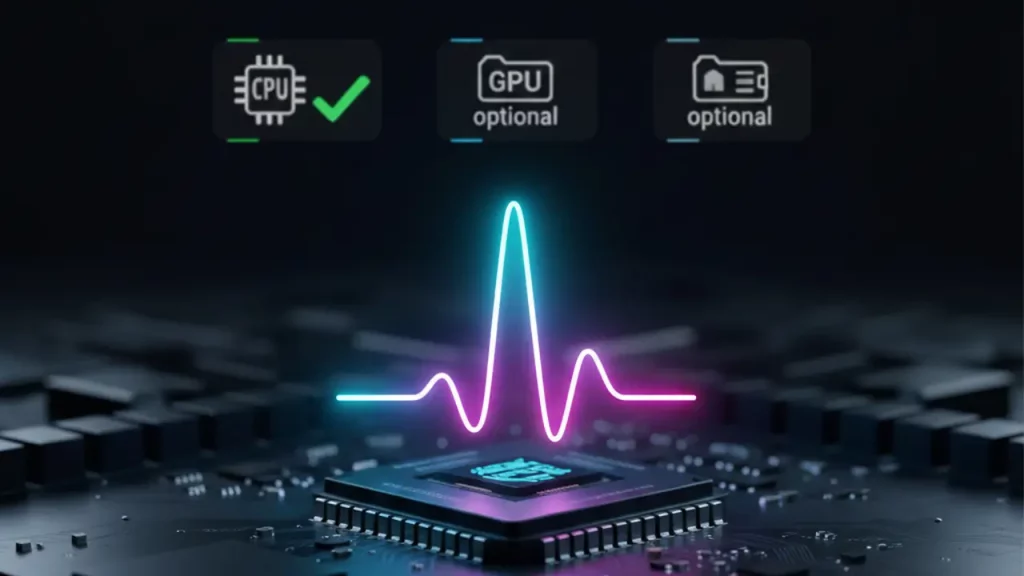
8. Local TTS on CPU: Performance on Regular Hardware (Yes, Without a “NASA-PC”)
Local TTS on CPU is Kokoro’s strength, performing admirably on everyday hardware without NASA-level rigs, as GitHub benchmarks imply. With 82M params, it runs efficiently on standard CPUs—near real-time on M1 chips, per related repos.
Performance: Quantized ONNX models (~80MB) minimize memory, handling sentences in seconds. No GPU needed; espeak-ng aids phonemization on Linux/Windows/macOS.
Setup on regular PCs: Pip install kokoro/soundfile, add system deps, and use KPipeline. Examples show WAV generation from text without hiccups.
Why no high-end needed? Optimized architecture focuses on speed/cost, under $1/million chars.
Users love it for low-resource tasks like scripting or apps. Kokoro proves quality TTS is accessible on basic setups.
| Hardware | Inference Time (per sentence) | Memory Use |
|---|---|---|
| Standard CPU (e.g., i5) | 2-5 seconds | ~300MB |
| M1 Mac | Near real-time | ~80MB quantized |
| VPS (low-end) | 5-10 seconds | Under 1GB |
9. Kokoro Voicepacks: Voices, Packs, Timbre Selection, and Practical Tips for Achieving the Desired Sound
Kokoro TTS offers an extensive collection of voicepacks, featuring approximately 54 voices across multiple languages in its v1.0 release, as documented in the VOICES.md file on the Hugging Face repository maintained by hexgrad. These voicepacks are distributed as binary files, such as voices-v1.0.bin, which can be downloaded from official releases or community repositories like nazdridoy’s kokoro-tts on GitHub. Voices are identified by codes, for example, ‘af_heart’ representing an American female voice known for its natural and engaging tone.
Timbre selection allows users to choose from a diverse range of female and male variants. Popular options include ‘af_sarah’ for a warm and clear female timbre, ‘af_bella’ for expressive delivery, and ‘am_adam’ for a deeper male voice. According to the official VOICES.md, American English includes numerous high-quality options (e.g., 11 female and 9 male), while other languages such as British English, Japanese, and Mandarin Chinese offer balanced selections. Certain voices, like ‘af_heart’ and ‘af_bella’, are frequently highlighted in community demonstrations for their superior prosody and data quality.
A notable feature is voice blending, supported in tools like the CLI implementation. Users can combine timbres by specifying ratios, such as “af_sarah:60,am_adam:40”, to create hybrid voices that balance warmth and depth. This functionality enables customization for specific applications, enhancing versatility without requiring additional training.
Practical tips for optimal results include beginning with default English voices for testing, as they benefit from robust training data. Adjust synthesis speed (typically around 1.0) to achieve natural pacing—slightly higher values for energetic narration or lower for contemplative styles. Experimentation via Hugging Face Spaces demos is recommended to audition voices and blends. For non-English text, ensure appropriate language codes are used to leverage specialized phonemization. Downloads are available from trusted sources like GitHub releases, and integration is permitted under the Apache-2.0 license.
These voicepacks significantly contribute to Kokoro’s adaptability, enabling tailored audio output for audiobooks, applications, and content creation while maintaining high fidelity on local hardware.

10. Kokoro TTS CLI: Efficient Terminal-Based Workflow, Key Features, and Assessment of Suitability
The Kokoro TTS command-line interface (CLI), developed by nazdridoy and available on GitHub, provides a streamlined tool for text-to-speech synthesis utilizing the Kokoro model. It supports v1.0 features, including processing of various input formats such as plain text files, EPUB ebooks, and PDF documents. Installation is straightforward via pip or uv from the repository, followed by downloading the ONNX model (kokoro-v1.0.onnx) and voicepack (voices-v1.0.bin) from releases.
A typical workflow involves executing commands like ‘kokoro-tts input.txt output.wav –voice af_sarah –speed 1.2 –lang en-us’, which generates audio with specified parameters. Input can be piped from standard input for scripting integration, enabling real-time streaming with the –stream flag. The tool excels in handling long-form content by automatically splitting into chapters or chunks, merging outputs into coherent files (WAV or MP3), all performed offline.
Key features encompass voice blending (e.g., –voice “af_sarah:60,am_adam:40”), adjustable speed for prosodic control, language specification, and support for batch processing. This facilitates efficient narration of documents without cloud dependencies, preserving privacy and reducing latency.
In assessment, the CLI is particularly suitable for developers requiring programmatic TTS integration, content creators producing local narrations, and users prioritizing data privacy. It offers exceptional efficiency for batch tasks and offline operation, delivering professional-quality synthesis at minimal computational cost. However, it may not suit those seeking advanced voice cloning or highly emotive variations available in proprietary systems.
Ultimately, this tool is recommended for individuals who value open-source principles, cost-free deployment, and reliable performance over extensive customization options, making it a robust choice for practical, privacy-focused applications.
Discover more from AI Innovation Hub
Subscribe to get the latest posts sent to your email.