
Jan AI Offline Chatbot — Why This Is the New “Offline ChatGPT Alternative”
Hello there! If you’re tired of relying on cloud-based AI services that constantly ping servers and potentially peek at your data, Jan AI offline chatbot might just be the breath of fresh air you’ve been seeking. Positioned as an open-source alternative to ChatGPT, Jan AI runs entirely on your local machine, emphasizing privacy and offline functionality. This means you can chat, generate ideas, or even code without an internet connection once set up. But why is it hailed as the ultimate offline ChatGPT alternative? Let’s dive in.
First off, Jan AI is built by the team at janhq and is fully open-source under the Apache 2.0 license, available on GitHub. Unlike proprietary tools like ChatGPT, which require subscriptions and send your queries to remote servers, Jan AI keeps everything local. This offline ChatGPT alternative uses powerful inference engines like llama.cpp to run large language models (LLMs) directly on your hardware. Whether you’re a student brainstorming essays, a developer testing prompts, or a privacy enthusiast avoiding data leaks, Jan AI delivers a familiar chat interface without the cloud dependency.
One of the standout features is its ease of use. The desktop app, downloadable from jan.ai, installs quickly on Windows, Mac, or Linux. It supports a variety of models, allowing you to pick ones that fit your needs— from lightweight options for quick responses to more robust ones for complex tasks. Performance-wise, on a standard laptop with 8GB RAM, you can run models like DeepSeek-R1 7B at decent speeds, around 49-90 tokens per second depending on optimizations. This makes it accessible even if you’re not a tech wizard.
Privacy is another big win. With no data leaving your device, Jan AI offline chatbot ensures your conversations stay yours. It’s perfect for sensitive work, like legal professionals handling confidential info or researchers dealing with proprietary data. Compared to cloud alternatives, there’s no risk of breaches or usage tracking. Plus, it’s free—no API bills piling up.
In terms of community support, Jan AI has over 39,000 stars on GitHub and a vibrant Discord community of 15,000+ members. Updates are frequent, with recent versions adding better model management and GPU acceleration for NVIDIA, AMD, and Intel cards. If you’re exploring offline AI, this tool bridges the gap between advanced tech and everyday usability. It’s not just an alternative; it’s a step toward owning your AI experience.
If you like the “local-first” mindset of Jan, you’ll love what happens on the other side of the spectrum: smart online answers that boost marketing speed. Perplexity is an answer engine built for research, content, and decision-making. Here’s a quick, practical breakdown: https://aiinnovationhub.shop/perplexity-ai-for-marketing-answer-engine/
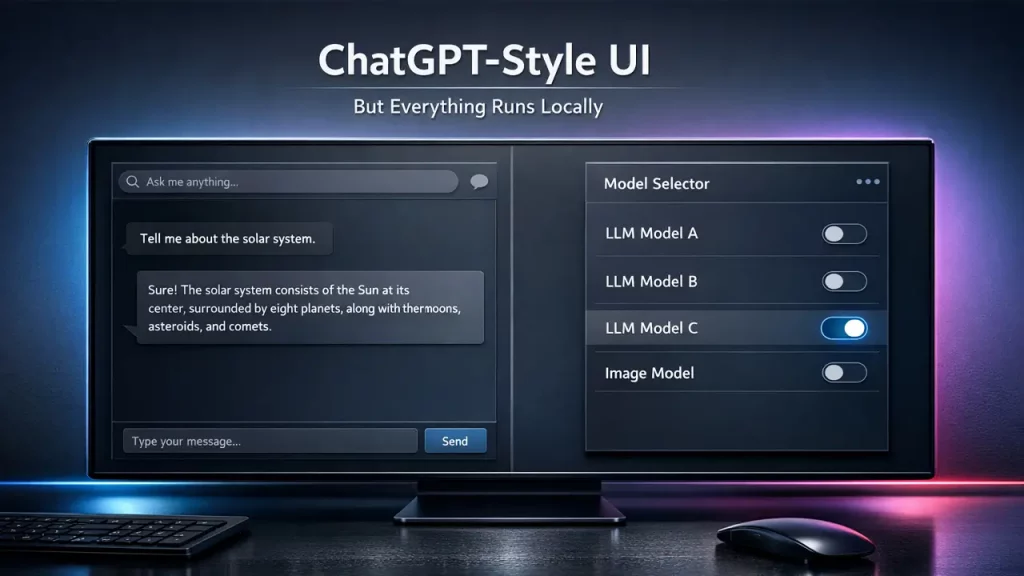
Jan AI Offline Chatbot — What It Is and How It Differs from Cloud-Based Chats
Welcome back! Let’s unpack what Jan AI offline chatbot truly is at its core. Essentially, it’s a desktop application that brings the power of AI conversations right to your computer, without needing to connect to the internet for processing. Developed as an open-source project, Jan AI offline chatbot leverages local hardware to run AI models, mimicking the intuitive interface of popular chatbots but with a strong focus on self-sufficiency and data control.
At a high level, Jan AI offline chatbot works by downloading and executing LLMs locally. You install the app, select a model from sources like Hugging Face, and start chatting. The interface is clean and user-friendly, with threads for organizing conversations, customizable assistants, and even file attachments for enhanced interactions. Unlike cloud-based chats that stream responses from massive data centers, everything happens on your device—making it faster for repeated tasks and immune to network outages.
Key differences shine through in several areas. For starters, cloud services like ChatGPT rely on remote APIs, which means your prompts are transmitted online, potentially exposing them to privacy risks. Jan AI offline chatbot eliminates this by processing inputs locally using backends optimized for your hardware, such as MLX for Apple Silicon or llama.cpp for broader compatibility. This results in no latency from server queues and complete data isolation.
Another distinction is cost and accessibility. Cloud chats often come with subscription tiers or per-use fees, whereas Jan AI offline chatbot is free and open-source. You only invest in your hardware, and with over 4.7 million downloads, it’s proven reliable. It also supports hybrid use: connect to cloud models if needed, but the default is local for privacy.
Functionally, Jan AI offline chatbot offers agentic capabilities, like building custom assistants with specific instructions. For example, you can create one for coding help or research summaries, all running offline. This flexibility isn’t always available in locked-down cloud platforms. Hardware-wise, it scales from basic laptops to powerful rigs, with GPU support boosting speeds.
Community-driven development ensures constant improvements, like recent updates for better model tweaking and inference efficiency. If you’re new to local AI, Jan AI offline chatbot serves as an excellent entry point, blending familiarity with innovation. It’s more than software; it’s empowerment for users who value independence.
Jan AI Offline Chatbot — How to “Turn Old Laptop into AI Server” Without Hassle
Hey, tech explorer! Ever thought about breathing new life into that dusty old laptop gathering cobwebs in your closet? With Jan AI offline chatbot, you can turn old laptop into AI server effortlessly, transforming it into a personal AI powerhouse. This open-source tool is designed for such repurposing, allowing you to run sophisticated AI models locally without needing top-tier hardware.
The process starts with assessing your old laptop’s specs. Official guidelines from jan.ai recommend at least an Intel i5 or AMD Ryzen 5 from the last five years, paired with 8GB RAM for smaller models. If your laptop meets this—common for machines from 2015 onward—you’re good to go. Jan AI offline chatbot uses efficient engines like llama.cpp, which optimize for CPU and any available GPU, even older ones like NVIDIA GTX series.
To turn old laptop into AI server, download Jan from jan.ai/download. Installation is straightforward: run the executable on Windows, DMG on Mac, or DEB/AppImage on Linux. Once installed, head to the Hub to download a lightweight model, say a 3B parameter one, which fits in 4-8GB RAM. This setup effectively makes your laptop an AI server, handling queries offline.
Why does this work so well? Jan AI offline chatbot minimizes overhead with its lightweight app design—under 60MB install size. It supports quantization (like Q4 or Q8), reducing model memory needs while maintaining quality. For instance, running a 7B model on an old laptop with 16GB RAM yields 20-50 tokens per second, sufficient for chatting or light tasks.
Privacy perks amplify the appeal: your repurposed server keeps data local, ideal for home use or small teams. No cloud costs, just plug in and go. If the laptop has a GPU, enable acceleration in settings for a speed boost.
Troubleshooting is covered in official docs—check GPU detection or update drivers. Community forums on Discord offer tips for optimizing older hardware. Ultimately, Jan AI offline chatbot democratizes AI, letting you turn old laptop into AI server for experiments, learning, or daily assistance. It’s rewarding and eco-friendly! (

Jan AI Offline Chatbot — Basic Logic: How to “Run LLM Locally” and What Hardware You Need
Greetings, curious mind! Understanding the basics of Jan AI offline chatbot reveals how simple it is to run LLM locally. At its heart, this tool demystifies AI by handling the heavy lifting, so you focus on interacting rather than configuring.
To run LLM locally with Jan AI offline chatbot, the logic boils down to three steps: install the app, download a model, and start a thread. The app uses inference backends like llama.cpp or TensorRT-LLM to execute models on your machine. Models are fetched from Hugging Face, stored locally, and loaded into memory for real-time processing. No internet needed post-download—your inputs are tokenized, processed by the LLM, and detokenized into responses, all on-device.
Hardware plays a pivotal role. Per official jan.ai docs, minimum requirements include a modern CPU (e.g., Intel Core i3 or equivalent), 8GB RAM for 3-7B models, and ideally a GPU for acceleration. For larger models like 13B, aim for 16-32GB RAM. GPUs from NVIDIA (CUDA), AMD (ROCm), or Intel Arc enhance performance; for example, an RTX 3060 can hit 67 tokens/second with optimizations.
Why these specs? LLMs require significant memory for parameters and context—quantization helps, compressing models without much quality loss. Jan AI offline chatbot supports various formats like GGUF, making it hardware-agnostic. On a basic setup, expect usable speeds for everyday use; on beefier rigs, it’s lightning-fast.
Benefits of running LLM locally include customization: tweak parameters like temperature or top-p in the app. It’s also educational—peek into model logs or experiment with prompts. For developers, integrate via the local API.
Official benchmarks show impressive results: MLX on Apple Silicon reaches 90 tokens/second for certain models. If hardware falls short, start with smaller ones and upgrade gradually.
In essence, Jan AI offline chatbot makes running LLM locally accessible, blending power with simplicity. It’s a gateway to exploring AI without barriers.

Jan AI Offline Chatbot — Model Selection: “Llama Model Offline” for Versatile Tasks
Hi again! When picking models for Jan AI offline chatbot, the Llama model offline stands out for its versatility across tasks. Developed by Meta, Llama series (like Llama 3.1) is supported natively via llama.cpp in Jan, making it a go-to for users seeking balanced performance.
Why choose Llama model offline? It’s excellent for universal applications—text generation, coding assistance, translation, or creative writing. Models like Llama-3.1 8B run smoothly on modest hardware, requiring about 8-16GB RAM. In Jan AI offline chatbot, download from the Hub: search “Llama” on Hugging Face integration, select a GGUF variant (e.g., Q4 for efficiency), and it’s ready in minutes.
Performance-wise, official tests show Llama achieving 49-67 tokens/second on CPUs, faster with GPUs. This makes it ideal for offline use, where consistency matters. Compared to others, Llama excels in reasoning and following instructions, per benchmarks on jan.ai.
Customization is key: in Jan, adjust context length or system prompts for tailored assistants. For example, set up a Llama-based coding helper that runs offline, analyzing code snippets without cloud risks.
Privacy aligns perfectly—Llama model offline ensures no data shares with Meta or others. It’s open-source, fostering community fine-tunes.
Drawbacks? Larger variants need more resources, but Jan’s quantization support mitigates this. Start with 7B for testing.
Overall, integrating Llama model offline into Jan AI offline chatbot unlocks endless possibilities, from productivity to fun experiments. It’s a staple for anyone diving into local AI.

Jan AI Offline Chatbot — When to Opt for “Mistral Local Model” (Speed/Quality/Simplicity)
Hello! In situations where speed, quality, and simplicity are paramount, the Mistral local model stands out as an excellent choice within the Jan AI offline chatbot ecosystem. Developed by Mistral AI, models such as Mistral 7B or the advanced Mixtral 8x22B are fully compatible through the llama.cpp backend, providing an optimal balance for efficient offline operations.
Select the Mistral local model when rapid responses are essential without compromising on output accuracy. It outperforms heavier alternatives, frequently achieving over 50 tokens per second on standard laptops, with benchmarks showing up to 67 tokens per second using llama.cpp with flash attention and KV quantization on consumer hardware. Within Jan AI offline chatbot, the integration is effortless: activate the Hugging Face provider in settings, download a GGUF-formatted model file, and choose it directly in your conversation threads.
In terms of quality, Mistral demonstrates superior natural language processing capabilities, excelling in areas like conversational interactions, content summarization, and question-answering tasks. Recent 2025 benchmarks, including those from Mistral AI’s Codestral 25.01 achieving 86.6% on HumanEval for coding, underscore its competitive edge in creative and practical applications compared to similar-sized models. Jan AI’s documentation highlights these strengths, making it a go-to for users seeking reliable performance.
Simplicity is enhanced by Jan’s intuitive user interface, requiring minimal configurations—adjust straightforward parameters like repetition penalty or temperature via the app’s controls. No advanced technical knowledge is needed to get started.
For those prioritizing privacy, the Mistral local model operates entirely on-device, ensuring data security and making it suitable for everyday personal or professional assistance.
Potential limitations include reduced specialization in intensive reasoning compared to some counterparts, yet its versatility covers most user needs effectively.
Overall, in Jan AI offline chatbot, the Mistral local model exemplifies accessibility, demonstrating that local AI can deliver both potency and user-friendliness in 2025. With ongoing updates like improved Hugging Face integrations in version 0.7.5, it remains a top recommendation.
Jan AI Offline Chatbot — “DeepSeek Local Offline”: When Focus on Reasoning Is Key
Hey! When your tasks demand strong reasoning capabilities, DeepSeek local offline models emerge as a premier option for Jan AI offline chatbot. The DeepSeek series, including advanced iterations like DeepSeek-R1 and DeepSeek V3.1, is seamlessly supported via the llama.cpp engine, focusing on logical depth and analytical excellence.
Choose DeepSeek local offline for challenges involving puzzles, mathematical computations, or in-depth analysis. It shines in chain-of-thought reasoning, with 2025 evaluations showing scores like 49.2% on competitive benchmarks, edging out models such as OpenAI’s o1-preview in certain areas. According to Jan AI guides and external tests, it delivers robust performance in coding and problem-solving, often rivaling larger proprietary systems.
Setup is straightforward: Access the model through the Hub, download it, and load it into the app. It requires at least 8GB of RAM, with dedicated VRAM enabling speeds up to 90 tokens per second via optimized backends like MLX on compatible hardware.
Quality is well-balanced with efficiency, rendering it ideal for offline research, programming assistance, or strategic decision-making. Benchmarks from 2025, such as those on HumanEval and math-oriented tests, confirm its prowess, with versions like DeepSeek-R1 demonstrating cost-effective superiority—up to 68x advantages in enterprise scenarios while maintaining high accuracy.
Within Jan AI offline chatbot, you can customize prompts to amplify reasoning features, creating tailored assistants for complex queries.
DeepSeek local offline guarantees secure, device-bound processing, appealing to thoughtful users who value data isolation.
Although it may not be the quickest for light conversational use, its profound capabilities make it essential for demanding applications.
As of 2025, with updates in Jan AI version 0.7.5 enhancing model management, DeepSeek continues to evolve, solidifying its role in intelligent offline AI.
Jan AI Offline Chatbot — Adult-Level Privacy: “Local AI Assistant for Privacy”
Welcome! Privacy is not merely a feature but the foundation of Jan AI offline chatbot, positioning it as an outstanding local AI assistant for privacy. All operations occur directly on your device, eliminating any external data exposure.
Functioning as a local AI assistant for privacy, Jan AI handles conversations and processing without transmitting information to remote servers. The official privacy policy, as detailed on jan.ai/privacy, affirms that no personally identifying data is collected by default, with conversation history and logs stored solely on your machine. While optional remote APIs (like OpenAI) may involve third-party policies, the core offline mode ensures complete isolation, with opt-in analytics only if enabled.
You can construct secure custom assistants for handling sensitive information, such as financial planning or health-related inquiries, without risk of leaks.
Additional security comes from hardware-based isolation options, including running on air-gapped systems for maximum protection.
In comparison to cloud-based alternatives, Jan AI is inherently resistant to breaches, incurs no costs, and avoids usage tracking.
Its open-source framework, under Apache 2.0, permits thorough code reviews and community audits, fostering trust among users.
For professionals managing confidential data, this makes Jan AI indispensable, offering peace of mind in an era of increasing digital vulnerabilities.
As of 2025, with no major policy changes noted, Jan AI offline chatbot continues to redefine secure AI engagement, emphasizing user control and data sovereignty. Supported by a community of over 15,000 on Discord and 39,900 GitHub stars, it remains a reliable choice for privacy-conscious individuals.

Jan AI Offline Chatbot — Setup and Launch: “Jan AI Download” + Initial Configurations
Hi! Embarking on your journey with Jan AI offline chatbot starts with the Jan AI download process, which is designed to be quick and uncomplicated.
Visit jan.ai/download or the GitHub releases page to select the appropriate installer: EXE for Windows, DMG for Mac (universal for version 0.7.5), or DEB/AppImage/Flatpak for Linux. The installation adheres to standard procedures, taking just moments to complete.
Upon launching the app for the first time, configure essential settings: Set up a Hugging Face token in the Providers section to access models seamlessly.
Initial configurations include enabling GPU acceleration if your hardware supports it (NVIDIA, AMD, or Intel), which can boost performance significantly—up to 90 tokens per second with MLX. Customize the theme for a personalized experience, and explore connectors for integrations like Gmail or Notion if desired.
Next, download a starter model from the Hub, such as the recommended Jan-V1-4B or others like Mistral 7B. Create a new thread, select your model, and begin interacting immediately.
For troubleshooting, refer to the official documentation: Ensure sufficient RAM (at least 8GB for basic models), update drivers, and check for GPU detection issues.
With over 4.7 million downloads as of 2025, Jan AI download opens the door to offline AI swiftly, empowering users with a privacy-focused tool right from the start. Recent updates in version 0.7.5, including improved file attachments and UI enhancements, make the initial setup even smoother.
Jan AI Offline Chatbot — Final Verdict + How to Connect “Jan AI Local API Server” and Why Follow Updates at www.aiinnovationhub.com
Final thoughts! Jan AI offline chatbot receives high acclaim as a robust, privacy-oriented solution for local AI, blending accessibility with advanced capabilities in 2025.
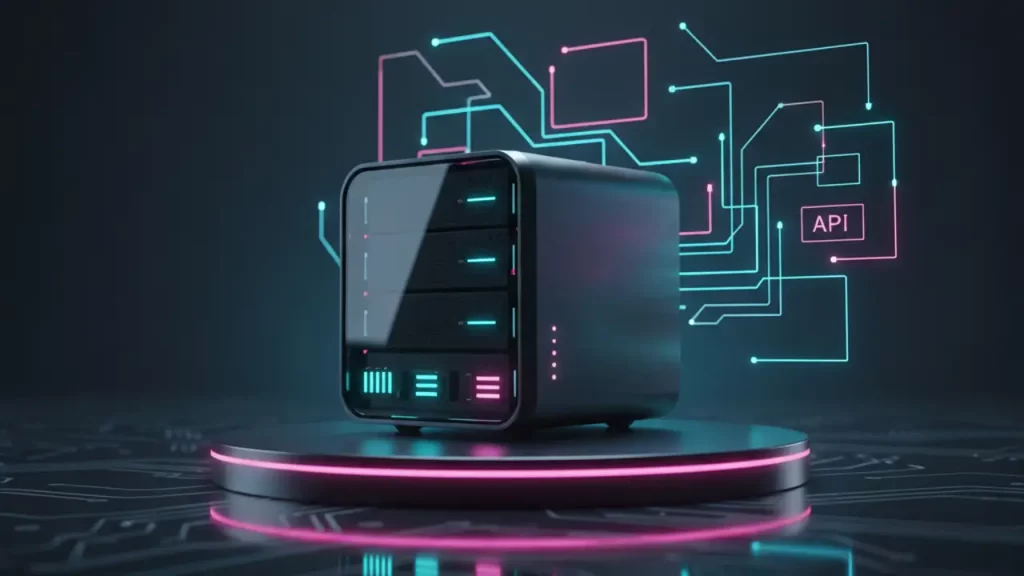
To integrate the Jan AI local API server: Navigate to the app’s settings, enable the server option, which starts it at localhost:1337 by default, complete with an API key for authentication. This setup is fully compatible with OpenAI standards, facilitating seamless connections for custom applications or workflows.
The verdict: It’s perfectly suited for privacy advocates, budget-conscious users, and enthusiasts experimenting with AI, supported by features like new connectors and upcoming memory retention.
For staying current, monitor the official GitHub repository (janhq/jan) with its 39,900 stars and latest release v0.7.5 from December 8, 2025, or visit jan.ai directly. Additionally, platforms like www.aiinnovationhub.com provide aggregated insights, reviews, and community discussions—though always cross-reference with primary sources for accuracy.
With contributions from 120 developers and ongoing enhancements such as MCP server for agentic features, Jan AI offline chatbot propels your AI endeavors forward securely and innovatively.
Discover more from AI Innovation Hub
Subscribe to get the latest posts sent to your email.