
If you have been anywhere near the world of AI video lately, you have probably heard the name Wan. It is Alibaba’s growing family of generative models, and the newest release, Wan 2.7, has quickly become one of the most talked-about tools of the year. Whether you are a curious creator, a marketer, or someone who just likes to keep an eye on where technology is heading, this friendly guide will walk you through what Wan 2.7 actually does, how it works, and why so many people are excited about it. No hype, no jargon overload — just a clear, honest tour of the model and everything it brings to the table.
What Is Wan 2.7 by Alibaba
Let’s start at the beginning. Wan 2.7 Alibaba is the latest version of Alibaba’s Wan video generation suite, developed by the company’s Tongyi Lab and rolled out in late April 2026. At its heart, it is an Alibaba AI video model that turns your ideas into moving pictures. You describe a scene, hand it an image, or supply a short clip, and Wan 2.7 produces a finished video with synchronized sound. It is available through Alibaba Cloud’s Model Studio, as well as through a number of third-party creative platforms that have adopted it as a core engine.
What makes Wan 2.7 stand out is how complete it feels. Earlier AI video tools often did one thing well and struggled with everything else. Wan 2.7 is built as a full toolkit, handling text prompts, still images, reference material, and existing footage inside a single, unified system. It also accepts multimodal input, meaning it can read text, images, audio, and video all at once and blend them into one coherent result. Below is a quick snapshot of the essentials before we dig into the details.
| Feature | Detail |
| Developer | Alibaba (Tongyi Lab) |
| Released | Late April 2026 |
| Video length | 2 to 15 seconds |
| Video resolution | 720p or 1080p |
| Audio | Native synchronized sound |
| Access | Alibaba Cloud Model Studio + partner platforms |
What’s New in Version 2.7
Every new release raises the same question: is this actually a step forward, or just a bigger number? With Wan 2.7, the improvements are easy to feel. Alibaba focused on the things that make AI video believable — smoother motion, cleaner edges, more natural color, and better consistency from one shot to the next. The result is footage that looks more grounded and less obviously synthetic than earlier generations.
The headline addition is Thinking Mode, a new way for the model to plan a scene before it starts drawing it. Alongside that, Wan 2.7 introduces native audio synchronization, so sound and picture are generated together rather than stitched on afterward. It also supports multi-shot storytelling, keeping the same subject recognizable across different camera angles within a single video. On the still-image side, the accompanying Wan 2.7 image model brings sharper text rendering, brand-color control, and character-consistent generation across multiple pictures.
Put all of that together and you can see why many reviewers have called it one of the best AI video generator 2026 releases so far. It is not just faster or prettier; it is more controllable. And control is exactly what creators have been asking for. The gap between “I have an idea” and “I have a usable clip” is smaller than it has ever been, and Wan 2.7 is a big reason why that gap keeps shrinking.
Thinking Mode Explained
Thinking Mode is the feature everyone keeps mentioning, so let’s unpack it in plain language. Most AI video tools treat your prompt like a starting gun. You type something, hit generate, and the model immediately races into creating frames. That speed is nice, but it often means the model misunderstands what you actually wanted. You end up with a clip that technically matches your words yet completely misses your intent.
Wan 2.7 Thinking Mode changes that rhythm. Instead of rushing, the model pauses to interpret your prompt first. It works out the scene: what is happening, who is in it, how the camera should move, and how the pieces fit together. Only after it has built that internal plan does it begin generating the video. Think of it like the difference between a director who storyboards a shot and one who just points the camera and hopes for the best.
The practical payoff is stronger prompt following and fewer wasted attempts. When the model understands a scene before building it, you spend less time regenerating and tweaking. This is especially helpful for complex prompts with multiple actions, characters, or mood shifts. Thinking Mode does not make the tool magic — you still need clear, well-written prompts — but it meaningfully raises your chances of getting something usable on the first or second try, which anyone who has burned through generation credits will appreciate.
Text-to-Video: A Video From a Prompt
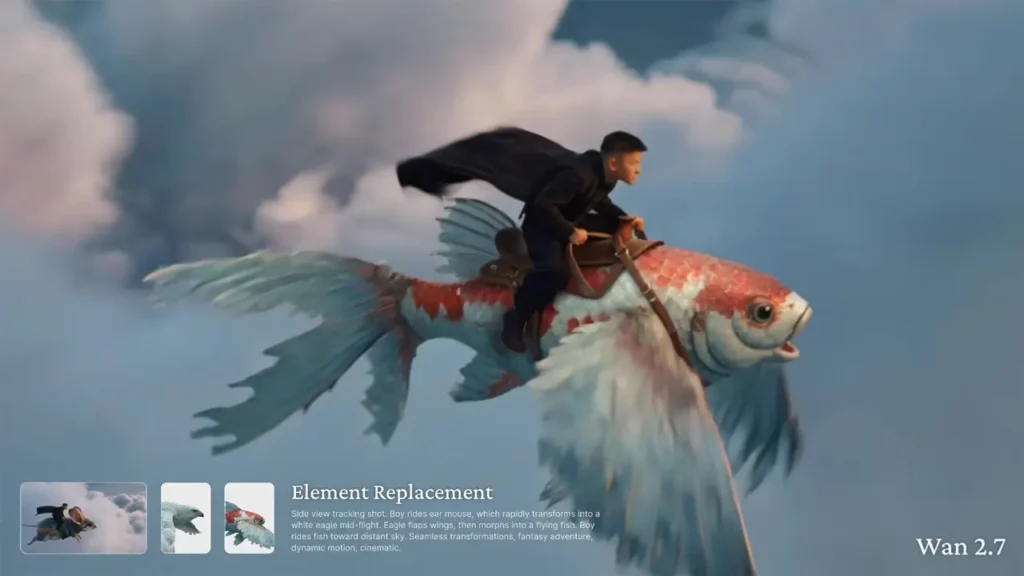
The most classic use case, and the one most people try first, is text-to-video. You write a description, and Wan 2.7 turns it into a moving scene. Want a slow drone shot gliding over a foggy mountain range at sunrise? Type it out, and the model handles the composition, motion, and camera language for you.
Wan 2.7 text to video is designed to feel more like giving a brief than pushing a button. Because you describe the shot structure directly in your prompt, you have a lot of say over how the scene unfolds. The model reads your words, plans the shot, and then generates footage that aims to match your vision. Clips can run anywhere from 2 to 15 seconds, which is a comfortable range for social posts, product teasers, intros, and short storytelling beats.
This mode shines for anyone who needs video but does not have footage to start from. A small business can describe a product moment and get a polished clip without a camera crew. A content creator can visualize an idea in minutes rather than days. A marketer can test several creative directions quickly and cheaply. The key to great results is writing prompts that are specific about action, lighting, and camera movement while leaving room for the model to interpret. Overloading a prompt with every tiny detail tends to backfire; a clear, focused brief usually wins.
Image-to-Video: Animating Your Stills
Sometimes you already have the perfect image and you simply want it to move. That is where Wan 2.7 image to video comes in. You provide a picture, and the model brings it to life with motion, depth, and camera movement, while keeping the look of your original intact. It is one of the most satisfying features to experiment with, because the leap from a frozen frame to a living scene feels almost cinematic.
According to Alibaba’s official documentation, the image-to-video mode actually covers three related tasks. The first is first-frame generation, where your image becomes the opening frame and the model animates forward from there. The second is first-and-last-frame generation, where you supply both a starting image and an ending image, and Wan 2.7 fills in all the motion in between. The third is video continuation, which extends an existing clip naturally, with or without a defined final frame.
That range gives you real directorial control. Want a scene to begin and end at exactly the moments you have in mind? Provide both frames and let the model handle the journey between them. Want to stretch a short clip into something longer? Use continuation. Because Wan 2.7 accepts audio input as well, you can even drive a character’s performance with a supplied voice track, keeping the mouth movements and timing in sync. For creators working from existing assets, this mode turns static libraries into dynamic content.
AndreevWebStudio.com
Professional web development and design services. Custom WordPress sites, landing pages, e-commerce solutions, and 3D printing content creation for businesses and creators.
- • WordPress Development
- • Custom Web Design
- • E-Commerce Solutions
- • 3D Printing Content
Reference-to-Video and Consistency
One of the trickiest challenges in AI video is keeping things consistent. A character’s face drifts between shots, a product changes shape, a background quietly rewrites itself. Wan 2.7 reference to video tackles this head-on by letting you supply reference material that acts as a visual anchor, so the important elements stay recognizable throughout your video.
This matters enormously for practical work. Imagine you are building a short series of clips featuring the same character. Without reference control, each generation might produce a slightly different person, breaking the illusion instantly. With references guiding the model, that character’s appearance is far more likely to hold steady from scene to scene. The same logic applies to products, environments, and brand assets — the things you cannot afford to have wobble around.
Wan 2.7 also supports multi-shot narratives, meaning it can generate a video with several distinct shots while maintaining subject consistency between them. That is a genuinely useful step toward storytelling, because real stories are rarely a single continuous take. Here is a simple overview of the main modes and what each one is best for.
| Mode | Best For |
| Text-to-Video | Creating from scratch with a written idea |
| Image-to-Video | Animating a still with frame control |
| Reference-to-Video | Keeping characters and styles consistent |
| Video Editing | Changing existing footage with instructions |
4K Quality and Native Audio
Let’s clear up a common point of confusion, because it is worth being precise. When people mention Wan 2.7 4K video, they are usually mixing up two parts of the family. According to Alibaba’s official documentation, Wan 2.7 video output runs at 720p or 1080p. The eye-catching 4K figure comes from the companion Wan 2.7 image model, whose professional text-to-image mode reaches up to 4096 by 4096 pixels. So you get true 4K on the still-image side and crisp HD on the video side. Knowing that distinction saves you from expecting something the video mode does not currently offer.
Where video quality really shines is in the details that make footage feel real. Wan 2.7 AI video generation delivers cleaner edges, more believable skin tones, and more grounded color balance than earlier versions. Motion is smoother and holds together better across a clip, which is often the difference between “clearly AI” and “actually usable.”
Sound is the other big piece. Wan 2.7 generates audio natively and in sync with the picture, rather than bolting it on afterward. The documentation notes support for automatic dubbing as well as custom audio upload, so you can either let the model create the soundscape or supply your own track and have the visuals match it. There is also intelligent prompt rewriting to help refine your instructions, and an optional watermark setting. Together these touches move Wan 2.7 closer to a finished-product tool rather than a raw generator that needs heavy post-production.
Pricing and API Access
Now for the practical question everyone asks: what does it cost, and how do you use it? Wan 2.7 is available through Alibaba Cloud’s Model Studio via an API, using the DashScope SDK and a standard API key. It runs on a pay-as-you-go model, which means there are no subscriptions or seat fees to worry about — you pay for what you generate and scale up or down as your needs change.
When it comes to Wan 2.7 API pricing, a few factors shape your final cost. The biggest ones are the resolution you choose (720p versus 1080p), the length of the clip, and the generation mode you use. As a general rule, 1080p costs more than 720p, and reference-based generation tends to sit at the higher end because it processes multiple input files at once. On several third-party platforms that host the model, video has been offered at around ten cents per second of output, which gives you a rough sense of scale, though exact rates vary by provider and region.
| Cost Factor | Impact |
| Resolution | 1080p costs more than 720p |
| Duration | Longer clips cost more |
| Mode | Reference-to-Video sits at the higher end |
The pay-as-you-go approach makes budgeting refreshingly transparent. You can start small, test a few ideas, and only spend more once you know a project is worth it. For teams in marketing, e-commerce, and media, that flexibility is a real advantage over tools locked behind fixed monthly plans.
Wan 2.7 vs the Competition
No model exists in a vacuum, so how does it stack up? The Wan 2.7 vs Kling comparison comes up constantly, since Kling is one of the model’s most direct rivals, and other names like Google’s Veo and various fast-moving newcomers round out a crowded field. Each tool has its own personality, and the “best” one really depends on what you are trying to do.
Wan 2.7’s biggest selling points are control and consistency. Thinking Mode gives it thoughtful prompt planning, native audio keeps sound and picture together, and reference support helps lock down characters and styles. It also benefits from Alibaba’s broad ecosystem, tight integration with Model Studio, and a flexible pay-as-you-go structure. For creators who value directorial precision and repeatable results across multiple shots, those strengths are hard to ignore.
Rivals compete on different fronts. Some push harder on ultra-realistic motion, others on longer clips or higher native resolution, and a few on raw speed. The honest takeaway is that this is a fast-moving space where leadership changes with almost every release. Here is a simple side-by-side to frame the conversation, kept deliberately high-level since exact capabilities shift over time.
| Model | Known Strength |
| Wan 2.7 | Control, consistency, native audio |
| Kling | Realistic motion and dynamics |
| Veo | Strong prompt adherence and audio |
Verdict: Who Wan 2.7 Is For
So where does all of this leave us? Wan 2.7 Alibaba is a genuinely capable, well-rounded AI video model that earns its buzz. It is not trying to win on a single flashy trick; instead, it packages text-to-video, image-to-video, reference-to-video, and video editing into one thoughtful system, then adds Thinking Mode and native audio to make the whole thing more controllable and more finished.
It is an especially good fit for creators, marketers, and small teams who want professional-looking short clips without a full production pipeline. If you value consistency across shots, precise control over how a scene starts and ends, and a flexible pay-as-you-go structure, Wan 2.7 deserves a spot on your shortlist. Its main limits are the 15-second clip cap and the 1080p video ceiling, so if you need long-form or true 4K motion footage today, keep those boundaries in mind.
The bigger picture is encouraging. Tools like this keep pulling the barrier to entry lower, letting more people tell visual stories that were once out of reach. Wan 2.7 is a strong snapshot of where AI video is heading in 2026: smarter, smoother, and far more usable. The best way to understand it is simply to try it, start with a clear idea, and let the model surprise you.
Great article on Wan 2.7 Alibaba. The explanation is clear, easy to follow, and useful even if you are not an AI expert. I especially liked how the post breaks down what this 2026 AI video model can actually do and why it matters for creators. AI Innovation Hub is becoming one of my favorite places to follow new AI tools and trends.
Read more here: https://aiinovationhub.com/