
1. Introduction: Why Salesforce Einstein 1 AI Slack Integration Matters
There’s a quiet revolution happening inside your company’s chat window. Artificial intelligence is no longer a separate tool you open in another browser tab — it’s moving directly into the places where work actually happens. And right now, Salesforce Einstein 1 AI Slack integration is one of the most compelling examples of that shift in action.
Think about how your team works today. You check Slack for updates. You jump into Salesforce to pull a customer record. You attend a meeting, scramble to take notes, and then spend thirty minutes writing a follow-up email. Each of those actions is a separate task, a separate context switch, a separate drain on your day. The promise of Salesforce Einstein 1 AI Slack integration is simple: what if all of that happened in one place, with AI handling the repetitive parts?
Salesforce has announced 30 new AI-powered features that fundamentally reshape how teams collaborate, signaling CEO Marc Benioff’s bet that AI agents — not just chatbots — will define the future of work. This is not incremental product development. It is a strategic repositioning of Slack from a messaging tool into what Salesforce calls the “agentic operating system” for the modern enterprise.
For anyone working with enterprise AI collaboration tools today, understanding this integration is not optional. It is the direction the entire industry is heading, and teams that get ahead of it now will have a meaningful productivity advantage over those that wait.

2. What Is Salesforce Einstein 1 AI Slack Integration?
Before diving into features, it helps to understand what we’re actually talking about — because this is not a simple plug-in or an add-on. It’s a full architectural vision.
Salesforce Einstein is the AI layer built into the entire Salesforce platform. Introduced in 2016 and expanded with Einstein GPT in 2023, Einstein uses machine learning, natural language processing, and generative AI to analyze CRM data, delivering predictive and automated solutions tailored to sales, service, and marketing functions. Over time, it evolved from basic predictive lead scoring into full generative AI — producing content, drafting communications, summarizing records, and now acting autonomously on behalf of users.
The Einstein 1 platform is the unified architecture that ties all of this together. The “1” in Einstein 1 refers to a single, connected platform — one data model, one AI layer, one trust framework — making it possible for AI to reason across an organization’s entire body of knowledge rather than isolated pockets of data.
Slack, which Salesforce acquired for $27.7 billion in 2021, is where the human side of that equation lives. It is where conversations happen, decisions are made, and teams coordinate. For years, Slack and Salesforce CRM operated as parallel systems: powerful individually but disconnected from each other. The Salesforce Einstein 1 AI Slack integration changes that. It turns Slack into the conversational interface for the entire Salesforce platform — a single window where employees can talk to their data, interact with AI agents, and take action on CRM records without ever leaving the chat.
Salesforce describes this as making Slack “the conversational UI for Agentforce,” where agents built with Salesforce’s AI platform can run directly in channels, threads, and direct messages, allowing users to query data, get contextual responses, and trigger actions, all within the flow of work.
BestChina3DPrinters
Expert Reviews & Rankings
Independent 3D Printer Reviews
Your trusted source for Chinese 3D printer reviews, rankings, and comparisons. We buy, test, and review every printer so you can make informed decisions.
3. 30+ New AI Features in Slack: What Changed?
On March 31, 2026, Salesforce CEO Marc Benioff unveiled the biggest single update to Slack since the platform’s acquisition. More than 30 new AI-powered capabilities were announced, with a phased rollout beginning in the months that followed.
The core of these Salesforce AI features 2026 centers on a dramatically upgraded Slackbot — no longer a simple helper but a full AI agent capable of orchestrating complex, multi-step tasks across the enterprise.
Here is a summary of the key categories of new Slack AI automation tools introduced:
Reusable AI Skills — Users can define specific tasks for Slackbot once and reuse them across different scenarios. Salesforce ships a default library of skills covering common business workflows, and teams can build custom skills on top of that. Once published, a skill becomes a shared standard — what one person builds, the entire organization can use.
Model Context Protocol (MCP) Client — Slackbot now functions as an MCP client, which means it can connect to and coordinate with thousands of outside services and tools. Through this connection, Slackbot can route tasks to Agentforce or any connected enterprise app without the user needing to know which system handles which task. Slackbot currently has access to more than 2,600 apps in the Slack Marketplace and more than 6,000 apps built for the Salesforce AppExchange.
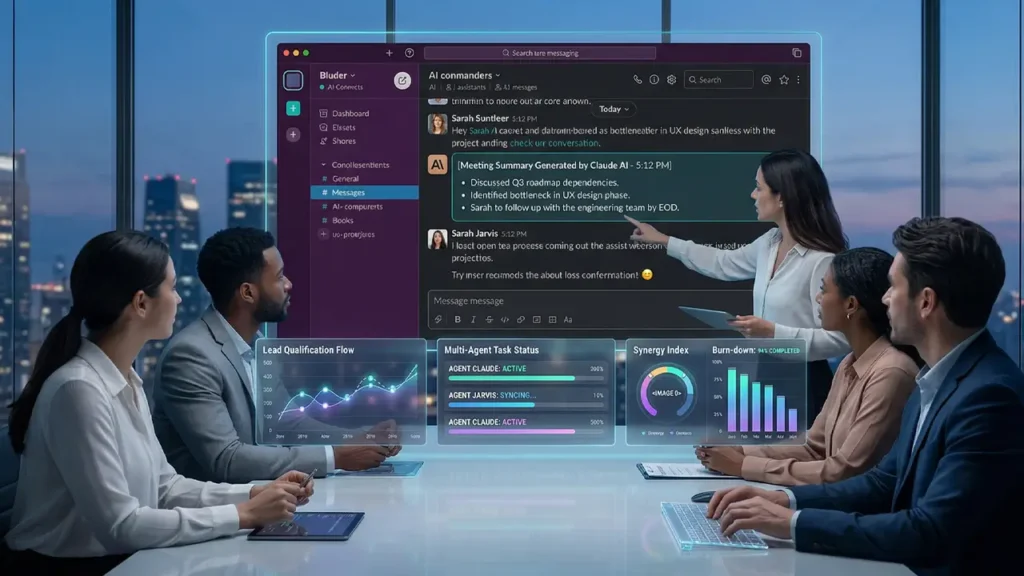
Meeting Transcription and Summaries — Slackbot can now automatically transcribe meetings, generate summaries, and extract action items. If a participant misses a key moment in a call, they can simply ask Slackbot to fill them in afterward.
Desktop Context Awareness — Slackbot can now operate outside of Slack and monitor desktop activity — including open deals, conversations, calendar events, and work habits — to offer proactive suggestions in any application the user is working in.
AI-Powered Workflow Builder — Slack’s existing Workflow Builder has been enhanced with generative AI, making it possible to create and modify automation flows through plain language instructions rather than manual configuration.
Third-Party AI Agents — Through a new unified interface inside Slack, users can interact with AI agents from partners including Adobe, Anthropic, Cohere, Perplexity, Writer, and others — all without leaving the workspace.
Taken together, these features transform Slack from a place where teams talk about work into a place where work actually gets done, with AI handling the coordination in the background.
4. AI Summaries: Slack AI Summaries Feature Explained
One of the most immediately practical additions in this update is the Slack AI summaries feature, and it is worth explaining in some detail because it addresses a problem every knowledge worker recognizes.
The average enterprise employee receives hundreds of Slack messages per day across dozens of channels. Catching up after a vacation, a long meeting, or even just a few hours away from the desk can feel overwhelming. Reading through thread after thread to extract the key decisions and action items is time-consuming work that adds no value — it is pure overhead.
Slack’s AI summaries solve this by automatically condensing long conversations into brief, structured overviews. When you return to a channel, you do not need to scroll through everything that was said. You get a concise summary of what happened, what was decided, and what needs your attention.
Slackbot can now also transcribe and summarize meetings in real time. According to Slack’s General Manager Rob Seaman, if a meeting participant zones out and misses something important, they can simply ask Slackbot afterward to produce a full recap — including any action items assigned specifically to them. The AI does not just produce a transcript; it identifies who said what, what commitments were made, and what needs to happen next.
This extends to Slack’s Huddle feature as well, which now supports AI-powered transcription and note-taking. The result is that informal, quick voice conversations — which often produced decisions that were never documented — now automatically generate a written record.
For teams that run a lot of internal meetings and async conversations, this single feature alone can reclaim significant productive time every week.
5. AI Agents for Business Tasks: Automation in Action
If summaries are the most immediately visible feature of this update, AI agents are the most transformative. The concept of AI agents for business tasks is central to Salesforce’s entire vision for the future of enterprise software.
An AI agent is different from a chatbot. A chatbot responds to questions. An agent takes action. It can execute multi-step tasks, make decisions within defined parameters, coordinate with other systems, and report back — all without requiring a human to manage each step.
Agentforce, formerly known as Einstein Copilot, is Salesforce’s platform for deploying these agents. Inside Slack, Agentforce agents can now be @mentioned in channels, threads, and direct messages just like any human colleague. They respond to questions, retrieve data, trigger workflows, and hand off tasks to other agents or apps.
Here are some practical examples of how AI agents for business tasks work inside Slack:
Budget Creation — A user can type “create a budget for our Q3 product launch” in Slack. Slackbot pulls together all relevant financial data from connected channels and apps, generates an actionable plan, and automatically schedules a meeting to review it, inviting the relevant team members based on their roles.
Sales Coaching — Agentforce Sales Coach can help a seller improve their skills by creating role-playing scenarios based on the context of a real deal, then providing personalized and objective feedback, all within a Slack channel.
IT Support — Instead of joining an IT help-desk channel and filling out a workflow form, an employee can simply DM an IT Agentforce agent. The agent has the right context, can reason about the issue, and can take action to resolve it end-to-end — such as managing an access request or resetting permissions.
Knowledge Retrieval — Users can ask Agentforce questions like “What are the technical specifications of our newest product?” or “What’s our competitive differentiator for the upcoming launch?” The agent surfaces the answer directly from the company’s knowledge base and connected systems.
These are not theoretical capabilities. Agentforce in Slack is live and available for customers who have purchased both Agentforce and a Slack license.
6. CRM Meets Chat: Salesforce CRM AI Integration Inside Slack
One of the most powerful aspects of the Salesforce CRM AI integration is how it eliminates the constant context-switching that slows enterprise teams down.
Before this integration, a sales rep who needed to update a customer record would leave Slack, open Salesforce, find the record, make the update, and then return to the conversation — losing their thread of thought at every step. Multiply that by dozens of interactions per day and you have a significant drag on productivity.
With Slack CRM integration AI, that friction largely disappears. CRM data surfaces directly inside Slack, in the context of the conversation where it is relevant. A sales prospecting team can dig into Salesforce records without leaving their channel and get a summary of opportunities and cases, along with recommended next steps. From there, Agentforce can write outreach emails and share the drafts with individuals or channels — ready to review and send.
Meeting transcription takes this further. When a call with a customer ends, Slackbot can automatically update the relevant Salesforce record with notes, action items, and next steps — without the rep needing to manually log anything. According to Salesforce, Slackbot transcribes meetings, generates summaries, drafts emails, schedules meetings, and automates workflows across enterprise tools, the moment a call ends.
The result is a bidirectional relationship between conversation and data. Slack conversations inform Salesforce records, and Salesforce records inform Slack conversations. AI sits in the middle, keeping everything synchronized without requiring human effort.
This is especially meaningful for Salesforce’s trust architecture. The Einstein Trust Layer ensures that sensitive customer data — names, company information, financial records — is masked before being processed by any large language model. Zero data retention agreements mean that after the AI generates a response, it forgets all of that data. Customer data is never used to train the underlying models. This is a critical assurance for enterprise teams working with sensitive accounts.
7. AI in Slack Workflow Automation: Real Use Cases
Theory is one thing. Let’s look at how AI in Slack workflow automation plays out for real teams across different business functions.
Sales Teams
A sales rep starts their morning in Slack. Slackbot has already prepared a briefing: the three deals closest to closing, any accounts that haven’t been touched in the past 48 hours, and a suggested outreach email for a key prospect based on their recent activity. The rep reviews, edits slightly, and sends — all without opening Salesforce or switching apps. Deal alerts and customer updates trigger automatically, keeping everyone on the account team informed without a single status email.
Customer Support Teams
A support team receives a complex escalation. Instead of routing it manually through multiple channels and waiting for the right person to respond, an Agentforce agent automatically identifies the issue type, retrieves the customer’s history from Salesforce, suggests a resolution path, and creates a focused channel with the right team members already invited. The Channel Expert agent provides always-on knowledge from within channels, responding to FAQs and pointing to the right resources so that tier-one questions never need to escalate in the first place.
Marketing Teams
A marketing team planning a product launch can ask Slackbot to pull together all relevant information from connected channels, apps, and data sources to build a campaign brief. The agent creates the document, sets up the review meeting, and notifies stakeholders — tasks that previously required an hour of coordination are reduced to a single prompt.
HR and IT
Employee onboarding, access requests, policy questions — these are exactly the kinds of repetitive, high-volume tasks that AI agents handle well. Slack Agent Templates offer guided setup for onboarding, support, and customer insights use cases, making it possible to deploy tailored solutions quickly without extensive customization.
8. AI Productivity Tools for Teams: Boost or Hype?
With any major enterprise AI announcement, it is fair to ask: does this actually improve productivity, or is it sophisticated marketing?
The honest answer is: it depends on how it is implemented, but the fundamentals are sound.
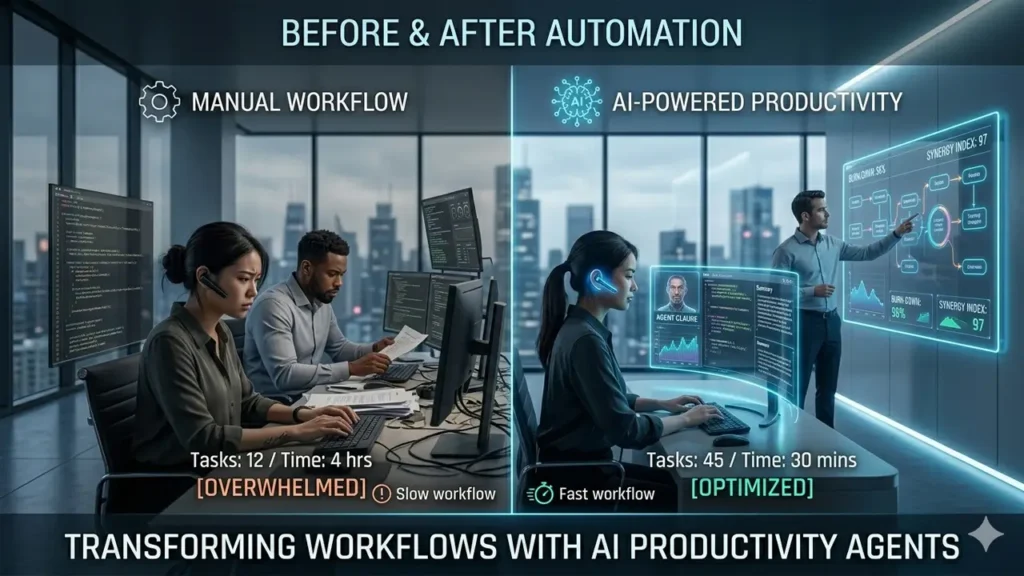
AI productivity tools for teams create the most value when they eliminate tasks that are genuinely low-value — things that take time but don’t require human judgment. Summarizing messages, logging CRM updates, transcribing meetings, routing tasks to the right system — these are exactly the kinds of activities that AI handles well and that human workers find tedious.
According to a Gartner survey cited by Salesforce, 47% of knowledge workers struggle to find the information they need to do their job effectively. Slack’s AI search, which now includes files and apps alongside messages, directly addresses this. Rather than keyword search that returns a list of results, users can ask natural language questions and get intelligent answers.
The reusable AI skills feature is particularly interesting from a productivity standpoint. Because skills can be built once and shared across an entire organization, efficiency gains compound. When one person figures out the optimal way to automate a recurring workflow, everyone benefits from that discovery immediately.
Early adopters in the Salesforce ecosystem have reported genuine time savings on administrative tasks, with more time available for high-judgment work: building relationships, solving complex problems, and making strategic decisions that AI cannot make alone.
The caveat is real, though. AI tools that are added to an already disorganized workflow often make things more complicated rather than less. The teams that see the biggest gains from Salesforce Einstein 1 AI Slack integration are those that have clear processes, clean CRM data, and a willingness to invest time upfront in configuring AI skills and agents correctly.
9. Pros and Cons of Salesforce Einstein 1 AI Slack Integration
Like any enterprise platform, this integration has genuine strengths and real limitations. Here is an honest look at both sides.
Salesforce & Slack AI Strategic Audit
Analyzing the operational impact of the Agentforce and Slack AI unified interface. Contrasting significant productivity gains against ecosystem lock-in and implementation overhead.
| Strategic Pillar | Strategic Advantages (Pros) | Deployment Considerations (Cons) |
|---|---|---|
|
Efficiency
|
|
Ecosystem Lock-in
Requires full commitment to the SF/Slack stack; high friction for tool diversity. |
|
Scalability
|
|
Implementation Load
Configuring multi-agent logic requires significant organizational discipline. |
|
Governance
|
Einstein Trust Layer: Zero-retention enterprise security.
|
|
|
Market Risk
|
Sustained Investment: 30+ features in single release.
|
MS Teams / Copilot provides high-fidelity competition for Office-centric firms.
|
Core Advantage: Flow
Eliminates contexto switching; 30+ new features signal long-term platform stability.
Deep dependency; premium licensing costs for full Agentforce suite.
Scalability & Apps
Access to 6,000+ AppExchange and 2,600+ Slack apps through a unified Agent interface.
The bottom line on enterprise AI collaboration tools is that the value is real, but so are the costs and complexities. The integration rewards organizations that approach it strategically rather than treating it as a plug-and-play solution.
10. Final Verdict: Is Salesforce Einstein 1 AI Slack Integration Worth It?
Let’s be direct.
If your organization already uses Slack as its primary collaboration platform and Salesforce as its CRM, the Salesforce Einstein 1 AI Slack integration is not really optional anymore — it’s the natural next evolution of the tools you already rely on. The question is not whether to adopt it, but how quickly and how thoughtfully.
The case for it is straightforward. Your teams are already spending time on tasks that AI can handle: writing up meeting notes, logging CRM updates, searching for information buried in old channels, routing requests to the right person or system. Every one of those tasks that AI absorbs is time your people can redirect toward work that actually requires human intelligence.
The 30+ new features announced in March 2026 represent the most significant commitment Salesforce has made to turning Slack into a productivity engine since the original acquisition. With Slackbot now functioning as an MCP client connected to more than 2,600 apps, reusable AI skills that scale across the organization, automatic meeting transcription that feeds directly into Salesforce records, and Agentforce agents that can take autonomous action on behalf of entire teams — the platform has crossed a threshold. It is no longer a smart chat tool. It is a work operating system.
Here is a quick reference for decision-makers:
Integration Readiness Framework
A strategic assessment for determining the ROI of Salesforce & Slack AI within your unique organizational context. Map your current infrastructure to the target deployment path.
| Organizational Archetype | Strategic Action Path | Deployment Fit |
|---|---|---|
|
Native Stack
SF CRM + Slack
|
Immediate Deployment Priority. The integration enhances existing tool investments with native data-flow and zero implementation friction. |
Primary Fit |
|
Collaboration Lead
Slack + 3rd Party CRM
|
Secondary Logic Adoption. Extract high value from Slack AI independently, though CRM-specific Agentic features remain gated. |
Secondary Value |
|
Ecosystem Competitor
MS Teams / M365
|
Strategic Observation Tier. Monitor MS Copilot parity. Transition is only recommended if CRM workflows exceed M365 collaboration capabilities. |
Market Review |
|
Agile / Small Org
Low Workflow Complexity
|
Deferred ROI Path. Enterprise scale is required to justify the licensing overhead and setup investment. |
Deferred |
SF CRM + Slack Users
Directly enhances the stack you already own. Highest ROI path with minimal implementation friction.
Small / Simple Teams
Wait for broader accessibility. Enterprise features may exceed current operational needs.
The enterprise software landscape in 2026 is defined by one question: where does work actually happen? For the million-plus businesses running on Slack, the answer is increasingly clear. Work happens in the conversation. And AI that lives in that conversation — that can read context, take action, and learn what your team needs — is no longer a nice-to-have. It is the competitive baseline.
Salesforce Einstein 1 AI Slack integration is the most complete answer to that question available in the market today. If you’re already in the ecosystem, it’s time to move from curiosity to implementation.