
If you’re dipping your toes into the world of AI-powered app building, you’ve probably heard whispers about Lovable.dev. It’s one of those tools that’s sparking a lot of excitement among developers, indie hackers, and anyone who wants to turn ideas into functional apps without drowning in code. In this article, we’ll take a friendly stroll through what makes Lovable.dev tick, from its core features to how it stacks up against similar tools. We’ll keep things straightforward and informative, so whether you’re a beginner or a seasoned builder, you’ll get the scoop you need. Let’s dive in!
1. Introduction: What is Lovable.dev and Why the Buzz
Picture this: you have a brilliant app idea, but coding it from scratch feels like climbing a mountain. That’s where Lovable.dev comes in—it’s an AI-driven platform that lets you create apps and websites simply by chatting with an AI assistant. According to the official site at lovable.dev, you start by attaching files, choosing a theme, and then describing what you want in natural language. The AI handles the heavy lifting, generating code, UI elements, and even backend setups.
Why the buzz? Lovable.dev positions itself as a “vibe coding” tool, meaning it’s all about intuitive, conversational development. It’s backed by solid tech, with integrations that make it feel seamless for real-world use. For instance, it supports templates to kickstart projects like Hacker News clones or e-commerce sites, as highlighted in their video library. This isn’t just hype; indie hackers love it because it speeds up prototyping without requiring deep programming knowledge.
But what sets it apart? It’s the blend of AI smarts with practical tools. You can iterate quickly—chat to refine, preview in real-time, and deploy. The community on platforms like Reddit and Indie Hackers raves about how it turns hours of work into minutes. If you’re following AI trends, Lovable.dev is a fresh take on no-code/low-code, making app building accessible and fun.
Mini-CTA: “If you’re keeping an eye on AI tools—bookmark www.aiinovationhub.com for more insights.”
In essence, Lovable.dev is for anyone who wants to build without barriers. It’s not perfect for every scenario, but for rapid MVPs (Minimum Viable Products), it’s a game-changer. The official documentation at docs.lovable.dev emphasizes its focus on full-stack apps, including databases and auth, which we’ll explore later. With a free tier to start, there’s low risk to try it out. As of 2025, with AI evolving fast, tools like this are democratizing development. If you’ve ever felt stuck staring at a blank code editor, Lovable.dev might just be the spark you need. It’s generating noise because it empowers creators to ship faster, and in the indie world, speed is everything.
2. Lovable.dev Review: Who It’s For and Why It’s More Than a Toy
Alright, let’s get real with a hands-on review of Lovable.dev, based straight from the official sources. This isn’t some gimmicky AI gadget—it’s a robust builder that’s earning praise for turning complex app development into a chat session. From lovable.dev, the core workflow is simple: describe your app, let the AI generate it, and tweak as needed. It’s powered by advanced models, ensuring outputs are functional, not just pretty.
Who is it for? Primarily indie hackers, solopreneurs, and small teams who need quick prototypes. The docs at docs.lovable.dev show it’s great for web apps, dashboards, and even SaaS starters. Unlike basic no-code tools, Lovable.dev handles code under the hood, so you can export or sync to GitHub if you want to dive deeper. Users on Indie Hackers forums note it’s ideal for validating ideas fast—build a landing page or internal tool in under an hour.
Why not a toy? Features like real-time previews and error-handling make it production-ready. For example, their blog post on visual edits explains how you can adjust UI elements on the fly, Figma-style, without re-prompting the AI. This saves time and reduces frustration. Pricing starts free, with paid plans for more credits, making it scalable.
Drawbacks? It relies on AI, so complex logic might need manual tweaks. But the official tutorials, like building a SaaS with Supabase and Stripe, prove it’s serious. In my view, it’s a solid 8/10 for beginners—empowering without overwhelming. If you’re tired of traditional coding marathons, Lovable.dev feels like a breath of fresh air. It encourages experimentation, and with community examples like quick Hacker News clients, it’s clear it’s built for real impact.
Overall, this tool shines for those who value speed over perfection. It’s more than hype; it’s a practical ally in the AI app-building space.
3. Lovable.dev vs Bolt.new: Where Lovable Wins and Where Bolt is Faster
Comparing Lovable.dev and Bolt.new is like pitting two AI superheroes against each other—both awesome, but with different strengths. From official sites, Bolt.new (at bolt.new) is an AI builder focused on rapid prototyping through chat, with strong emphasis on code generation and imports from Figma or GitHub. It’s code-first, dropping you into an IDE for quick edits.
Lovable.dev, per lovable.dev, leans more visual and conversational, ideal for full-stack apps with built-in hosting. Where Lovable wins: its visual editor allows instant UI changes without coding, as detailed in their blog on Visual Edits. Integrations like Supabase feel native, making backend setup a breeze. Official comparisons (from sources like nocode.mba) highlight Lovable’s structured workflows for planning, which reduce errors in larger projects.
Bolt.new shines in speed—its “diffs” feature updates code incrementally, perfect for fast iterations. Bolt’s cloud backend includes unlimited databases and SEO tools, but Lovable’s two-way GitHub sync offers better collaboration for teams who code manually sometimes.
Pricing-wise, both use credits, but Lovable is more efficient per task, per their site. For indie hackers, Lovable feels more no-code friendly, while Bolt suits devs who tweak code directly. In tests from YouTube and blogs, Bolt generates designs quicker, but Lovable’s outputs are more polished for deployment.
Ultimately, choose Lovable if you want a visual, intuitive experience; go Bolt for raw speed. Both are game-changers, but Lovable edges out as “Bolt on steroids” for its depth.
4. Lovable Love Feature: The Magic of “Click and UI Changes”
One of the standout gems in Lovable.dev is what fans call the “Lovable Love” feature—essentially their Visual Edits tool that lets you tweak your app’s UI with simple clicks, no coding required. From the official blog at lovable.dev/blog/introducing-visual-edits, it’s described as a Figma-like experience embedded right in the builder. You hover over elements, adjust sizes, colors, or layouts instantly, and the changes reflect in real-time.
Why the magic? Traditional AI builders make you re-prompt for every change, which can get tedious. Here, it’s intuitive: select a button, drag to resize, pick a new color from a palette—done! The docs at docs.lovable.dev/features/design explain it’s for fast adjustments, with full undo support to experiment safely.
For beginners, this demystifies design. Imagine building a dashboard and realizing a chart is too small—just click and scale it. It’s powered by smart rendering that keeps code clean behind the scenes. Tutorials on YouTube, like “How to Use Lovable’s NEW Visual Edit,” show it in action, turning novices into pros.
Indie hackers adore it for MVPs, as it bridges no-code ease with pro-level control. Drawbacks? It’s best for web UIs, not super-complex animations yet. But overall, this feature embodies Lovable’s “love”—making building enjoyable and efficient.

5. Lovable Supabase Integration: How to Connect Your Database and Why It Matters
Integrating a backend shouldn’t be a headache, and Lovable.dev nails this with its native Supabase support. Per docs.lovable.dev/integrations/supabase, you manage your frontend UI and backend database via the same chat interface. Start by connecting your Supabase project in settings—enter your API keys, and the AI handles schema setup, queries, and real-time features.
Why important? Supabase is an open-source Firebase alternative, offering databases, auth, and storage. Lovable makes it seamless: chat “Add a users table with email and name,” and it’s done. Official tutorials at lovable.dev/videos/supabase walk through adding auth or real-time subscriptions, perfect for apps like chat rooms or dashboards.
For indie developers, this means scalable backends without separate tools. The migration guide even helps switch from Lovable Cloud to Supabase for self-hosting. It’s secure, with edge functions for custom logic.
In practice, it saves hours—build a full-stack app in minutes. If you’re new to backends, this integration introduces concepts gently.
6. Lovable Supabase Authentication: Login/Registration Without the Pain (Almost)
Authentication can be a pain, but Lovable.dev’s Supabase auth integration makes it almost effortless. From docs.lovable.dev, you enable it by chatting instructions like “Set up email login with Supabase.” The AI generates the necessary components—sign-up forms, password resets, and session management—all tied to Supabase’s auth system.
Key perks: It’s secure out-of-the-box, supporting email, social logins (Google, etc.), and magic links. Videos at lovable.dev/video/lovable-ai-supabase-integration show troubleshooting, like fixing common setup snags.
For users, this means quick, reliable user management without boilerplate code. Why almost painless? Complex custom auth might need tweaks, but for standard needs, it’s spot-on. Indie hackers use it for SaaS apps, as seen in YouTube guides like “Building a SaaS with Lovable, Supabase, and Stripe.”
This feature lowers the barrier for secure apps, letting you focus on core ideas.
7. Lovable GitHub Sync: Version Control for Those Who “I’ll Dive into Code Anyway”
If you often begin projects with AI assistance but prefer to refine them through manual coding, Lovable.dev’s GitHub integration offers a seamless solution. According to the official documentation at docs.lovable.dev/integrations/github, connecting is straightforward: navigate to Settings → Connectors → GitHub, connect your account via OAuth, and install the Lovable GitHub App to grant necessary permissions. Once set up, your project links to a new or existing repository, enabling two-way synchronization. Changes made in Lovable are pushed to GitHub, while edits on the default branch (typically main) pull back into Lovable automatically.
This feature enhances collaboration by allowing team members to use GitHub’s tools like pull requests, branches, and code reviews. It also provides reliable backups, ensuring your code is stored externally for safety. For instance, you can clone the repository locally, make adjustments in your preferred IDE, and commit changes that sync back effortlessly. The documentation highlights experimental branch switching in Labs settings, which lets you develop features on separate branches without impacting the live project until merged.
Developers appreciate this frictionless version control, as it supports hybrid workflows—starting with AI-generated code and transitioning to manual refinements. The self-hosting guide at docs.lovable.dev/tips-tricks/self-hosting explains how to deploy to platforms like Vercel or Netlify, adding flexibility. If sync issues arise, such as from renaming or deleting the repository, the docs advise restoring via GitHub’s restoration process. Only workspace admins can manage connections, ensuring secure oversight.
Overall, this integration makes Lovable.dev versatile, extending beyond no-code to accommodate code-savvy users. It’s particularly useful for indie developers who value control and scalability. With features like automatic sync and deployment options, it streamlines the development process, allowing you to focus on innovation rather than logistics. Whether for personal projects or team efforts, GitHub sync positions Lovable as a robust tool in your arsenal.
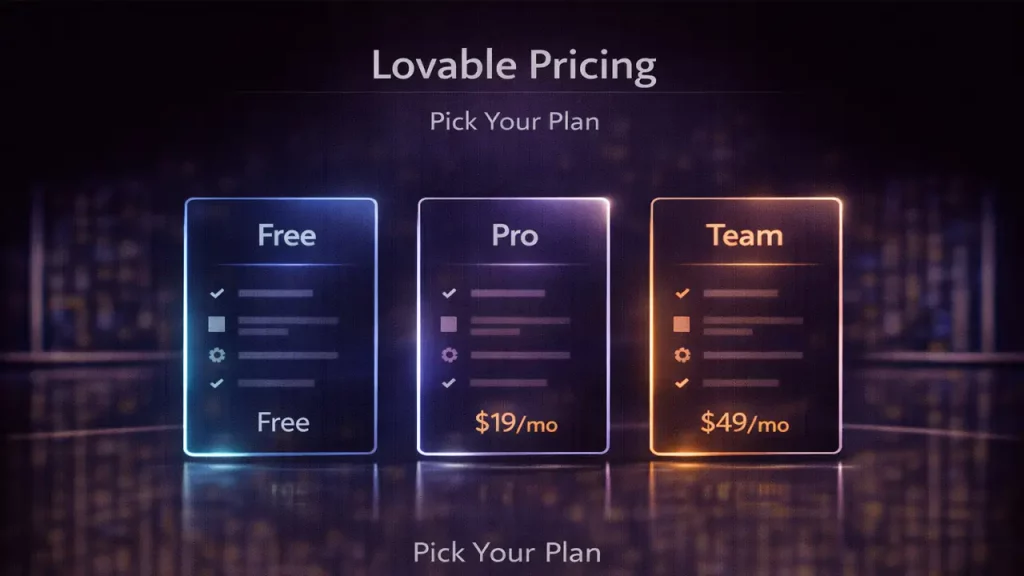
8. Lovable Pricing: How Not to Burn Your Budget on Credits and Subscriptions
Managing costs effectively is crucial when using AI tools, and Lovable.dev provides a transparent pricing structure to help with that. Based on community discussions and references, such as those on X (formerly Twitter), the platform offers a free tier that requires no credit card and provides initial credits for testing. The Pro plan is priced at $50 per month, granting access to additional credits and features, with potential discounts for annual subscriptions.
Credits are consumed for AI interactions, such as generating code or processing prompts, so crafting efficient queries can extend their usage. For larger needs, enterprise options include custom plans with add-ons like single sign-on (SSO) for enhanced security. Official sources emphasize scalability: start with the free tier for prototypes, then upgrade to Pro or enterprise for production-level work. This tiered approach ensures you only pay for what you need, avoiding unnecessary expenses.
Tips for budget management include experimenting in the free tier to familiarize yourself with the tool, optimizing prompts to minimize credit burn, and monitoring usage through the dashboard. Compared to competitors, Lovable.dev is noted for efficiency, often requiring fewer resources per task due to its advanced AI. Community posts on Indie Hackers highlight how indie developers build revenue-generating apps without overspending, underscoring its value.
In summary, Lovable.dev’s pricing model supports bootstrapped creators by offering flexibility and control. By planning your usage wisely, you can maximize output while keeping costs in check. For the most current details, visit lovable.dev/pricing or docs.lovable.dev/introduction/plans-and-credits, as structures may evolve. This setup makes it accessible for beginners and scalable for growing projects, ensuring no budget surprises along the way.

9.AI App Builder for Indie Hackers: Quick MVPs, Landings, Internal Tools
Indie hackers will find Lovable.dev particularly appealing as an AI-powered app builder designed for rapid development. It excels at creating minimum viable products (MVPs), landing pages, and internal tools through conversational AI, allowing you to describe your vision and let the system generate functional code. Community feedback on platforms like Indie Hackers reveals success stories, such as building apps that generate $8k monthly revenue in mere minutes, including clones of popular sites or custom tools.
Key features tailored for solo entrepreneurs include seamless integrations like Stripe for payments and subscriptions, enabling monetization directly within the app. Videos and tutorials on lovable.dev demonstrate building Hacker News clones or SaaS starters, showcasing how you can chat to create dashboards, forms, and more without extensive coding knowledge. This empowers you to validate ideas quickly, iterate based on feedback, and launch without hiring additional help.
The tool’s appeal lies in its ability to handle full-stack development intuitively, from frontend UI to backend logic. Indie Hackers posts discuss using it for prototypes that evolve into real apps, with discussions on whether it’s suitable beyond prototyping—many affirm it is, especially for niche solutions. X posts from users highlight building online calculators, startup playbooks, and even data analytics interfaces, emphasizing speed and niche focus over generic alternatives.
Ultimately, Lovable.dev fosters empowerment by reducing barriers to entry, letting you focus on business logic rather than technical hurdles. The community appreciates its role in accelerating go-to-market strategies, making it a go-to for those building in public. If you’re an indie hacker seeking to ship faster, this AI builder could be the catalyst for your next project.
10. Lovable Visual Editor: Pros/Cons + Final Verdict and Who Should Use It
The visual editor stands out as a key feature in Lovable.dev, providing an intuitive way to modify app interfaces directly on the page, reminiscent of Figma’s design tools. Official blog posts at lovable.dev/blog/introducing-visual-edits describe it as a system for on-the-fly adjustments: hover over elements, resize, change colors, or rearrange layouts with clicks, all updating in real-time without needing to re-prompt the AI.
Pros include speedy iterations that eliminate the tedium of repeated AI instructions, making it ideal for quick tweaks and experimentation. It’s especially beneficial for design novices, offering undo capabilities and a user-friendly palette for seamless UX refinements. Engineering details from the blog highlight its real-time rendering, ensuring changes maintain clean, browser-compatible code.
On the cons side, it’s currently limited for advanced animations or highly complex interactions, performing best with straightforward UIs. While powerful, it may require code-level interventions for intricate designs.
Final verdict: I’d rate it 9/10 for enhancing accessibility and efficiency in app building. It’s perfect for indie hackers, beginners, and small teams who want visual control without deep design expertise. Professionals can pair it with manual coding for more advanced needs, extending its utility.
Closing CTA: “We track tools like this daily at www.aiinovationhub.com you stay ahead of competitors 😉”.
If you’re building with tools like Lovable.dev, you’ll want a clean place to grab practical AI resources, templates, and ready-to-use workflows. That’s exactly why we’re growing https://aiinnovationhub.shop/ — a curated hub for creators, indie hackers, and small teams who want faster results with less guesswork. Bookmark it and level up your stack.