
If you’re into coding and AI tools that actually change how you work, you’ve probably heard the hype around Windsurf Editor. I’m talking about this slick AI-native IDE from Codeium that’s got developers buzzing like crazy. Why? Because it’s not just another code completer—it’s a full-on windsurf ai ide that’s designed from the ground up to keep you in that magical flow state where ideas turn into code without breaking a sweat. Picture this: you’re deep in a project, and instead of juggling tabs or fighting syntax errors, you’ve got an AI partner that’s got your back, understanding your entire codebase and suggesting moves like a pro surfer riding the waves.
So, what’s the big deal? Windsurf Editor is built on the backbone of VS Code but supercharged with AI smarts that make traditional editors feel outdated. It’s from Codeium, the folks powering AI for over a million developers and 59% of Fortune 500 companies. They’re generating 70 million lines of code daily—yeah, you heard that right! This isn’t hype; it’s backed by real-world use at places like JPMorgan Chase and athenahealth. The buzz comes from how it eliminates boilerplate drudgery, letting you focus on the creative stuff. Developers are raving about boosting productivity by up to 59%, with AI handling the heavy lifting.
In this review, I’m breaking it all down for you—like a deep dive video where we unpack features, comparisons, and whether it’s worth your time. We’ll cover Flows, Cascade, terminal magic, and head-to-heads with Cursor and VS Code. By the end, you’ll know if Windsurf is your next go-to tool or just a nice-to-have. Plus, I’ll throw in tips on pricing and when to go pro. If you’re a solo dev, team lead, or just curious about AI in coding, stick around—this is gonna be gold. Let’s jump in and see why Windsurf Editor is making waves in the dev world. Who’s excited? Drop a like if you’re ready!

What is Windsurf from Codeium and How It Stands Apart from Plugins
Alright, folks, let’s get into the nitty-gritty—what exactly is Windsurf from Codeium? If you’ve been using Codeium’s plugins in your current setup, you might think Windsurf Editor is just an upgraded version, but oh boy, it’s so much more. Windsurf is Codeium’s flagship AI-native IDE, launched to redefine how we code. It’s forked from VS Code, but don’t let that fool you—it’s rebuilt with AI at its core, acting as a true agentic partner that understands your project holistically. From the official Codeium site, it’s described as the first IDE where developers and AI “flow together,” enabling magic-like experiences.
Unlike plugins, which mainly offer autocomplete in editors like VS Code or JetBrains, Windsurf Editor unlocks the full suite of Codeium’s powers. Plugins are great for basic code suggestions, but they lack the deep integration. In Windsurf, you get exclusive features like Cascade for contextual AI actions, live previews, auto-linter fixes, and terminal commands via natural language. Codeium emphasizes that plugins are limited by extension APIs, but Windsurf bypasses that for a seamless, agentic experience. It’s backed by data from 1M+ users, ensuring speed, trust, and productivity.
Think of it this way: plugins are like adding a turbo to your old car, but Windsurf is a brand-new electric beast designed for the future. It supports macOS, Windows, and Linux, with easy imports from VS Code or Cursor configs. Codeium’s blog highlights how it removes context switching—preview code live, deploy instantly to windsurf.build domains, and automate routines. For enterprises, it’s secure with on-premises options, avoiding SaaS risks.
Why choose Windsurf over plugins? If you’re tired of fragmented tools, this unifies everything. Developers report writing 94% of code with AI assistance, slashing time on menial tasks. It’s not just completion; it’s comprehension. Codeium’s testimonials from big names confirm it’s mission-critical. If you’re dipping toes into AI coding, start with the free tier—25 prompt credits monthly, all premium models included. But for power users, pro at $15/month ups it to 500 credits. Windsurf from Codeium isn’t a plugin—it’s the evolution. Who’s tried it? Share in the comments!

Flows: The Killer Feature of Windsurf—How It Works in Real Dev Life
Yo, team, if there’s one thing that’s got me hyped about Windsurf Editor, it’s Flows—the absolute killer feature that’s changing real-world development. From Codeium’s official docs and site, Flows are all about creating that uninterrupted “flow state” where AI anticipates your needs and handles multi-step tasks effortlessly. It’s not just suggestions; it’s an agentic system that chains actions, making complex workflows feel simple. Imagine you’re building a web app—Flows let you describe what you want in natural language, and boom, it generates, refactors, and even deploys without you lifting a finger.
How does it work? At its heart is Cascade, Windsurf’s AI engine with full contextual awareness. Hit Cmd+I, type your intent, and it pulls in codebase context, references files via @mentions, and suggests inline edits. But Flows take it further by orchestrating sequences—like automating a build pipeline or integrating APIs. Codeium’s blog examples show Flows handling production codebases, fixing linter issues on the fly, and previewing changes live. It’s like having a windsurf flows system that rides the waves of your project, predicting and executing.
In real dev life, this shines in team settings. Say you’re debugging a legacy system—Flows analyze the entire repo, suggest fixes, and even run terminal commands for you. No more context loss! Developers at Mercado Libre praise how it accelerates onboarding, with AI grasping project nuances instantly. Compared to basic autocompletes, Flows are agentic, meaning they act autonomously on instructions, looping until done.
Codeium data backs it: 70M+ lines generated daily, with Flows boosting efficiency. It’s exclusive to the Editor, not plugins. For solo devs, it’s a time-saver; for teams, it’s collaborative magic. Free plan gets you started, but pro unlocks more credits for heavy Flows usage. If you’re stuck in manual loops, Windsurf Flows will blow your mind. Try it—describe a task, watch it flow. What’s your craziest Flow idea? Let me know below!

Cascade vs Flows—Where Agentness Really Shines Through
Hey guys, let’s zoom in on Cascade versus Flows in Windsurf Editor—two powerhouse features where the “agentness” of this AI IDE really comes alive. From Codeium’s official Windsurf page, Cascade is the core AI system providing deep, contextual suggestions across your codebase. It’s agentic, meaning it doesn’t just react; it understands intent and acts like a smart agent. Flows, on the other hand, build on Cascade by chaining these actions into seamless workflows, automating multi-step processes.
What’s the difference? Cascade is your on-demand tool—Cmd+I for inline generation, @mentions for code elements, and highlighted actions in a dedicated panel. It’s perfect for spot fixes, like refactoring a function or generating boilerplate. Codeium highlights how Cascade handles production-scale code with 94% AI involvement, auto-fixing linters and predicting cursor jumps via Tab-to-Jump.
Flows amp it up by making Cascade agentic across sequences. Need to integrate a database, test it, and deploy? Flows orchestrate that, using Cascade’s awareness to loop through tasks intelligently. Official examples show Flows managing web previews, reshaping elements instantly, and connecting to custom tools via Model Context Protocol (MCP). Where agentness helps: in complex devs, like enterprise apps, where manual steps kill productivity. Cascade spots issues; Flows resolves them end-to-end.
In practice, Cascade shines for quick edits—developers report faster iterations. Flows excel in routines, like scripting deployments without context switch. Codeium’s blog notes this agentic edge over VS Code extensions, where API limits hinder such depth. Trusted by Fortune 500, it’s secure and scalable.
Pricing-wise, both are in all plans—free for basics, pro for unlimited agentic prompts. If you’re debating, Cascade is the entry; Flows the game-changer. Windsurf cascade versus flows? Both win, but together, they’re unstoppable. Have you agented a task yet? Hit like if this clarifies it!

The Whole Project: AI Pair Programmer’s Role in Team Work and Code Maintenance
What’s up, coders? Let’s talk about how Windsurf Editor treats your entire project as one big playground for its AI pair programmer—supercharging team work and code maintenance. Officially from Codeium, Windsurf is designed as an “AI pair programmer IDE,” meaning it’s not just suggesting lines; it’s your collaborative buddy that holds the full project context. It indexes everything—files, dependencies, history—so it can reason across the repo like a seasoned dev sitting next to you.
In team settings, this is huge. Imagine onboarding a new member: AI explains codebases via Codelenses—one-click insights near breadcrumbs. For maintenance, it auto-refactors legacy code, fixes bugs proactively, and suggests optimizations based on patterns. Codeium’s site touts it as removing boilerplate, with 59% of code AI-generated, freeing humans for strategy. It’s agentic, handling tasks like PR reviews or integrating feedback without you micromanaging.
Real-world wins? Testimonials from athenahealth show faster iterations in mission-critical systems. In collabs, @mentions pull in team code seamlessly, fostering better communication. Unlike siloed tools, Windsurf’s AI pair programmer ide keeps everyone in sync, with live previews ensuring changes align.
For solo devs, it’s like having a 24/7 mentor—supercomplete predicts edits anywhere, not just at cursor. Enterprises love the security: on-premises deployment for sensitive data. Codeium data: 1M+ users, proven in production.
Pricing fits: Free for individuals (25 credits), Teams at $30/user for shared analytics and RBAC. It’s not overkill—scales from hobby to enterprise. If your team’s drowning in maintenance, this AI pair changes everything. Who’s pairing with AI daily? Subscribe for more tips!
Automation via Terminal: Commands, Scripts, and Pain-Free Routines
Alright, let’s geek out on one of my favorite parts—how Windsurf Editor automates through the terminal with natural language commands, turning drudgery into delight. From Codeium’s official docs, Windsurf terminal commands are a game-changer: just hit Cmd+I in the integrated terminal, describe what you need in plain English, and watch AI execute scripts, run builds, or debug issues without you typing cryptic commands.
How it works? The AI leverages full project context, so it’s not blind— it knows your env, deps, and goals. Need to set up a Docker container? Say “Spin up a new Postgres instance,” and it generates the command, runs it, and troubleshoots errors. Codeium emphasizes this reduces context switching, keeping you in flow. It’s agentic: loops on failures, suggests alternatives, and integrates with MCP for custom tools.
In routines, it’s painless—automate deployments to windsurf.build domains, manage git ops, or script data pipelines. Developers report slashing time on setup by half. Unlike basic terminals in VS Code, Windsurf’s is AI-infused, auto-fixing linter fails before they hit.
For teams, it’s collaborative: share command histories or let AI handle CI/CD tweaks. Security? Enterprise-grade, with hybrid deployments. Codeium’s blog examples include real devs using it for prod workflows.
Free plan includes this, but pro ($15/mo) adds more credits for heavy automation. If terminal scares you, Windsurf makes it fun. Try it—your routines will thank you. What’s your go-to command? Comment below!
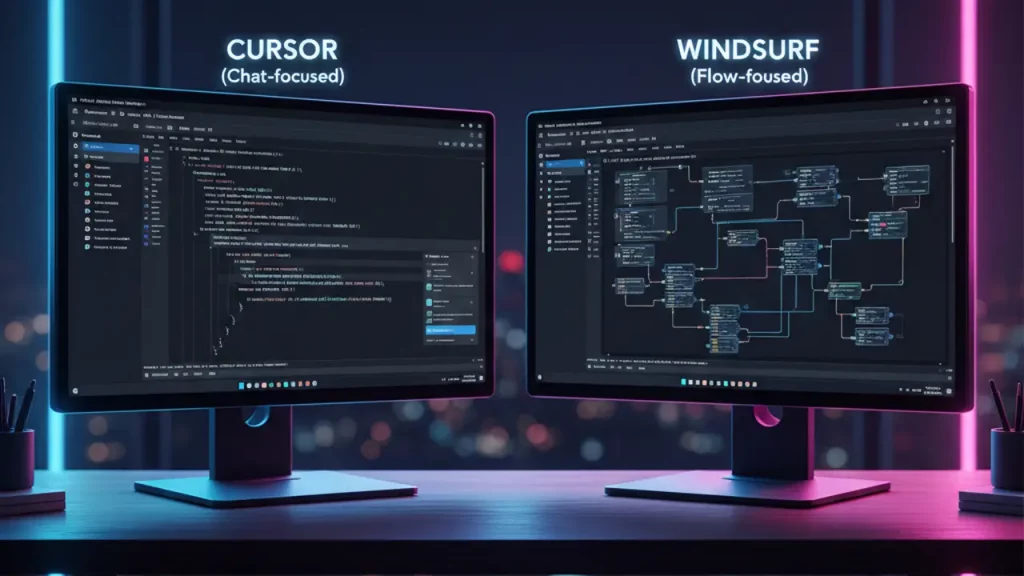
Windsurf vs Cursor—Strengths and Weaknesses by Task
Hey crew, time for a showdown: Windsurf vs Cursor—two AI IDE heavyweights. From official sources, Windsurf (Codeium) is AI-native, forked from VS Code with deep agentic features. Cursor, per its site, is also AI-powered, with agent mode for autonomous coding, Tab autocomplete, and Cmd+K edits.
Strengths of Windsurf: Superior context via Cascade—handles massive codebases better, with Flows chaining tasks. Terminal AI is exclusive, natural language commands shine in automation. Supercomplete predicts edits flexibly, tab-to-jump navigates intuitively. Codeium testimonials note easier folder creation in flows, and it imports Cursor configs seamlessly. For enterprises, Windsurf’s on-premises security edges out.
Cursor’s strengths: Agentic with multi-agent judging and plan mode for complex generations. Custom Tab model uses RL for high acceptance. Integrates GitHub/Slack deeply, supports more models (OpenAI, Anthropic). Great for debugging with bots.
Weaknesses: Windsurf might feel familiar if you’re VS Code loyal, but Cursor’s interface could overwhelm newcomers. By task—code gen: Windsurf’s 94% AI code wins for speed; debugging: Cursor’s agents excel in loops. Team work: Windsurf’s RBAC and analytics better for scale.
Pricing: Windsurf free to $30/user; Cursor pricing not detailed, but enterprise-focused.
Overall, Windsurf vs Cursor? Windsurf for flow and security; Cursor for model variety. Pick based on needs—both rock! Who’s switching? Like if Windsurf wins for you.

Windsurf vs VS Code—Should You Migrate or Dual-Wield?
What’s good, fam? Let’s pit Windsurf vs VS Code— is it time to migrate, or can you rock both? Officially, Windsurf is forked from VS Code (Microsoft’s open-source editor), but Codeium rebuilt it AI-native for agentic magic. VS Code is extensible with 80k+ extensions like Copilot, supporting languages galore and tools like Git, debuggers.
Windsurf strengths: Built-in AI pair programming—Cascade, Flows, terminal NL commands outpace VS Code’s plugins. No API limits mean deeper integration; live previews, auto-linters standard. Codeium’s blog says VS Code extensions couldn’t deliver full agentness, so Windsurf fixes that. For productivity, 70M+ lines daily vs VS Code’s manual heavy-lifting.
VS Code strengths: Free, cross-platform, massive community. Customizable themes/profiles, remote dev via Codespaces. Extensions like Python, GitLens add flexibility Windsurf might lack initially.
Weaknesses: VS Code needs plugins for AI (e.g., Copilot), fragmenting experience. Windsurf? Less extensions, but imports VS Code configs.
Migrate if AI flow is priority—devs report 59% boost. Dual-wield for best of both: Use Windsurf for core coding, VS Code for niche extensions. Codeium encourages easy switch with imports.
Pricing: Windsurf tiers from free; VS Code always free.
Windsurf vs VSCode? Migrate for future-proofing, dual for transition. Your call—drop thoughts!
Pricing and Plans: Who Gets by on Free, Who Needs Pro/Teams
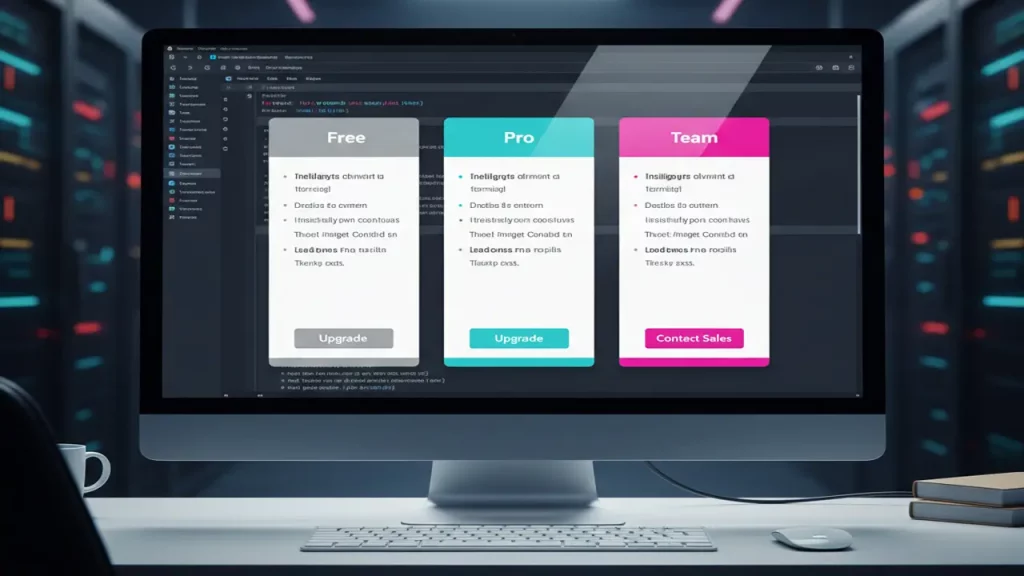
Yo, let’s break down Windsurf pricing—straight from Codeium’s site, no fluff. Windsurf Editor ties into Codeium’s plans: Free at $0/mo (25 credits, all premium models like SWE-1.5, Fast Context, Windsurf Reviews). It’s great for individuals testing Flows, Cascade—unlimited add-ons, but limited prompts.
Pro: $15/mo, 500 credits, $10 for extra 250. Unlimited features; ideal for solo devs heavy on AI, like daily automations. No caps on innovation.
Teams: $30/user/mo + $10/user for management, 500 credits/user. Adds admin dashboard, analytics, priority support, SSO, RBAC. Perfect for squads needing collab, volume discounts.
Enterprise: Contact for quote—1,000 credits/user (up to 200), unlimited for larger. Hybrid deployment, account management for secure, scaled use.
Who sticks free? Hobbyists, light users—enough for basics, but credits run out on big projects.
Pro for pros: Frequent Flows/Cascade users, worth it for uninterrupted agentness.
Teams/Enterprise: Groups, enterprises—analytics track ROI, security for Fortune 500.
Windsurf pricing is value-packed—free entry, scales up. Compared to competitors, it’s competitive without hidden fees. Ready to upgrade? Check Codeium for deets.

Conclusion: Who Windsurf Editor Truly Kills For, and Who’s It Just a Tool—Plus CTA
Wrapping up, folks—Windsurf Editor is a beast, but is it a “killer” for everyone? From Codeium’s official lens, it’s a killer for devs craving AI-native flow: solos boosting speed, teams scaling securely, enterprises deploying mission-critical. It slays boilerplate, with agentic Flows/Cascade transforming workflows. If you’re in that 59% AI-code camp, it’s revolutionary.
But for casual coders or extension junkies, it’s a solid tool—not a must-switch from VS Code. Strengths: Context mastery, terminal magic; weaknesses: Evolving ecosystem.
Overall, Windsurf redefines coding—proven by 1M+ users. If it fits, it’s a game-changer.
For more AI breakdowns, head to aiinnovationhub.com—fresh reviews await. Subscribe, like, and comment your take!
If you love tools that “drive” your workflow forward, wait until you see what’s happening in electric cars. The Onvo L60 is shaping up as a serious Tesla Model Y rival, with battery swap and BaaS changing the ownership game. Here’s a clear, practical breakdown with pricing and range details: https://autochina.blog/onvo-l60-review-price-range-baas-battery-swap/
Pingback: Revealed: Dongfeng Nissan Tianyan Platform