
Hey everyone, welcome back to the channel! Today, we’re diving into something that’s been blowing up all over the internet – Google NotebookLM Audio Overview. If you haven’t heard about it yet, buckle up because this AI tool is turning your dusty PDFs, slides, and notes into lively podcast-style discussions that feel like you’re eavesdropping on two smart hosts chatting about your stuff. It’s gone viral for a reason: imagine uploading a research paper or lecture notes, hitting a button, and boom – you’ve got an engaging audio summary that’s way more fun than staring at a screen or scribbling highlights. No more monotonous reading sessions; this makes learning feel like entertainment.
Let me break it down why this feature exploded in popularity. Back in late 2024, Google rolled out Audio Overview as part of NotebookLM, their AI-powered research tool. It quickly spread on social media because people were sharing these “deep dive” podcasts generated from everything from history docs to business reports. By 2025, with expansions to more languages and features, it hit mainstream – think TikTok videos of students acing exams by listening on the go. The virality comes from its accessibility: it’s free, powered by Gemini AI, and delivers natural-sounding conversations that highlight key points without fluff.
Now, compare that to traditional note-taking. We’ve all been there – endless bullet points, mind maps that look like spider webs, or apps that just regurgitate text. Audio Overview changes the game by creating a narrative flow. The two AI hosts discuss themes, connect ideas, and even add context, making complex info stick better. Studies show auditory learning boosts retention by up to 20%, so this isn’t just hype; it’s practical. For creators like me, it’s a goldmine for content ideas – turn a blog post into a podcast script in minutes.
If you’re hooked already, head over to aiinovationhub.com for more deep dives on AI tools like this. We’ve got tutorials, reviews, and exclusive tips to level up your workflow. Seriously, don’t miss out – subscribe there and let’s geek out on tech together!
But wait, there’s more to unpack. Why did this become a sensation? It’s the realism – the hosts banter, pause for emphasis, and sound human, thanks to advanced voice synthesis. No robotic monotones here; it’s like a real radio show. Plus, in a world of short attention spans, turning 50-page PDFs into 10-minute listens is revolutionary. Viral threads on Reddit show users raving about it for everything from book clubs to professional training. And the best part? It’s grounded in your sources, minimizing hallucinations that plague other AIs.
To wrap this intro, if you’re tired of boring summaries, Audio Overview is your upgrade. It’s not just a tool; it’s a companion that makes info digestible and fun. Stick around as we explore how it works and why it’s better than old-school methods. Hit that like button if you’re excited, and let’s jump into what NotebookLM really is!
If NotebookLM’s Audio Overview made you think “wait, AI can actually sound entertaining,” your next stop is music. Suno takes the same magic—turning ideas into audio—and applies it to full songs in minutes. I tested the workflow, the best prompts, and real use cases here: https://aiinovationhub.com/aiinnovationhub-suno-ai-music-generator-songs/
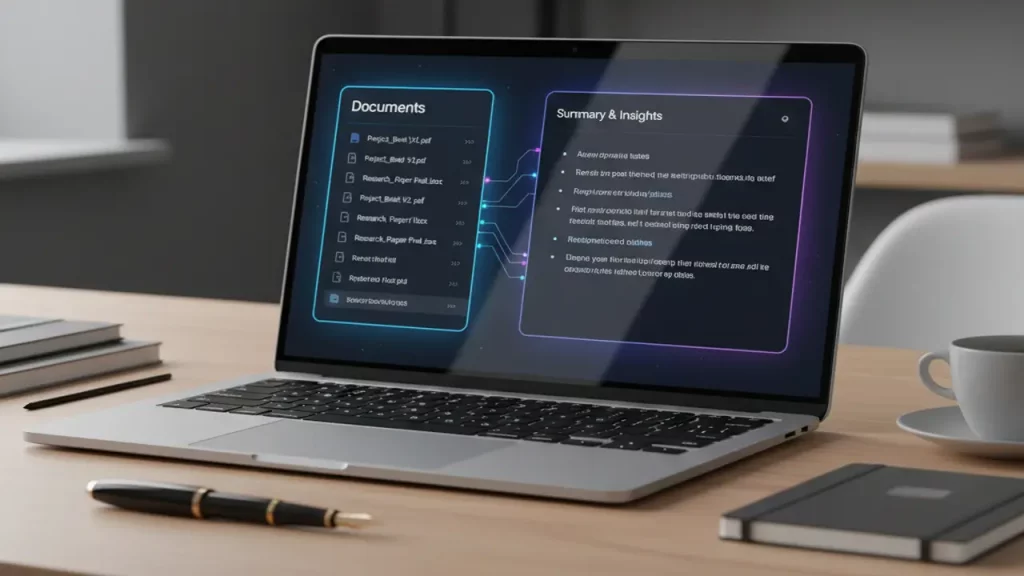
What Is NotebookLM and How It Stands Out from Just a “Chatbot” (Google NotebookLM Best Use Cases)
Alright, folks, let’s get into the nitty-gritty: what exactly is Google NotebookLM, and why isn’t it just another chatbot like the ones we’ve seen before? If you’re new here, NotebookLM is Google’s AI research and thinking partner, designed to help you organize, analyze, and interact with your documents in ways that feel super intuitive. Launched as an experimental tool, it evolved by 2025 into a powerhouse for students, professionals, and creators alike.
Unlike a basic chatbot that pulls from the web or general knowledge, NotebookLM is all about your uploaded sources. You feed it PDFs, Google Docs, slides, or even web clips, and it grounds every response in that material. No more generic answers – everything is tailored and cited back to your files. This makes it stand out: it’s like having a personal AI librarian that remembers every detail from your library.
Now, let’s talk Google NotebookLM best use cases because that’s where it shines. For researchers, it’s perfect for synthesizing papers – upload a stack of articles, and it generates timelines, FAQs, or study guides. Businesses love it for internal docs: think HR policies turned into interactive Q&A or sales reports summarized in briefs. Writers use it to brainstorm outlines from research notes, ensuring nothing gets lost.
One killer use case is education. Students can create custom notebooks for courses, querying for explanations or quizzes based on lectures. Professionals in fields like law or medicine analyze case studies without sifting through pages. Even marketers pull insights from competitor analyses.
What sets it apart from chatbots? Chatbots like basic Gemini might hallucinate or go off-topic, but NotebookLM stays laser-focused on your data, reducing errors. It’s collaborative too – share notebooks for team brainstorming. By 2025, with features like longer context and multi-language support, it’s become indispensable for global teams.
In my experience testing it, the best use cases involve deep dives: historical research, product development ideation, or even personal journaling. It’s not about quick chats; it’s about building knowledge bases that evolve.
To sum up, NotebookLM elevates from “just a chatbot” by being source-grounded, versatile, and user-centric. If you’re juggling info overload, this is your go-to. Next up, we’ll see how the Audio Overview magic happens – stay tuned!
How the “Two Hosts” Generation Works and Why It Sounds So Lifelike (NotebookLM Audio Summary)
Yo, tech enthusiasts! Ever wondered how Google pulls off that magical NotebookLM audio summary where two AI hosts chat like old friends about your documents? It’s fascinating stuff, and today we’re breaking it down step by step. At its core, Audio Overview uses advanced AI models to transform your uploaded sources into a dynamic discussion.
Here’s the tech behind it: When you hit “Generate Audio Overview,” NotebookLM analyzes your PDFs, notes, or slides for key themes, facts, and connections. It then scripts a conversation between two virtual hosts – one might lead with questions, the other with insights – using natural language generation. Powered by Gemini, it ensures the dialogue flows logically, covering main points without spoilers or bias.
Why does it sound so lifelike? Google employs state-of-the-art text-to-speech tech with prosody – that’s fancy for intonation, pauses, and emphasis – making it feel human. The hosts banter, reference each other, and even add transitional phrases like “That’s interesting, but what about…” It avoids monotony by varying speech patterns, almost like a real podcast.
For a NotebookLM audio summary, the process is quick: Upload sources (up to 500,000 words by 2025), select the feature, and wait 3-5 minutes for a 5-15 minute audio file. It’s customizable too – focus on specific topics if you prompt it.
This lifelike quality comes from training on vast datasets of conversations, ensuring cultural nuances and engaging storytelling. No stiff readings; it’s immersive, helping retention through auditory cues.
In practice, I’ve generated summaries from tech articles, and it’s spot-on – highlighting pros, cons, and implications naturally. That’s why it’s addictive: turns dry content into entertainment.
Bottom line, the “two hosts” setup isn’t gimmicky; it’s a smart way to make info accessible. If you’re into AI audio, this is next-level. Up next, a tutorial on creating your first one – let’s go!
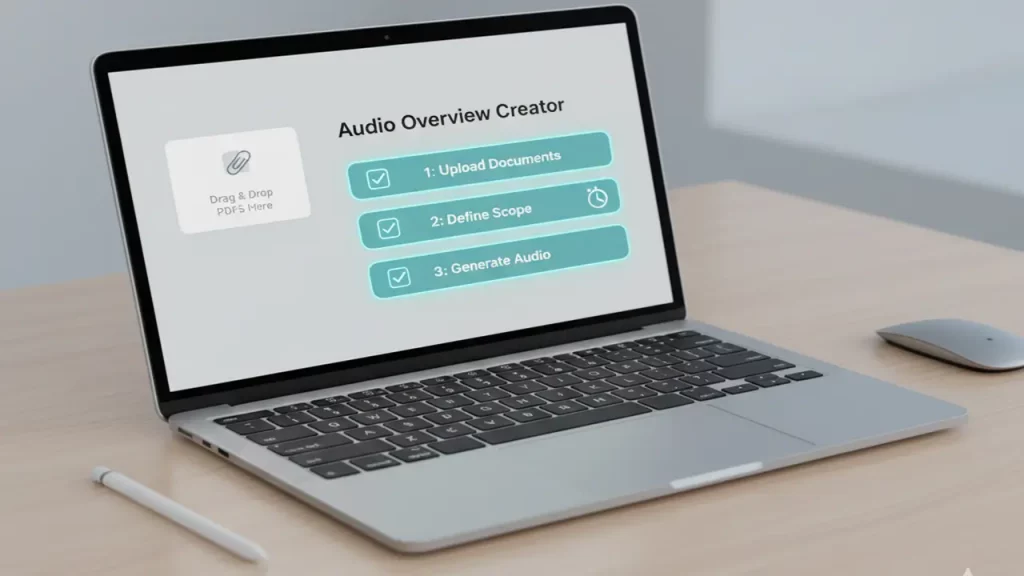
Step-by-Step: How to Make Your First Episode in 3-5 Minutes (NotebookLM Audio Overview Tutorial)
What’s up, squad? If you’re itching to try Google NotebookLM Audio Overview, this tutorial is your fast track. We’ll walk through creating your first “podcast” from scratch – no tech wizardry needed. By the end, you’ll have a custom audio in under 5 minutes. Let’s roll!
First, head to notebooklm.google.com and sign in with your Google account. If you’re new, create a notebook by clicking “New Notebook.” Name it something like “My First Audio Test.”
Step two: Upload sources. Drag in PDFs, Docs, or text files – think lecture notes or articles. NotebookLM supports up to 50 sources per notebook by 2025. Pro tip: Mix formats for richer discussions.
Now, the magic: In the notebook, click the “Generate” button and select “Audio Overview.” You can add a prompt like “Focus on key takeaways” for customization. Hit generate – it processes in 3-5 minutes, depending on length.
While waiting, explore options: Choose language if multilingual, or enable interactive mode for later Q&A. Once done, play the audio right there – download as MP3 for offline.
Troubleshooting: If it’s too long, trim sources. For better quality, ensure clear text – no scans without OCR.
This NotebookLM Audio Overview tutorial shows how simple it is: from upload to listen in minutes. I’ve done it for book summaries, and it’s game-changing.
Practice makes perfect – try with a short PDF first. Questions? Drop ’em in comments. Next, student scenarios – you won’t want to miss!

Scenarios for Learning: Lectures, Exams, Courses, Languages (NotebookLM for Students Study)
Hey students and lifelong learners! If you’re grinding through school or self-study, NotebookLM for students study is a total lifesaver. Let’s explore real scenarios where Audio Overview turns chaos into clarity.
For lectures: Upload your professor’s slides or recordings (transcribe if needed), and generate an audio recap. It breaks down complex topics like quantum physics into digestible chats, perfect for review walks.
Exams prep: Create notebooks per subject, add past papers, and get quizzes or summaries. The audio format helps cram while commuting – retention skyrockets.
Courses: For online platforms like Coursera, upload modules and let hosts connect dots across lessons. It’s like a personal tutor podcast.
Languages: Practice by uploading foreign texts; Audio Overview in supported langs helps pronunciation and comprehension.
In my tests, it’s boosted study efficiency – no more rereading; just listen and absorb.
Audio Overview ideally pairs with mobile listening for on-the-go study. Check out www.smartchina.io for gadget picks like earbuds and phones to stream these “PDF podcasts” seamlessly during commutes, not just at your desk.
From group projects to thesis work, NotebookLM adapts. It’s collaborative – share with classmates for joint reviews. For multilingual courses, 2025 expansions make it global.
If studying feels overwhelming, this tool streamlines it. Give it a shot for your next session!
Scenarios for Work: Reports, Policies, Research, Big PDFs (NotebookLM for Research Papers)
Professionals, this one’s for you! NotebookLM for research papers and work docs is a productivity beast. Let’s hit those scenarios.
Reports: Upload quarterly data, get audio overviews highlighting trends – great for meetings.
Policies: HR or compliance files become interactive summaries; hosts explain clauses simply.
Research: For academics or market analysts, synthesize papers into discussions, spotting gaps.
Big PDFs: Tackle 100-page reports effortlessly – audio condenses without losing essence.
It’s secure for enterprise too, grounding in your data.
If you’re processing heavy PDFs or lectures with multiple sources, a solid laptop is key. Swing by www.laptopchina.tech for reviews of affordable Chinese models tailored for work and study, ditching brand premiums.
From content creation to strategy, NotebookLM fits. I’ve used it for blog research – speeds up everything.
Enterprise versions add collaboration. For global teams, language support is clutch.
This elevates work efficiency – try it on your next project!
Languages and Accessibility: What’s with Locales, Why It Matters, and Upcoming Updates (NotebookLM Supported Languages)
Language lovers, listen up! NotebookLM supported languages have exploded in 2025, making it a global tool. Why does this matter? Accessibility – not everyone thinks in English, and diverse locales mean broader impact.
As of April 2025, Audio Overviews expanded to over 50 languages, including Spanish, Hindi, and more. By August, it hit 80+, covering Afrikaans to Zulu for both audio and video features. You can mix languages in one notebook – upload English and French sources, get a bilingual summary.
This is huge for education and business: Non-native speakers access content natively, boosting comprehension. Updates focused on accuracy in locales like Chinese by October 2025.
Expect more: Google hints at real-time translation integrations. It matters for inclusivity – think international research or multicultural teams.
In practice, I’ve tested multilingual – seamless and natural. Barriers down!
Can You “Jump In” the Chat and Ask Questions to Hosts? (NotebookLM Interactive Mode)
Interactive fans, this is wild! NotebookLM interactive mode lets you “join the conversation” – yes, talk to the AI hosts mid-audio.
Launched in December 2024 as beta, tap “Interactive mode” when generating. Play, then hit “Join” – hosts pause, call on you, and respond to your voice query.
It’s like a live podcast: Ask clarifications, and they tie back to sources. Perfect for deepening understanding.
Limitations: Beta, so occasional glitches, but 2025 updates polished it.
This mode elevates from passive to active learning. Mind-blowing for Q&A sessions!
Comparison: When to Pick NotebookLM Over Gemini (NotebookLM vs Gemini)
Hey team, it’s comparison o’clock! Let’s pit Google NotebookLM against Gemini – both from the Google AI family, but with totally different superpowers. If you’re deciding which to grab for your next project, I’ve got the breakdown to make it crystal clear.
First off, Gemini is the ultimate all-rounder. It’s your go-to for general queries, whipping up code, sparking creative ideas, or even chatting about the latest news – all powered by vast web knowledge and real-time access. Think of it as a super-smart conversational buddy that’s always online, handling everything from quick facts to complex problem-solving.
On the flip side, NotebookLM is laser-focused on your sources. You upload docs, PDFs, or notes, and it grounds every insight in that material – no web distractions or external fluff. This makes it killer for accuracy in research, where you need citations tied directly to your files. It’s like a personal research assistant that digs deep into what you’ve provided, generating summaries, timelines, or even those viral audio overviews.
So, when to choose NotebookLM over Gemini? Opt for NotebookLM when you’re doing deep dives into specific papers, reports, or datasets – perfect for avoiding hallucinations and staying true to your sources. Gemini shines for brainstorming, broad explorations, or when you need web-sourced info on the fly. They actually complement each other beautifully: Start with Gemini for initial ideas, then refine in NotebookLM with your curated docs.
For enterprise folks, NotebookLM offers secure data handling without training on your inputs, while Gemini Enterprise is great for collaborative, broad-search workflows. Bottom line: Pick based on your needs – if it’s source-grounded precision, NotebookLM wins; for versatile vibes, Gemini’s your champ. Both are absolute rockstars in their lanes!
Practical Tips + Honest Limits (Hallucinations, Tone, Sources) and Final Verdict: Who Should Try It (NotebookLM Podcast from PDF)
Wrapping this up, squad! For that NotebookLM podcast from PDF magic, here are some practical tips to level up your game, plus the honest scoop on limits so you know what you’re dealing with. Let’s keep it real and helpful.
Tips first: Curate your sources like a pro – use clean, high-quality text to dodge any glitches in generation. Prompt specifically for what you want, like “Make it conversational” to tweak the tone. For audio overviews, mix in diverse sources for richer discussions, and experiment with interactive mode to jump in with questions. Also, upgrade to Google AI Plus for customizable styles and higher quotas – it unlocks more notebooks and longer sessions.
Now, the limits: Hallucinations are rare since it’s grounded in your uploads, but they can sneak in if sources are ambiguous or conflicting – always double-check key facts. Tone is mostly formal by default, with no full custom voices yet, though Plus adds some flexibility. Source caps? Free tier tops out at 50 per notebook, but subscriptions bump it up for heavy users. Daily limits on deep dives or audio generations apply too – like 20 DeepDives per day on Plus – so pace yourself. And remember, no real-time web access here; it’s all about your files.
Final verdict: If you’re a student cramming lectures, a researcher sifting papers, or a pro handling docs, NotebookLM’s podcast from PDF is a must-try – especially if audio learning clicks for you. It’s transformative for turning info into engaging listens.
If building an AI toolkit beyond NotebookLM, visit www.aiinnovationhub.shop – their catalog simplifies picking tools for learning, content, and automation, no more “what next?” woes.
That’s the full scoop – hit like if this helped, and subscribe for more AI breakdowns!
Gamepk! Seriously digging these games. They have a nice selection, and the site’s pretty slick. Good times! Try it for yourself at: